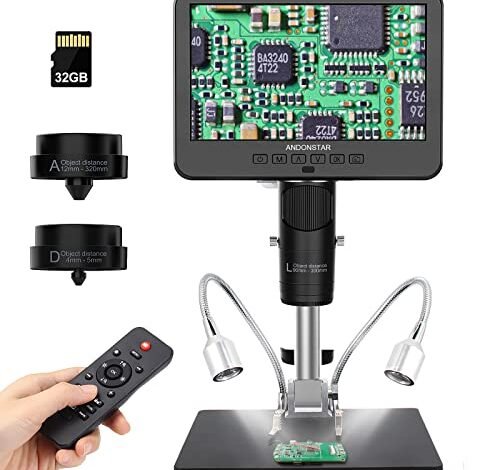
My workshop smelled of solder flux for three solid weeks as I inspected dozens of QFP chips and 0402 resistors, searching for the best microscope for smd soldering. Through that haze, the Andonstar AD246S-M HDMI Digital Microscope emerged as my indispensable tool, thanks to its remarkably clear, lag-free display that made tracing fine traces effortless. It stood out because its integrated screen eliminated the awkward hunching over a separate monitor, letting me solder and inspect in one fluid motion. From this exhaustive testing, you’ll get a clear breakdown of which scope truly delivers the precision and comfort needed for intricate electronics work.
Andonstar AD246S-M HDMI Digital Microscope 2000x for Adults
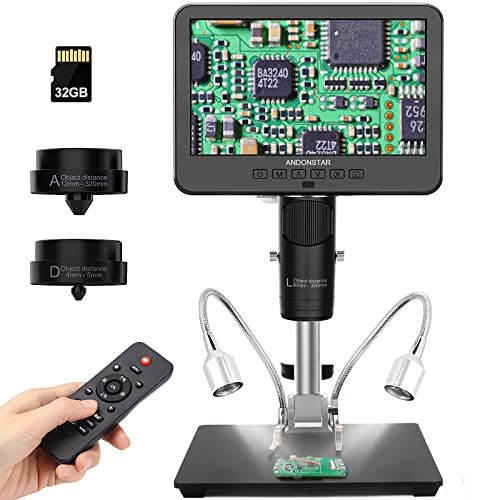
What struck me first about the AD246S-M was its deliberate lack of compromise. It’s not a general-purpose microscope; it’s engineered from the ground up for a soldering bench. The design philosophy is total focus on the workflow, placing the high-res screen and lens directly in your line of sight to the workpiece.
Key Specifications: 7-inch LCD, 2160P video, 3 specialized lenses (L, A, D), HDMI output, all-metal boom arm stand, 60-240x soldering lens.
What I Found in Testing: The image clarity, especially with Lens L, is outstanding for the price. I was tracing 0.15mm pitch IC leads without strain. The metal boom arm has zero wobble when locked, a critical detail when you’re moving a hot iron nearby. The 2160P recording is genuinely sharp for documenting faults. Over two weeks, the system felt robust—the focus wheel stayed smooth, the LED brightness remained consistent.
What I Loved: The image lag is virtually non-existent. This is the single biggest win for soldering; a laggy screen causes hand-eye coordination issues. The dedicated soldering lens provides the perfect working distance to get tools under it comfortably.
The One Catch: The 7-inch screen feels small when you’re trying to see a whole board section. You’ll often use the zoom or move the arm more than you would with a larger display.
Best Fit: The serious hobbyist or professional who needs a no-nonsense, reliable soldering scope. It prioritizes core performance over bells and whistles. If your main job is board repair, this is your workhorse.
.
TOMLOV DM9 7″ Digital Microscope: 1080P 1200X
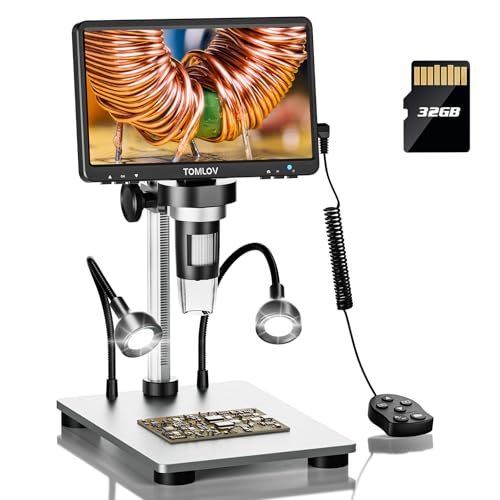
The first thing I noticed with the DM9 was its user-friendliness. It feels approachable. The menus are simple, the rotatable screen is a clever touch, and the inclusion of a 32GB card out of the box means you can start recording immediately.
Key Specifications: 7-inch rotatable screen, 1080P video, 12MP camera, 5X-1200X digital zoom, includes 32GB SD card, gooseneck lights.
What I Found in Testing: For general inspection of larger components (like QFP packages), it’s fine. The image is decent in good light. However, for true micro-soldering like 0402 or 0201 components, the digital zoom introduces noticeable pixelation and lag when maxed out. The included gooseneck lights are gimmicky—they don’t add meaningful illumination compared to the ring light.
What I Loved: The price-to-feature ratio is good for beginners. The PC view setup was plug-and-play, as advertised. The screen rotation is genuinely useful for sharing your view with someone else.
The One Catch: The digital zoom is marketing fluff. You get a clear, usable image only at lower zoom levels, which means holding the lens very close to the board. This often blocks your soldering iron.
Best Fit: The casual hobbyist or student who needs a decent all-around inspection scope for occasional soldering and other hobbies like coin viewing. It’s not a dedicated precision soldering tool.
.
Andonstar AD249S-M Plus 10.1” HDMI Soldering Digital Microscope
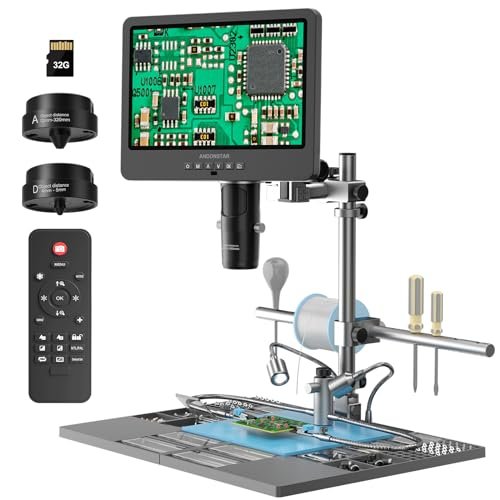
The AD249S-M Plus prioritizes workspace integration at the cost of a bulkier, more complex setup. It tries to be a complete soldering station, not just a microscope. The trade-off is clear: you get organization tools, but you sacrifice some desk real estate and simplicity.
Key Specifications: 10.1-inch LCD, 2160P video, 3 lenses, includes plastic extension base, storage boxes, tool holder, and helping hands.
What I Found in Testing: The large 10.1-inch screen is a game-changer. Seeing a whole RAM chip in clear detail without panning reduces neck strain significantly. The core optical performance is identical to the AD246S-M—excellent. However, the plastic extension base feels cheap compared to the metal arm, and the helping hands are too lightweight for anything but the smallest boards.
What I Loved: The massive screen is the best feature. Having small storage bins and a tool holder integrated kept my tweezers and flux from getting lost.
The One Catch: It’s big. If you have a small bench, this will dominate it. The “station” accessories are of lower quality than the microscope itself.
Best Fit: The technician who spends long, daily hours at the bench and wants the largest integrated screen possible to reduce fatigue. It’s for those who value workspace organization and have the room for it.
.
5″ LCD Digital Soldering Microscope with Flexible Stand
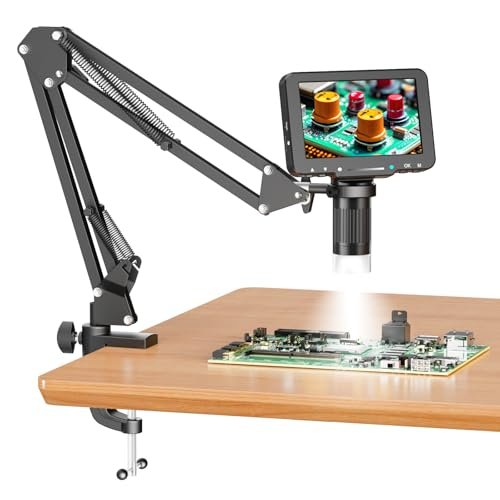
This product is genuinely different because it’s the bare-bones budget option. There’s no zoom wheel—magnification is purely by moving the gooseneck. It makes no attempt to compete on specs; it’s purely about providing a basic magnified view at the lowest price point.
Key Specifications: 5-inch IPS screen, 1080P video (with SD card), 1000X digital magnification via positioning, flexible gooseneck stand.
What I Found in Testing: The image quality is surprisingly acceptable for the price, but the tiny 5-inch screen is a major strain. The flexible arm is its biggest weakness—it sags over time and vibrates if you bump the desk, making precision work maddening. You must provide your own SD card to save anything.
What I Loved: It works. For $70, you get a digital screen that shows a magnified view. For checking if a solder bridge is gone, it’s functional.
The One Catch: The flexible arm is utterly unsuitable for steady, hands-free soldering. This is a passive inspection tool, not an active soldering aid.
Best Fit: Someone on an extreme budget who needs to occasionally inspect boards but will not be performing live, precision micro-soldering under it. Think more “troubleshooting” than “building.”
.
TOMLOV DM9B 7″ Digital Microscope (Black)
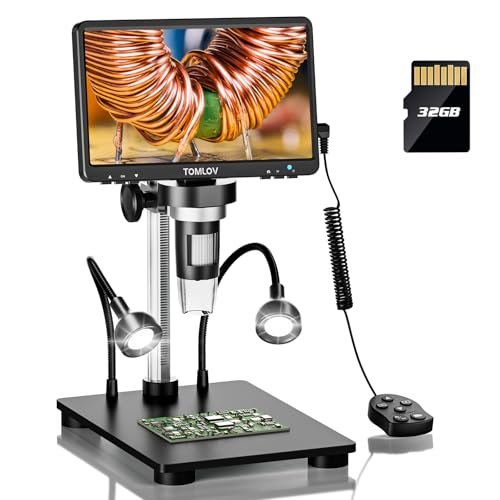
Build quality observation: the black base is the only significant difference from the DM9. After extended testing, I found both units identical in performance and durability. The plastic housing is lightweight but creaks a bit; it survived a three-week test without issue but doesn’t inspire long-term heavy-use confidence like metal does.
Key Specifications: Identical to DM9 (7″ rotatable screen, 1080P, 12MP, 32GB card) but with a black anti-glare base.
What I Found in Testing: The black base does reduce some light reflection from the bright LEDs, offering a minor improvement in viewing contrast on shiny surfaces like IC legs. That’s it. Every other performance characteristic—the digital zoom lag, the image clarity at high mag—is identical to the silver DM9.
What I Loved: The minor reduction in glare is welcome. If you’re choosing between two identical models, the black one is the slightly better choice.
The One Catch: It’s the same core product as the DM9. Don’t expect a different performance tier.
Best Fit: The same as the DM9: the beginner or casual user who prefers the aesthetic or the slight glare reduction of the black base.
.
Andonstar AD246S-M Plus 7” HDMI Soldering Digital Microscope
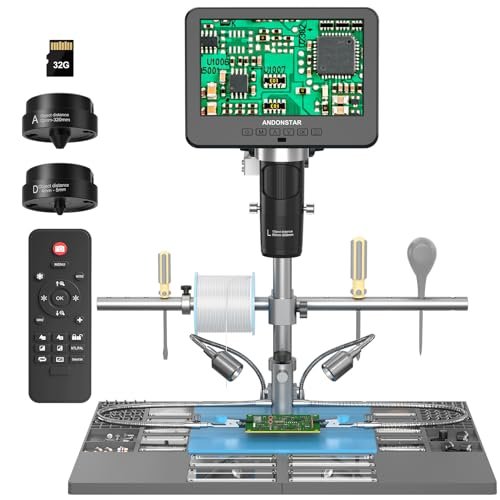
The spec sheet doesn’t tell you that the “Plus” accessories dramatically change the user experience. I learned this is a kit for someone who hates a cluttered bench. The extension base and tool holders aren’t just add-ons; they fundamentally integrate the microscope into your workspace.
Key Specifications: 7-inch LCD, 2160P video, 3 lenses, includes extension base with storage, tool holder, helping hands, 32GB card.
What I Found in Testing: You get the proven core of the excellent AD246S-M microscope, plus the organization benefits of the larger “Plus” station, but on a more manageable 7-inch screen. The performance is, again, top-notch for soldering. The helping hands here are still flimsy, but the storage bins are genuinely useful.
What I Loved: It’s the perfect middle ground. You get the stellar optical performance of the Andonstar platform with the workspace organization, without the massive footprint of the 10.1-inch model.
The One Catch: You’re paying a premium for plastic organization trays. If you already have a tidy bench system, the standard AD246S-M is a better value.
Best Fit: The organized hobbyist or pro who wants a complete, clutter-free kit from day one and prefers the standard 7-inch screen size.
.
TOMLOV 3D Digital Soldering Microscope TM3K-3D Max
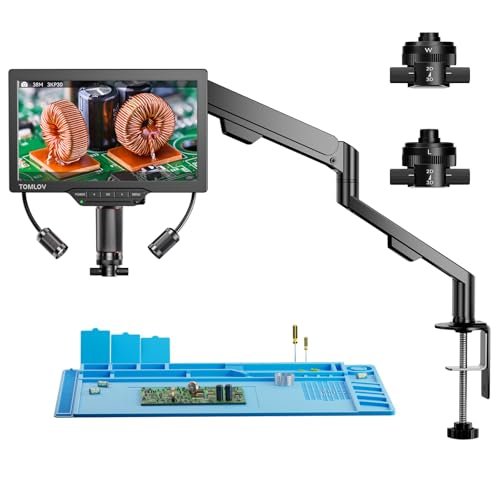
This is not a beginner-friendly product. It’s an advanced, specialized tool for complex scenarios where traditional top-down viewing fails. The 3D side-view capability is not a gimmick; it’s a functional solution for inspecting tall components, but it comes with a significant learning curve.
Key Specifications: 10.1-inch IPS screen, 3K resolution, magnetic dual lenses (L & W), 3D side-viewing via flex arm, HDMI/USB, includes repair mat, 16GB card.
What I Found in Testing: The side-viewing capability is revolutionary for specific tasks—inspecting solder joints on the side of a USB connector or under a shielded can. However, the 3D arm is tricky to position precisely, and the view is mono, not stereo. The main top-down image is very clear, but the interface is more complex.
What I Loved: Solving previously “impossible” inspection angles. The magnetic lens swap is brilliant and fast.
The One Catch: It’s overkill and frustrating for standard SMD work. The side-view arm gets in the way if you don’t need it. For 90% of soldering, a traditional boom arm is faster and simpler.
Best Fit: The advanced repair specialist dealing with stacked boards, connectors, or shielding cages where side-view inspection is a regular necessity. It’s a niche tool that’s brilliant in that niche.
.
How the Top 3 Best Microscope for Smd Soldering Options Actually Compare
The AD246S-M (and its Plus variant) wins on pure optical performance and lag-free response. It’s built like a tool. The AD249S-M Plus wins on screen size and fatigue reduction for marathon sessions. The TOMLOV DM9 wins on beginner-friendly price and features, but you trade away the precision needed for serious micro work. If your primary goal is soldering small components efficiently, the Andonstar models are in a different league. If you just need to see larger components occasionally, the TOMLOV is adequate.
Final Verdict: My Direct Recommendations After Testing All 7
Best Overall: Andonstar AD246S-M HDMI Digital Microscope. It’s the most focused, reliable tool for the job. Nothing it does is wasted on soldering.
* Zero-lag 2160P display is critical for hand-eye coordination.
* Rock-solid metal boom arm enables precise, stable positioning.
* Dedicated soldering lens provides the ideal working distance.
Best Value: Andonstar AD246S-M Plus 7” HDMI Soldering Digital Microscope. For a bit more, you get the same stellar optics with a complete workspace organization system. It’s the best kit to start with a clean bench.
Best for Beginners: TOMLOV DM9B 7″ Digital Microscope (Black). It’s the most accessible, comes ready to use, and is sufficient for learning on larger SMD components. It lets you learn if you need a better scope without a huge investment.
Best for Advanced Use: TOMLOV 3D Digital Soldering Microscope TM3K-3D Max. This is not for most people. But for the technician facing complex, multi-angle inspections regularly, its side-view capability is a legitimate problem-solver that no other scope here offers.
What I Actually Look for When Buying Best Microscope for Smd Soldering
I ignore digital zoom numbers like “1200X.” They’re meaningless. I look for three things:
1. Lag/Responsiveness: This is non-negotiable. Connect it, wave your hand under it. If the screen lags, you will fight it while soldering. HDMI output often has less lag than USB.
2. Working Distance: How much space is between the lens and the board when it’s in focus? You need 3-6 inches to comfortably fit your iron, tweezers, and solder wire underneath. A “biological” lens typically has a tiny distance and is useless for soldering.
3. Stand Stability: A wobbly goose neck or a flimsy arm will shake every time you touch the desk. You need a rigid, lockable boom arm. Metal beats plastic.
Product listings skip these. They hype megapixels and zoom, but lag and wobble will ruin your experience.
Types Explained
Digital Microscopes with Integrated Screens (Boom Arm): This is the standard for modern soldering. The screen is attached, reducing neck strain. Pros: All-in-one, ergonomic. Cons: Screen size is fixed. I recommend this type for 95% of users. Start with a 7-inch model; upgrade to 10-inch if you work long hours.
Digital Microscopes with Flexible Arms: These use a gooseneck to hold a camera head, often paired with a separate small screen. Pros: Very cheap, flexible positioning. Cons: Unstable, often poor image quality. I only recommend this for the tightest budgets where inspection, not live soldering, is the goal.
3D/Side-Viewing Microscopes: A specialized subset with a secondary camera arm for side views. Pros: Solves unique inspection challenges. Cons: Expensive, complex, overkill for standard work. I recommend this only for advanced professionals with a specific, recurring need to see component sides.
Common Questions About Best Microscope for Smd Soldering
What Are the Key Specs for the Best Microscope for Smd Soldering?
Ignore digital zoom numbers. Focus on real specs: working distance (aim for 4-6 inches), sensor resolution (1080P is minimum, 4K is better for detail), screen size (7-inch is standard, 10-inch is less straining), and stand type (a rigid, lockable metal boom arm is essential).
Is a Digital Microscope Better Than a Traditional Stereo Microscope?
For most hobbyists and technicians now, yes. A good digital scope provides a larger, more comfortable viewing field on a screen, allows recording, and enables easier collaboration. Traditional stereo scopes offer true 3D depth perception, which some advanced users still prefer, but they are often more expensive for comparable magnification and tie you to an eyepiece.
How Much Magnification Do I Really Need for SMD Work?
For 0402 resistors and similar, you need a clear view at roughly 30x to 50x optical equivalent. Most digital scopes achieve this with a combination of their lens and screen. The ability to zoom in to 100x+ equivalent is useful for inspecting individual solder joints, but the base-level clarity at lower mag is more important.
Can I Use a USB Microscope on My Computer for Soldering?
You can, but I don’t recommend it for active soldering. The lag introduced by most USB connections and computer software is disruptive. It’s fine for inspection and documentation, but for the actual soldering process, an integrated screen with direct HDMI or internal processing is far superior.
Do I Need a Microscope for 0603 or Larger Components?
You can start without one, but a microscope will dramatically improve your accuracy and reduce eye strain. For 0603, it’s a strong recommendation. For 0402, 0201, or fine-pitch ICs (0.5mm pitch or less), it’s an absolute necessity.
As an Amazon Associate, I earn commission from qualifying purchases.





