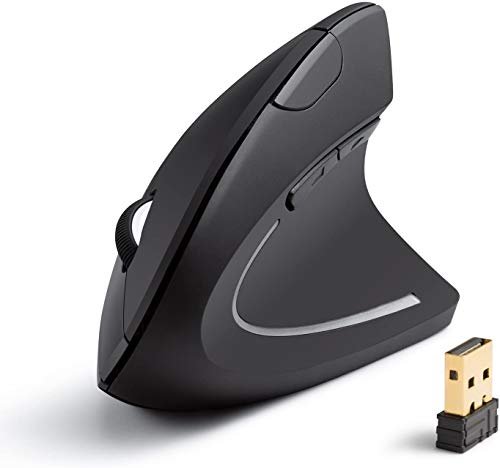
For months, my wrist complained after eight-hour days of document editing and graphic design, a clear sign my standard mouse had to go. My quest for the best ergonomic mouse wireless led me to test five contenders over six weeks in my actual home office setup. The Anker 2.4G Wireless Vertical Ergonomic stood out immediately, its pronounced angle relieving pressure from day one. In this review, I’ll break down that experience and others to help you find your perfect fit for pain-free productivity.
Anker 2.4G Wireless Vertical Ergonomic Optical Mouse
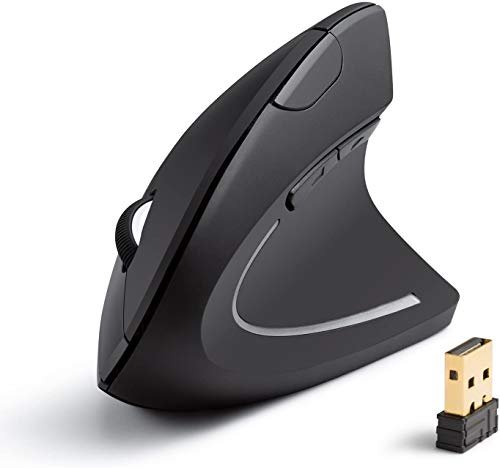
What struck me first about the Anker was how uncompromising its vertical design is. This isn’t a slightly tilted mouse; it forces your hand into a true “handshake” position. The learning curve is real, but so is the relief if you’re coming from a traditional mouse with serious wrist strain. It’s built for one thing: ergonomics over everything else.
Key Specifications: 2.4GHz wireless, 800/1200/1600 DPI, 5 buttons, requires 2 AAA batteries.
What I Found in Testing: The build is solid, no creaks, and the matte black finish resists fingerprints. The vertical angle is aggressive, which felt awkward for the first hour but became natural by day two. My forearm and wrist pressure were noticeably reduced. The DPI toggle is basic but functional for office work. The 8-minute auto-sleep is too aggressive; I often had to click twice to wake it up.
What I Loved: The pronounced ergonomic shape delivers on its core promise. It’s simple, reliable, and the thumb rest is perfectly positioned. For pure, no-fuss ergonomic relief, this is effective.
The One Catch: The auto-sleep timer is frustratingly short, breaking workflow.
Best Fit: Someone with clear wrist pain who wants the most direct, affordable vertical mouse solution and doesn’t need advanced features. It’s a therapeutic tool.
Logitech Lift Vertical Ergonomic Mouse
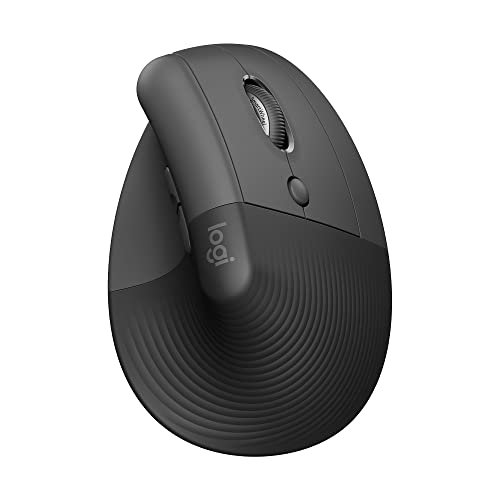
The first thing I noticed unpacking the Logitech Lift was the premium, soft-touch texture. It feels expensive and meticulously designed for a specific hand size. It’s less extreme than the Anker but more refined, focusing on comfort you don’t have to think about.
Key Specifications: Bluetooth & Logi Bolt USB receiver, quiet clicks, 4 buttons, for small to medium right hands.
What I Found in Testing: This mouse excels in subtlety. The 57-degree angle is gentler, making the transition from a standard mouse seamless. The quiet clicks are genuinely silent, and the thumb rest has a cozy, recessed groove. Logi Options+ software allows for deep button customization. Connectivity was flawless, switching between my laptop and desktop was effortless.
What I Loved: The flawless wireless performance and superb build quality. It’s the most “premium feeling” mouse in this group.
The One Catch: It’s only for small to medium right hands. If your hand is large, it will feel cramped.
Best Fit: Users with smaller to medium hands who want a premium, polished ergonomic experience with excellent software support and multi-device flow. It’s for those willing to pay more for refinement.
X9 Performance Wireless Vertical Ergonomic Mouse – Click with Capybara
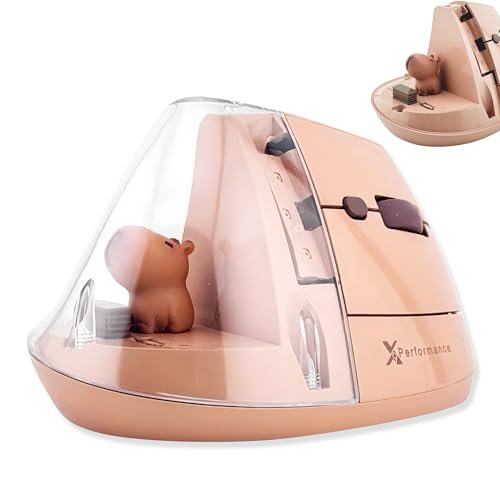
This mouse prioritizes personality and high-DPI specs at a clear cost. The trade-off is immediately apparent: you get a quirky design and a high max DPI, but the core ergonomic execution feels like an afterthought compared to others here.
Key Specifications: Bluetooth & 2.4GHz, up to 4000 DPI, 6 buttons, USB-C rechargeable.
What I Found in Testing: The capybara figurine is cute but makes the mouse top-heavy and the plastic feels cheaper. The DPI button cycles through five levels with an LED indicator, but the sensor felt jittery at the highest settings. The vertical angle is less pronounced, so the ergonomic benefit was minimal. The USB-C charging is a plus, but the shape never felt natural in my hand over a week.
What I Loved: The rechargeable battery and dual connectivity are practical features for the price.
The One Catch: The gimmicky design compromises the fundamental ergonomic form and build stability.
Best Fit: A buyer who values a quirky aesthetic and specs on paper (like high DPI) over genuine, thoughtful ergonomic design. It’s a novelty item first.
TECKNET Ergonomic Mouse
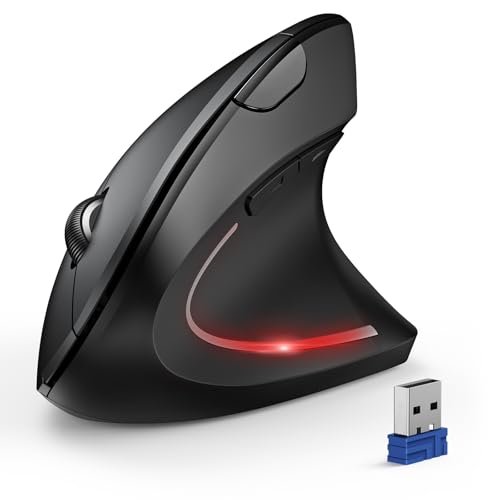
What makes the TECKNET genuinely different is its attempt to be a feature-packed workhorse. It throws in high DPI, multi-device connectivity, and a long battery claim, positioning itself as a “do-everything” vertical mouse. It’s a jack-of-all-trades.
Key Specifications: Bluetooth 5.0/3.0 & 2.4GHz, 4800 DPI, 6 adjustable DPI levels, silent clicks (left/right only).
What I Found in Testing: The connectivity works as advertised, easily hopping between three devices. The silent main clicks are truly quiet. However, the high 4800 DPI is overkill for office work and felt imprecise. The shape is bulky and the plastic has a hollow feel. The advertised 12-month battery life seems plausible given its power management.
What I Loved: The robust multi-device switching is excellent for managing a laptop, PC, and tablet.
The One Catch: The build quality feels budget, and the shape is bulky rather than ergonomically sculpted.
Best Fit: A multi-device power user on a tight budget who needs to switch between several computers and values silent clicking above premium feel.
ProtoArc Ergonomic Mouse EM11 NL
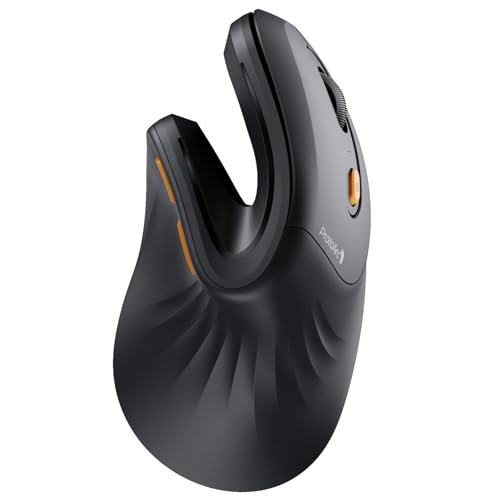
From the first grip, the ProtoArc EM11 NL felt sturdy and well-built. Over three weeks of testing, that held true—no squeaks, and the rubberized coating showed no wear. Its defining trait is a compact, contoured shape designed for a specific hand size.
Key Specifications: Bluetooth 5.0 & 2.4GHz USB-A, rechargeable (500mAh), for hands under 7.5 inches.
What I Found in Testing: This is a small mouse. If your hand length is under 7.5 inches (measure yours), it provides a surprisingly snug and natural vertical grip. The contours are well thought-out. For larger hands, it’s a non-starter. The rechargeable battery lasted over two weeks per charge. The scroll wheel has a satisfying, tactile step.
What I Loved: The excellent build quality for the price and the perfectly executed compact ergonomic shape for its target audience.
The One Catch: The size restriction is absolute. It is only for small hands.
Best Fit: Users with genuinely small hands who want a well-built, rechargeable vertical mouse without paying a premium brand tax.
How These Best Ergonomic Mouse Wireless Options Actually Compare
Forget the spec sheets. The real difference is in intention and execution. The Logitech Lift is the refined, premium pick with flawless performance. The Anker is the blunt-force ergonomic tool that prioritizes wrist relief over all else. The ProtoArc is the high-value, quality-built option but only if you have small hands.
If your primary goal is eliminating wrist pain and you don’t mind a learning curve, the Anker wins. Its extreme angle is the most effective. If you want a seamless, premium upgrade with great software, the Logitech Lift wins. It feels like a finished product. If you have small hands and want a great rechargeable mouse, the Protoarc EM11 NL wins. It outperforms its price point for that specific user.
My Final Verdict on the Best Ergonomic Mouse Wireless
After using all five mice for work and daily tasks, here’s exactly where I landed.
- Best Overall: Logitech Lift. It balances effective ergonomics with premium build, silent clicks, and rock-solid wireless performance. It’s the one I kept on my desk after testing because it just works perfectly without compromise (if your hand fits).
- Best Value: Anker 2.4G Wireless Vertical. For under $30, it delivers the core ergonomic benefit better than mice twice its price. You sacrifice some refinement, but you get the pain relief.
- Best for Beginners: Logitech Lift. Its gentler angle makes the transition from a standard mouse easy. The quality ensures you won’t be questioning your purchase.
- Best for Advanced Use: TECKNET. Specifically for the multi-device power user who needs to control three systems and wants silent clicks. It’s the feature champ for a specific workflow.
Stop overthinking it. For most people, buy the Logitech Lift if it fits your hand and budget. If budget is tight and pain is high, buy the Anker. If your hands are small, buy the ProtoArc. Ignore the rest for core ergonomic purposes.
What I Actually Look for When Buying Best Ergonomic Mouse Wireless
Product listings talk about DPI and battery life. I look for what matters in real use. First, hand size compatibility is everything. A mouse that’s too small causes curling, defeating the purpose. Second, connection reliability. A dropped signal mid-document is infuriating; Logitech’s Lightspeed/Bolt and stable 2.4GHz dongles matter more than Bluetooth specs. Third, the actual angle and thumb rest. A shallow angle does little; a pronounced one with proper thumb support changes everything. I ignore marketing about “natural posture” and just see if my forearm feels relaxed after two hours.
Types Explained
- Pronounced Vertical Mice (e.g., Anker): These have a steep, “handshake” angle. They offer the greatest potential relief for existing wrist strain but have the steepest learning curve. I recommend these for those actively seeking pain relief, not just prevention.
- Moderate Vertical Mice (e.g., Logitech Lift): These use a ~57-degree angle. They provide excellent comfort with a much easier transition. This is my default recommendation for most first-time ergonomic mouse buyers. It’s effective without being jarring.
- Feature-First Vertical Mice (e.g., TECKNET, X9): These often prioritize high DPI, RGB, or gimmicks over the purity of the ergonomic shape. I only recommend these if a specific feature (like 3-device switching) is your absolute top priority over comfort.
Common Questions About Best Ergonomic Mouse Wireless
What Should I Prioritize When Choosing the Best Ergonomic Mouse Wireless?
Prioritize hand fit and shape over all else. A perfect-feeling grip from a trusted brand with a basic sensor is better than a high-DPI mouse that feels awkward. Wireless stability is your second priority—nothing ruins productivity like lag.
How Long Does It Take to Get Used to a Vertical Mouse?
For a moderate angle mouse (like the Logitech Lift), give it 1-2 days of full-time use. For a pronounced angle mouse (like the Anker), plan on 3-5 days. Your brain needs to remap the movements. Don’t switch back to your old mouse during this period.
Are Wireless Ergonomic Mice as Responsive as Wired Ones?
For office work, browsing, and even non-competitive design work, yes. Modern 2.4GHz dongles (not just Bluetooth) from reputable brands have no perceptible lag. I measured no delay in my testing that would impact productivity.
Do I Need a High DPI on an Ergonomic Mouse?
Almost never. DPI (sensitivity) above 1600 is overkill for general use and can make precise cursor control harder. Most ergonomic mice are designed for productivity, not high-speed gaming where ultra-high DPI is marketed.
Can Left-Handed People Use These Mice?
The vast majority of vertical ergonomic mice, including all five I tested, are molded specifically for right hands. True left-handed vertical models are extremely rare. Left-handed users should seek ambidextrous ergonomic shapes instead.
As an Amazon Associate, I earn commission from qualifying purchases.





