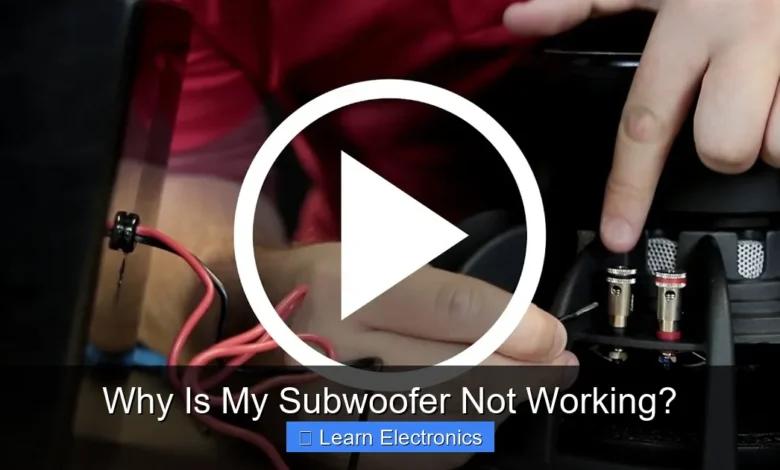
Why Is My Subwoofer Not Working? is a common frustration for many audio enthusiasts, often stemming from easily diagnosable issues rather than complex failures. The silence from your bass unit usually points to a problem within its power supply, signal chain, internal settings, or occasionally, a hardware malfunction. Addressing this methodically can save you time and potential repair costs.
A non-functional subwoofer can dramatically impact your audio experience, leaving your music or movies feeling thin and lacking depth. Understanding the potential culprits behind a silent subwoofer is the first step towards restoring that satisfying rumble to your sound system.
Quick Answers to Common Questions
Is My Subwoofer Even Getting Power?
Start with the basics! Check if your subwoofer is plugged into a working outlet and that its power switch is flipped to “on,” usually indicated by an illuminated power light. This is a common reason for your subwoofer not working right away.
I Have Power, But Still No Sound – What About Cables?
Excellent! Now, inspect your audio connections. Ensure the RCA or LFE cable is snugly connected from the subwoofer output on your receiver to the input on your subwoofer. A loose or incorrect cable is a frequent culprit when your subwoofer not working.
Could My Receiver Settings Be the Problem?
Absolutely! Dive into your receiver’s on-screen menu. Confirm the subwoofer output is enabled, the volume/gain is adjusted, and the crossover frequency is set appropriately so that bass signals are directed to your subwoofer.
📑 Table of Contents
- Understanding Common Causes: Why Is My Subwoofer Not Working?
- Diagnosing Signal Chain Issues: Addressing Your Subwoofer’s Silence
- Subwoofer Controls and Internal Settings
- Driver and Internal Component Failure
- Troubleshooting Why Is My Subwoofer Not Working?: A Systematic Approach
- When to Consider Professional Help
Understanding Common Causes: Why Is My Subwoofer Not Working?
When your subwoofer goes silent, it’s typically due to one of several broad categories of issues. Pinpointing the exact cause requires a systematic approach, starting with the simplest and most overlooked possibilities before delving into more intricate diagnostics. Often, the solution is much simpler than anticipated, involving a loose cable or an incorrect setting rather than a catastrophic failure.
Power-Related Problems
The most fundamental reason any electronic device might not work is a lack of power. Subwoofers, especially active models, require a direct power connection. A simple oversight here can lead to hours of unnecessary troubleshooting.
- Power Cable Issues: Ensure the power cable is securely plugged into both the subwoofer and a working wall outlet. Check for any visible damage to the cable itself.
- Wall Outlet Functionality: Test the wall outlet with another device (like a lamp) to confirm it’s providing power. Sometimes, an outlet connected to a wall switch might be off.
- Subwoofer’s Power Switch: Most subwoofers have a physical power switch, often located on the back panel. Verify it’s in the ‘On’ position. Many also feature an ‘Auto’ or ‘Standby’ mode; ensure it’s not stuck in a low-power state or hasn’t entered standby prematurely.
- Internal Fuse: Many active subwoofers have an easily accessible fuse holder near the power inlet. A blown fuse will cut off power completely. Always replace a blown fuse with one of the exact same type and rating. If a new fuse blows immediately, there’s a deeper internal issue that requires professional attention.
Diagnosing Signal Chain Issues: Addressing Your Subwoofer’s Silence
Even with power, a subwoofer won’t produce sound without a proper audio signal. The signal chain involves your source device (like a Blu-ray player or streaming box), your AV receiver or amplifier, and the cables connecting them to the subwoofer. Interruptions or misconfigurations at any point can silence the unit.
Audio Cable Connections
The primary way a subwoofer receives its signal is via an RCA cable (often labeled LFE for Low-Frequency Effects). A loose, damaged, or incorrectly connected cable is a frequent culprit.
- LFE/RCA Cable Check: Confirm the RCA cable is firmly seated in both the subwoofer’s input and the AV receiver’s subwoofer/LFE output.
- Cable Integrity: Inspect the cable for kinks, fraying, or bent connectors. If in doubt, try swapping it with a known good RCA cable to rule out a faulty cable.
- Speaker Level Inputs (if applicable): Some subwoofers offer speaker-level inputs, connecting directly from your receiver’s speaker terminals. If using these, ensure all connections are secure and polarity (+ to + / – to -) is correct.
AV Receiver or Amplifier Settings
Your receiver plays a critical role in directing the low-frequency signal to the subwoofer. Incorrect settings here are a very common reason for a non-working subwoofer.
- Subwoofer Output Enabled: Access your receiver’s setup menu. Ensure the subwoofer output is enabled. It’s often found under speaker setup or crossover settings.
- Speaker Size Settings: For your main speakers, ensure they are set to ‘Small’ in the receiver’s settings. If set to ‘Large,’ the receiver might be sending full-range audio to the main speakers and little to no low-frequency information to the subwoofer.
- Crossover Frequency: Adjust the crossover frequency in your receiver’s settings. This determines the point at which low frequencies are redirected from your main speakers to the subwoofer. A good starting point is usually 80 Hz, but it depends on your main speakers’ capabilities. If set too low or incorrectly, the subwoofer might not receive much signal.
- Subwoofer Level: Check the subwoofer output level in your receiver’s speaker level settings. It might be turned down too low or muted.
- HDMI Handshake Issues: Sometimes, cycling the power of your AV receiver and connected devices (unplugging for 30 seconds) can resolve HDMI-related signal issues that might prevent the subwoofer signal from being passed through correctly.
Subwoofer Controls and Internal Settings
Modern subwoofers come equipped with their own set of controls, typically located on the back panel. These settings need to be correctly configured to allow the unit to play sound effectively.
Adjusting Onboard Controls
- Gain/Volume Control: This knob adjusts the subwoofer’s output level. Ensure it’s not set to minimum. A good starting point is usually halfway (50%) or at the 12 o’clock position.
- Low-Pass Crossover (LPF): If your subwoofer has its own LPF knob, it works in conjunction with your receiver’s crossover. If your receiver handles the crossover, set the subwoofer’s LPF to its maximum or ‘LFE’ setting (if available) to avoid dual filtering. If your receiver doesn’t have a subwoofer crossover, you’ll use the one on the subwoofer itself, typically set to match your main speakers’ low-frequency cutoff.
- Phase Control: This switch (0° or 180°) helps integrate the subwoofer’s output with your main speakers. Incorrect phase won’t prevent the subwoofer from working, but it can make the bass sound weak or cancel out. Experiment with both settings to see which produces stronger, more integrated bass.
- Auto On/Standby Mode: Many subwoofers feature an auto-on sensing circuit that powers the unit on when an audio signal is detected and off when silent. If this feature is too sensitive or faulty, the subwoofer might not wake up. Try setting the subwoofer to ‘Always On’ or ‘Manual On’ to bypass this feature during troubleshooting.
Driver and Internal Component Failure
While less common than power or signal issues, physical damage or internal component failure can certainly lead to a silent subwoofer. These issues often require more advanced diagnosis and potentially professional repair.
Physical Inspection and Sound Checks
- Driver Damage: Carefully inspect the subwoofer cone (driver). Look for tears, punctures, or signs of deformation. Gently pressing on the cone (away from the center dust cap) should reveal smooth, unrestricted movement. If it feels scratchy or stiff, the voice coil might be damaged or ‘blown.’
- Buzzing or Hum: If the subwoofer makes a humming or buzzing sound but no actual bass, it could indicate a ground loop issue, or internal amplifier problems even if it’s receiving power. Try plugging it into a different outlet (preferably on a different circuit) or using a ground loop isolator.
- Internal Amplifier Failure: Active subwoofers have a built-in amplifier. If you’ve ruled out all external issues, the internal amplifier board could be faulty. This might manifest as no sound at all, or distorted sound, or intermittent operation. This usually requires a service technician.
Troubleshooting Why Is My Subwoofer Not Working?: A Systematic Approach
A structured approach is key to efficiently diagnosing and resolving issues with your subwoofer. Follow these steps sequentially to narrow down the problem.
- Check Power First:
- Ensure power cable is secure and undamaged.
- Test wall outlet with another device.
- Confirm subwoofer’s power switch is ON (or try ‘Always On’ mode).
- Inspect and replace blown fuse if necessary (with identical rating).
- Verify Signal Path:
- Securely connect LFE/RCA cable at both ends. Try a different cable.
- In AV receiver settings:
- Enable subwoofer output.
- Set main speakers to ‘Small.’
- Adjust crossover (e.g., 80 Hz).
- Increase subwoofer level.
- Adjust Subwoofer Controls:
- Set gain/volume to 50%.
- Set LPF to ‘LFE’ or max (if using receiver’s crossover) or appropriate frequency.
- Experiment with phase (0° vs. 180°).
- Bypass ‘Auto On’ mode if possible.
- Isolation Test:
- Try connecting the subwoofer directly to a different audio source (e.g., a phone or laptop with an RCA adapter, if available and safe to do so at low volume) to see if it produces sound. This helps determine if the issue is with the subwoofer itself or the receiver/source.
- Physical Inspection:
- Inspect the driver for damage.
- Listen for any unusual noises (humming, buzzing).
Here’s a quick reference table for common problems and their solutions:
| Symptom | Potential Cause | Action/Solution |
|---|---|---|
| No power light, completely dead | Loose power cable, faulty outlet, blown fuse, power switch off | Check connections, test outlet, replace fuse, flip switch to ON |
| Power light on, no sound | No signal, incorrect receiver settings, faulty RCA cable, low gain | Check RCA cable, verify receiver settings (subwoofer ON, speakers SMALL), turn up gain |
| Weak or muffled bass | Incorrect crossover, phase setting, speaker size, poor placement | Adjust crossover, experiment with phase, set speakers to SMALL, optimize placement |
| Humming/buzzing, no bass | Ground loop, faulty internal amp | Try different outlet, ground loop isolator, professional repair |
| Distorted sound or rattling | Blown driver, damaged voice coil, internal amp issue | Inspect driver, professional repair |
| Intermittent sound or cutting out | Loose connections, faulty auto-on, overheating amplifier | Check all cables, try ‘Always On’ mode, ensure proper ventilation |
When to Consider Professional Help
If you’ve systematically worked through all the troubleshooting steps outlined above and your subwoofer still isn’t working, it’s likely an internal hardware failure. This could be a problem with the internal amplifier, the driver’s voice coil, or other electronic components. At this point, unless you have advanced electronics repair skills, it’s advisable to consult a professional audio technician or contact the subwoofer’s manufacturer for service. Attempting complex internal repairs without proper knowledge can lead to further damage or personal injury.
Always prioritize safety when dealing with electrical components. Disconnect power before inspecting internal parts or replacing fuses. A non-functional subwoofer can be a nuisance, but with a patient and methodical approach, many common issues can be identified and resolved, bringing that rich, deep bass back to your listening experience.
Frequently Asked Questions
How do I check if my subwoofer is getting power?
Check if the subwoofer’s power light is on, which usually indicates it’s receiving power. Ensure it’s plugged into a working electrical outlet and try a different power cord or outlet to rule out power supply issues.
Why isn’t my subwoofer producing sound even though it has power?
This often indicates a lack of audio signal reaching the subwoofer. Verify that the RCA cable connecting your subwoofer to your receiver or amplifier is securely attached at both ends and free from damage.
What settings should I check on my receiver or subwoofer?
On your receiver, ensure the subwoofer output is enabled and the LFE (Low-Frequency Effects) channel level is set appropriately. Also, check the subwoofer’s own volume and crossover frequency knobs to ensure they aren’t turned down too low or set incorrectly.
My subwoofer worked before, but now it’s silent. What should I do?
Start by re-seating all connections, especially the RCA cable, to ensure they are firm and making good contact. You might also try swapping out the existing RCA cable with a known working one to eliminate a faulty cable as the cause.
Could a blown fuse be the reason my subwoofer isn’t working?
Yes, many powered subwoofers have an internal or external fuse that can blow due to power surges or internal faults. Consult your subwoofer’s manual to locate and safely check or replace the fuse if you suspect this is the problem.
How can I tell if my subwoofer itself is broken or if it’s another component?
To test the subwoofer directly, try connecting it to a different audio source (like a phone with an RCA adapter) to see if it produces sound. If it still doesn’t work, the issue likely lies within the subwoofer unit; if it does, the problem is likely with your receiver or connections.
As an Amazon Associate, I earn commission from qualifying purchases.