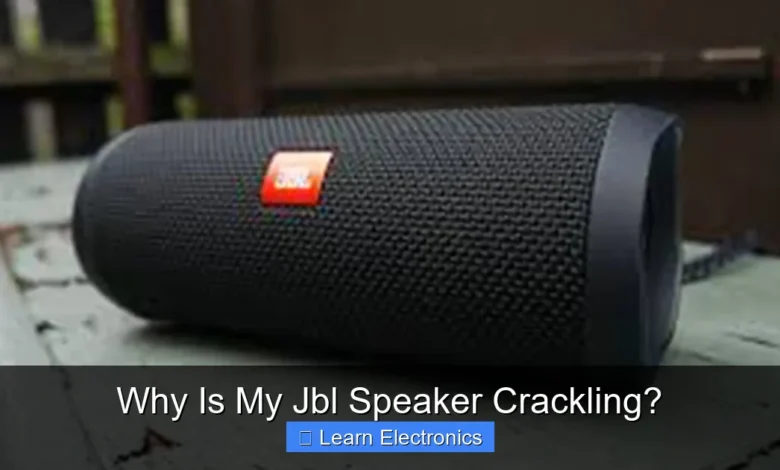
Why Is My JBL Speaker Crackling? often points to a range of issues, from simple software glitches and connectivity problems to more serious physical damage or component failure. Understanding the root cause of this annoying audio distortion is the first step toward finding an effective solution and restoring your speaker’s clear sound. This comprehensive guide will explore the most common culprits behind a crackling JBL speaker and provide actionable troubleshooting steps.
Whether it’s a minor annoyance during playback or a persistent issue, pinpointing the source of the crackle is crucial. By systematically examining potential problems, you can often diagnose and resolve the issue yourself without needing professional assistance, saving time and money.
Quick Answers to Common Questions
Is my Bluetooth connection causing my JBL speaker to crackle?
It sure can! A weak or obstructed Bluetooth signal often leads to that annoying JBL speaker crackling. Try bringing your device closer or simply reconnecting to see if it clears up.
Could a low battery be why my JBL speaker is crackling?
Yes, absolutely! As your JBL speaker’s battery gets low, it might not have enough power for clean audio, resulting in that tell-tale crackling sound. Give it a full charge and listen for the difference.
What if my JBL speaker crackling started after a drop or getting wet?
Uh oh, that’s a strong indicator of physical damage or water intrusion! Internal components could be affected, causing the JBL speaker crackling, and it might need professional attention.
📑 Table of Contents
Common Software and Connectivity Issues
Many crackling sounds in JBL speakers stem from problems that aren’t physical at all, but rather issues with how the speaker communicates with its audio source. These software and connectivity-related problems are often the easiest to diagnose and fix.
Bluetooth Interference and Pairing Problems
Bluetooth is convenient, but it’s also susceptible to interference. If your JBL speaker is crackling, consider its Bluetooth connection. Other wireless devices, such as Wi-Fi routers, microwaves, or even other Bluetooth devices in close proximity, can disrupt the signal, causing audio dropouts and crackling. An outdated or corrupt Bluetooth driver on your source device (phone, laptop) can also lead to poor audio quality. Additionally, an unstable or incomplete pairing process between your speaker and device might introduce audio anomalies.
- Solution: Try moving your speaker closer to the audio source and away from other potential sources of interference. Disconnect and re-pair your Bluetooth device. Ensure there are no walls or large objects blocking the signal path. Try pairing with a different source device to see if the problem persists.
Outdated Firmware or Software Glitches
Just like any electronic device, JBL speakers rely on firmware to operate correctly. Outdated firmware can lead to various performance issues, including audio distortions like crackling. Software bugs within the speaker’s operating system or even within the audio app on your source device can also manifest as crackling sounds. Ignoring software updates means missing out on crucial bug fixes and performance enhancements that could resolve your issue.
- Solution: Check the JBL Connect app (or JBL Portable app) for available firmware updates for your specific speaker model. Ensure your audio source device’s operating system and all relevant audio apps are also updated to their latest versions. A simple restart of both your speaker and the source device can sometimes clear minor software glitches.
Source Device Audio Output
Sometimes, the speaker isn’t the problem at all; the issue lies with the audio source. A faulty audio jack on your phone or computer, a corrupt audio file, or incorrect audio settings on the source device can all contribute to crackling. If you’re using an auxiliary cable, the cable itself or the port on the source device could be the culprit.
- Solution: Test your JBL speaker with multiple audio sources (e.g., a different phone, tablet, or computer) and various audio files (e.g., streaming services, downloaded music). If using an AUX cable, try a different cable and ensure it’s fully seated in both the speaker and the source device. Check your source device’s audio settings for any equalizers or sound enhancements that might be causing distortion.
Physical Damage and Wear
Beyond software, physical damage is a common and often more serious reason for a JBL speaker to crackle. These issues typically require a more hands-on approach to identify and, in some cases, professional repair.
Damaged Speaker Drivers
The speaker drivers (the cone-shaped components that produce sound) are delicate. If a driver is physically damaged – perhaps by a fall, excessive volume over time, or even dust and debris accumulating inside – it can produce distorted or crackling audio. Tears in the cone material, a detached voice coil, or even a foreign object lodged against the cone can cause problems.
- Solution: Carefully inspect the speaker grilles for any visible dents or damage. If accessible, gently examine the speaker cones for tears, punctures, or signs of debris. Avoid poking or pressing the cones. If you suspect driver damage, professional repair or replacement might be necessary.
Loose or Frayed Cables
Whether it’s an auxiliary cable, a USB charging cable, or internal wiring, loose or frayed connections are notorious for causing crackling sounds. A damaged aux cable might intermittently lose connection, producing static. Internally, a speaker that has been dropped or vibrated excessively could have a loose connection to the driver or battery, leading to erratic audio.
- Solution: If you’re using an AUX cable, try a different one. Wiggle the cable gently at both ends to see if the crackling changes or stops. For charging cables, ensure they are in good condition and fit snugly. If you suspect internal wiring issues and are comfortable with electronics, you might open the speaker (check warranty first!) to inspect for loose connections, but this is best left to professionals.
Water Damage or Contamination
While many JBL speakers boast water resistance, this doesn’t make them invincible. Exposure to liquids beyond their IP rating, or even prolonged exposure to high humidity, can corrode internal components. Water getting into the speaker grilles can affect the drivers directly, leading to muffled or crackling sounds. Fine dust or sand can also accumulate and interfere with moving parts.
- Solution: If your speaker has been exposed to water, ensure it’s completely dry before attempting to use it. Do not charge it while wet. Gently shake out any water and let it air dry for an extended period, preferably in a well-ventilated area. For dust, try using compressed air from a safe distance, but be careful not to force debris further in.
Power and Charging Related Problems
The power supply is fundamental to any electronic device, and a JBL speaker is no exception. Issues related to battery levels, charging, or the power source itself can introduce significant audio problems.
Low Battery Levels
As a JBL speaker’s battery drains, its ability to deliver stable power to the amplifier and drivers can diminish. This often results in a weak, distorted, or crackling sound as the speaker struggles to produce clear audio. Many speakers will also start emitting low-battery alerts, which can sometimes be confused with crackling.
- Solution: Ensure your JBL speaker is fully charged. If you hear crackling, plug it into its charger and see if the issue resolves. If it does, a low battery was likely the cause. Keep your speaker charged for optimal performance.
Faulty Charging Port or Cable
A damaged charging port on the speaker itself, or a faulty charging cable, can lead to intermittent power delivery even when plugged in. This inconsistent power can manifest as crackling, especially if the speaker is trying to play audio while struggling to draw sufficient power. Over time, charging ports can become loose or accumulate debris, affecting the connection.
- Solution: Try using a different, known-good charging cable and adapter. Inspect the charging port on your speaker for any visible damage, bent pins, or debris. You can gently clean out any lint or dust with a non-conductive tool like a wooden toothpick (with the speaker off and unplugged). If the port is physically damaged, professional repair may be needed.
Unstable Power Supply
When charging or running directly from an AC adapter, an unstable power supply can inject noise into the audio signal. This could be due to a faulty wall outlet, a damaged power adapter, or even fluctuations in your household electricity. This type of interference is often heard as a consistent hum or static alongside the crackling.
- Solution: Try plugging your speaker’s charger into a different wall outlet. If you’re using a power strip or surge protector, try plugging directly into the wall. If possible, try a different power adapter that matches your speaker’s specifications.
Environmental Factors and Placement
Your speaker’s surroundings can also play a significant role in its audio performance. External interference and room acoustics can sometimes mimic internal issues, making diagnosis tricky.
Electromagnetic Interference (EMI)
Electronic devices emit electromagnetic fields, and when your speaker is placed too close to certain appliances, it can pick up this interference. Devices like unshielded power cables, fluorescent lights, refrigerators, or even older CRT monitors can generate EMI that results in static, humming, or crackling sounds through your speaker.
- Solution: Experiment with moving your JBL speaker to different locations. Try to keep it away from large electronic appliances, power cables, and anything that might be generating electromagnetic noise. If the crackling stops in a different spot, you’ve found your source of interference.
Room Acoustics and Speaker Placement
While not a direct cause of crackling in the way a damaged driver is, poor room acoustics or improper speaker placement can sometimes create sound reflections and resonance that are perceived as distorted audio. Placing a speaker too close to a wall, in a corner, or on a vibrating surface can sometimes exacerbate subtle imperfections in the sound, making them sound like crackles.
- Solution: Try placing your speaker on a stable, non-resonant surface. Experiment with moving it away from walls or corners to see if the sound quality improves. Ensure no objects are directly in front of the speaker grille that could obstruct or reflect sound waves.
Troubleshooting Steps: Diagnosing Why Is My JBL Speaker Crackling?
When faced with a crackling JBL speaker, a systematic approach to troubleshooting is essential. Don’t jump to conclusions; instead, follow these steps to isolate the problem.
Step-by-Step Diagnostic Approach
Start with the simplest solutions and work your way to more complex ones. This saves time and prevents unnecessary repairs.
- Restart Everything: Power off your JBL speaker and your audio source device. Wait a few seconds, then power them back on. This clears temporary glitches.
- Check Connectivity: If using Bluetooth, disconnect and re-pair. Test with an AUX cable if available, and vice-versa.
- Test Multiple Sources: Play audio from a different device (phone, tablet, computer) and different apps or music files. This helps determine if the source is the issue.
- Charge Fully: Ensure your speaker has a full battery.
- Inspect Physically: Look for visible damage, fraying cables, or debris.
- Change Environment: Move the speaker to a different room or away from other electronics to rule out interference.
Checking Software and Firmware Updates
As discussed, outdated software is a common culprit. Ensure you’ve covered this base thoroughly.
- Open the JBL Connect or JBL Portable app on your smartphone.
- Connect to your JBL speaker.
- Navigate to the settings or update section within the app.
- Check for and install any available firmware updates.
- Also, verify that your phone’s operating system and all relevant audio playback apps are fully updated.
Inspecting Physical Components
A visual and tactile inspection can reveal a lot about your speaker’s condition.
- Cables: Gently flex and wiggle any connected cables (AUX, charging) to see if the crackling changes or stops.
- Ports: Look inside the charging and AUX ports for debris or bent pins. Use a soft, dry brush or compressed air to clean them.
- Grilles/Drivers: Shine a flashlight through the speaker grilles to look for visible damage to the cones, such as tears, dents, or foreign objects.
- Casing: Check for any cracks or loose parts in the speaker casing that might indicate internal damage from a fall.
When to Seek Professional Help
Despite your best troubleshooting efforts, some problems simply can’t be fixed at home. Knowing when to escalate the issue is important to avoid further damage.
Identifying Persistent Crackling Issues
If you’ve gone through all the troubleshooting steps, tried different sources and environments, and your JBL speaker continues to crackle persistently, it’s likely a hardware fault. This could be a damaged driver, a faulty internal component, or more complex circuit board issues that are beyond typical user repair. The longer the issue persists despite your efforts, the more likely professional intervention is required to finally solve why your JBL speaker is crackling.
Warranty and Repair Options
Before attempting any risky DIY repairs that could void your warranty, check if your speaker is still covered. JBL products typically come with a limited warranty. Contact JBL customer support to discuss your options. They can often provide specific troubleshooting advice for your model or guide you through the repair or replacement process.
If your warranty has expired, you might consider taking it to a reputable electronics repair shop. Be sure to get a diagnostic quote before committing to expensive repairs.
| Common Cause | Symptoms | Quick Fix/Troubleshooting |
|---|---|---|
| Bluetooth Interference | Intermittent crackles, dropouts | Move speaker closer to source, away from other electronics. Re-pair Bluetooth. |
| Outdated Firmware/Software | General audio distortion, glitches | Update speaker firmware via JBL app. Update source device OS/apps. Restart devices. |
| Low Battery | Crackling when battery is low, distortion at higher volumes | Fully charge the speaker. |
| Damaged Cables/Ports | Crackling when using AUX, or during charging | Try different cables. Inspect ports for debris/damage. |
| Physical Driver Damage | Persistent crackling, noticeable distortion, visible cone damage | Visually inspect speaker cones. Professional repair likely. |
| Water Damage | Muffled sound, persistent crackle after liquid exposure | Ensure speaker is completely dry. Air dry for extended period. |
Identifying the precise reason why your JBL speaker is crackling requires a bit of detective work, but by systematically working through these common causes and troubleshooting steps, you can often restore your device to its full audio glory. Remember, prevention is key: keep your speaker updated, protect it from physical damage and water, and ensure it has a stable power supply. With a little care and attention, your JBL speaker can provide clear, crisp audio for years to come.
Frequently Asked Questions
Why does my JBL speaker crackle when the battery is low?
A common reason for your JBL speaker crackling is a low battery charge. When the battery level drops significantly, the speaker may struggle to provide consistent power to its components, leading to distortion or a crackling sound as it tries to operate. Fully charging your speaker can often resolve this issue.
Can Bluetooth interference cause my JBL speaker to crackle?
Yes, Bluetooth interference or being out of range can definitely cause your JBL speaker to crackle. Walls, other wireless devices, or exceeding the optimal distance from your source device can disrupt the wireless signal, resulting in choppy audio or a crackling noise. Try moving closer to your source and away from other electronics.
Could a faulty audio cable be why my JBL speaker is crackling?
Absolutely, if you’re using a wired connection, a faulty or damaged audio cable can be a primary cause of crackling sounds from your JBL speaker. Frayed wires, loose connections, or internal damage to the cable can introduce static or distortion. Try swapping out the cable for a new one to see if the crackling stops.
What if there’s physical damage causing my JBL speaker to crackle?
Physical damage to the speaker cone or driver inside your JBL speaker is a serious cause of crackling. If the cone is torn, punctured, or otherwise compromised, it won’t be able to vibrate correctly to produce clear sound. In such cases, the crackling indicates a hardware failure that often requires professional repair or speaker replacement.
Is it possible my audio source is why my JBL speaker is crackling?
Yes, the quality of your audio source or the volume level settings can certainly cause your JBL speaker to crackle. Playing highly compressed audio files, streaming at low bitrates, or setting the volume on both your source device and speaker too high can introduce distortion. Try a higher quality audio file and adjust volume levels carefully to prevent the crackling.
Could outdated firmware be making my JBL speaker crackle?
While less common, outdated or buggy firmware can sometimes contribute to your JBL speaker crackling. Manufacturers release firmware updates to improve performance and fix bugs, including audio issues. Check the JBL Connect app or the official JBL website for available firmware updates for your specific model and install them if available.
As an Amazon Associate, I earn commission from qualifying purchases.