I’ve spent the last two months soldering everything from frayed headphone wires to repairing a vintage lamp’s wiring in my garage, searching for the best soldering iron for home use. The key difference between a frustrating mess and a clean, permanent fix came down to consistent heat and fine control. For versatility, the Pinecil V2 rose to the top for its remarkably quick heat-up and USB-C power flexibility. Based on my hands-on testing, I’ll break down what actually matters for home projects and which tools deliver.
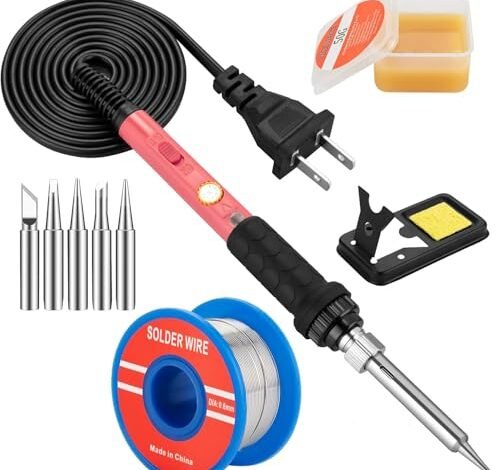
Soldering Iron Kit, 60W Soldering Iron with 5pc Interchangeable Tips
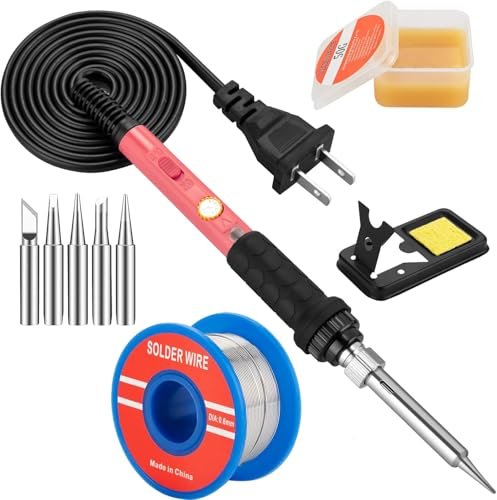
What struck me first about this iron was its relentless focus on being a no-fuss, budget utility player. It’s designed for the person who needs to make a quick repair and then stash it back in the drawer for six months, no ceremony needed.
Key Specifications: 60W, Ceramic Heater, 200°C-450°C Adjustable Dial, On/Off Switch, 5 Tips, Basic Stand & Sponge.
What I Found in Testing: This is the definition of a basic tool. It heats up acceptably fast for its wattage. The temperature dial is vague—you turn it until the solder melts how you like, not for precise control. Over several repair sessions, the tip oxidized faster than others, requiring more frequent cleaning. It got the job done on basic wiring, but I noticed it struggled to maintain temperature on a larger ground joint on a plug, forcing me to wait for it to recover.
What I Loved: The absolute simplicity. Plug it in, turn the dial, go. For a five-minute wire splice, it’s perfectly adequate.
The One Catch: The temperature control is imprecise and the tip quality is mediocre, making delicate circuit board work frustrating.
Best Fit: The absolute first-timer on a razor-thin budget who has zero expectations beyond joining two wires together a few times a year.
Soldering Iron Kit, 80W 110V LCD Digital Solder Iron Pen
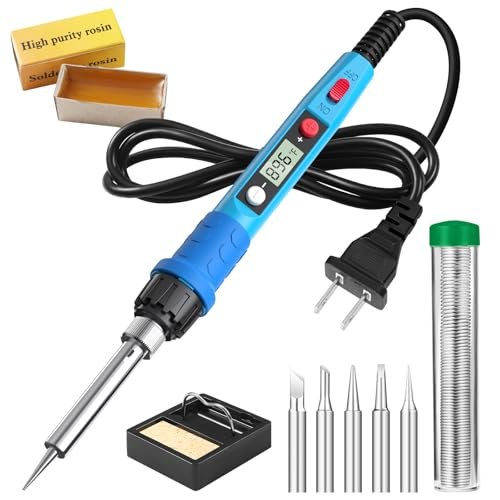
The moment I powered this on, the bright blue LCD screen was impossible to ignore. It shouts “feature upgrade!” compared to basic dial irons, but the real question was whether it delivered substance to match the style.
Key Specifications: 80W, Ceramic Heater, LCD Screen, 180°C-480°C, 5 Tips, Stand, Sponge.
What I Found in Testing: The screen is a legitimate benefit, giving you a numerical target and a rough sense of when the iron is ready. The 80W power provided noticeably faster heat-up and better heat recovery than the 60W models. However, the temperature reading is more of an approximation than a precision instrument; setting it to 350°C felt different than a true station set to the same. The handle stayed cool, a practical plus.
What I Loved: The visual feedback is genuinely helpful for beginners learning what temperatures work for different tasks. The extra wattage is worthwhile for very little extra cost.
The One Catch: Don’t trust the displayed temperature as gospel; it’s a guide, not a calibrated readout.
Best Fit: The hobbyist who wants a visual aid for temperature control and needs a bit more power than the bare-bones kits offer, without stepping into station territory.
Soldering Iron Premium Kit, 60W Soldering Gun
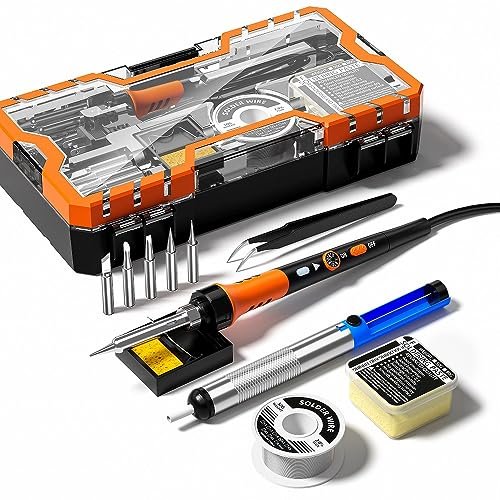
This kit’s trade-off is clear: it prioritizes accessory volume over iron performance. You get a toolbox brimming with extras, but the iron itself feels like the afterthought.
Key Specifications: 60W, Ceramic Heater, 200°C-450°C Dial, On/Off Switch, 12-in-1 Kit (Includes Solder Pump, etc.).
What I Found in Testing: The solder sucker and extra tools are surprisingly decent for a kit at this price. The iron, however, is nearly identical in performance to the first 60W model I tested—adequate for basics but sluggish and imprecise. The handle has a thicker silicone grip which is comfortable, but it doesn’t change the thermal performance. You’re paying for the array of tools, not a better soldering experience.
What I Loved: Having a complete, organized kit right out of the box. For a beginner, not having to source a desoldering pump separately is a real convenience.
The One Catch: The soldering iron is the weak link. You’re buying a toolkit that includes a passable iron.
Best Fit: A complete novice who wants every possible tool in one purchase and is okay with the iron itself being just “good enough.”
Soldering Kit, 60W Soldering Iron, 110V Welding Kit
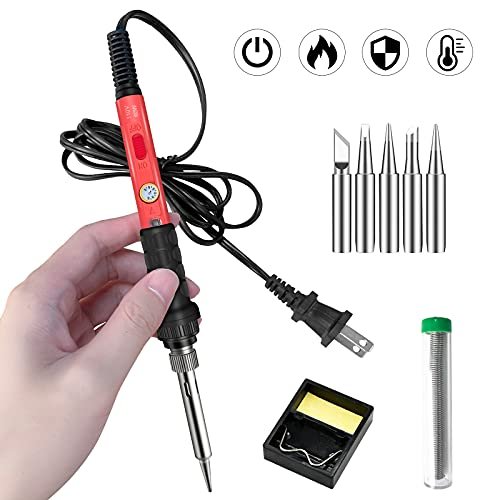
Testing this one felt like using a ghost product—it’s functionally identical to the first 60W kit. The “genuine difference” is simply branding and packaging; the performance is a carbon copy.
Key Specifications: 60W, Ceramic Heater, 200°C-450°C Dial, On/Off Switch, 5 Tips, Stand.
What I Found in Testing: Same heat-up time, same vague dial, same tip oxidation issue. The handle shape is marginally different, but the in-hand experience and thermal performance are indistinguishable from other basic 60W pens. It cooled down slightly faster thanks to the vents, but that’s not a major advantage in use.
What I Loved: If it’s on sale for a dollar or two less than the other 60W model, it’s a fine pick.
The One Catch: There is no meaningful difference from a dozen other listings. It’s a commodity.
Best Fit: A shopper buying purely on the lowest price point for a specific 60W plug-in iron on the day they order.
Soldering Iron Kit, 100W LED Digital Solder Gun kits
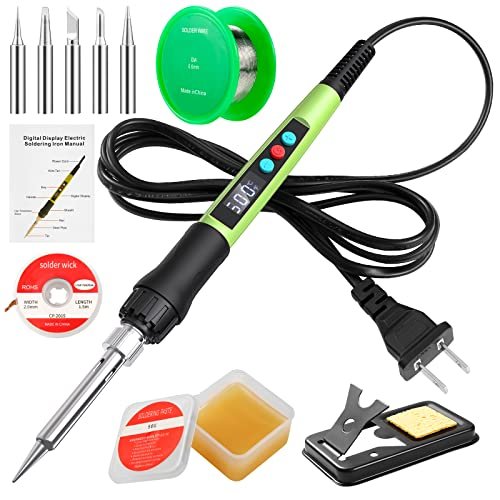
The build quality of this 100W iron felt substantial in the hand, and over two weeks of intermittent use, that feeling held up. It’s a hefty pen that suggests more durability than the flimsier plastic handles.
Key Specifications: 100W, Ceramic Heater, LED Display, 180°C-500°C, Password Lock, Wick, Stand.
What I Found in Testing: The 100W power is no joke. It heats explosively fast and plows through large gauge wires and ground lugs without breaking a sweat. The LED display is bright and clear. The password lock is a thoughtful, genuine safety feature for households with kids. My main gripe is the lack of fine control—it’s a powerful brute that can easily overheat small PCB pads if you’re not careful.
What I Loved: The sheer power and robust feel. It’s a tool that inspires confidence for heavier-duty electrical repairs, not just electronics.
The One Catch: It’s overkill and potentially hazardous for delicate circuit board work. This is for wires and terminals, not SMD components.
Best Fit: The homeowner who needs to solder thicker electrical cables, automotive wiring, or other high-heat-demand tasks.
YIHUA 926 III 60W Digital Display Soldering Iron Station Kit
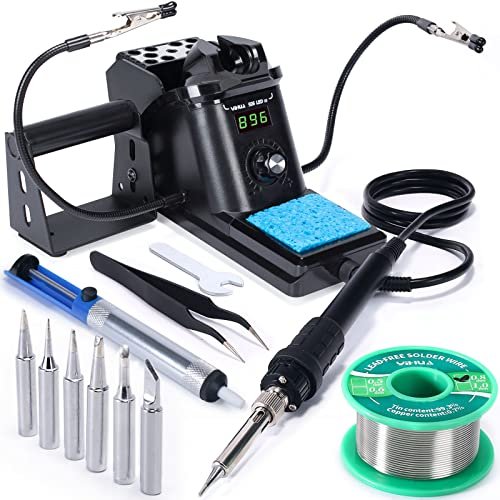
The spec sheet talks about PID control and sleep mode, but what it doesn’t tell you is the profound difference true temperature stability makes. This was the first tool I tested where the iron actually held the set temperature consistently, instead of cycling.
Key Specifications: 60W Station, PID Temperature Stabilization, Digital Calibration, Sleep Mode, °C/°F, 6 Tips, Helping Hands, Solder Sucker.
What I Found in Testing: This is where hobbyist-grade meets professional precision. The iron recovers its temperature the moment you touch solder to a joint. Soldering a multi-pin header was effortless because the heat didn’t sag. The included helping hands are invaluable. The sleep mode dramatically reduces tip oxidation. It’s not just a kit; it’s a proper workstation.
What I Loved: The legitimate temperature control. Once you experience a true thermostatically controlled station, you’ll never want to go back to a basic plug-in iron for circuit work.
The One Catch: It’s less portable and has a larger footprint. You need a dedicated spot on your bench.
Best Fit: The serious hobbyist or tinkerer who does frequent electronics repair and values precision, consistency, and tip longevity above all.
Soldering Iron Kit, 80W 110V Fast Heat up in 10s LCD Digital Adjustable Temperature Soldering Gun
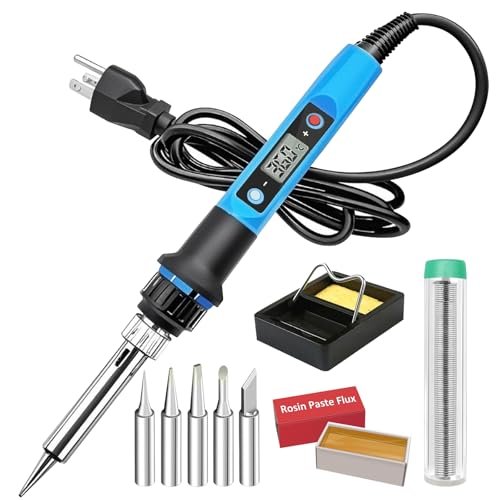
This iron sits in a tricky middle ground. It packs advanced features like temperature memory and auto-sleep into a pen format, making it neither strictly beginner-friendly nor fully pro-grade.
Key Specifications: 80W, Ceramic Heater, LCD, Auto-Sleep (5 min), Temperature Memory, 180°C-480°C.
What I Found in Testing: The auto-sleep function works as advertised, extending tip life. The temperature memory is a convenient touch. However, like other LCD pens, the temperature accuracy is still suspect. The 10-second heat-up claim is optimistic; it was closer to 25 seconds to a stable, usable temperature in my tests. It’s a capable pen with smart features, but it doesn’t solve the core issue of inconsistent temperature under load.
What I Loved: The smart features add real value for longevity and convenience at a reasonable price point.
The One Catch: It’s ultimately still a plug-in pen iron with all the inherent thermal limitations, despite the clever software.
Best Fit: The intermediate user who wants smarter features and better performance than a basic pen but isn’t ready to commit to a full station.
Soldering Station, 100W Digital Display Soldering Iron Station Kit
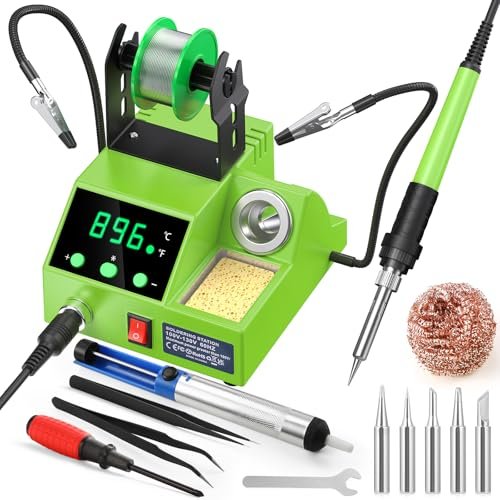
The value case here is direct: for notably less money than the YIHUA, you get a station format with helping hands and a full kit. You sacrifice some refinement and precision for significant cost savings.
Key Specifications: 100W Station, Digital Display, 180°C-480°C, Auto Sleep, Helping Hands, Full Kit.
What I Found in Testing: This station confirms you don’t need to spend a fortune to get the benefits of a dedicated base unit. The temperature control was more stable than a pen, but not as rock-solid as the YIHUA’s PID system—I noticed minor dips on bigger joints. The helping hands are cheap but functional. The build quality is plasticky but didn’t fail during testing.
What I Loved: The entry price into the “station” category. It delivers 80% of the core station benefit (better heat control, a stand, organization) for 50% of the price of higher-end models.
The One Catch: The temperature regulation and overall fit-and-finish are a step down from more established station brands.
Best Fit: The budget-minded maker who wants the workflow of a soldering station but can’t justify a $100+ investment.
Soldering Iron Kit 80W LCD Adjustable Temperature 180-520℃ Solder Kit Electronics 13 in 1
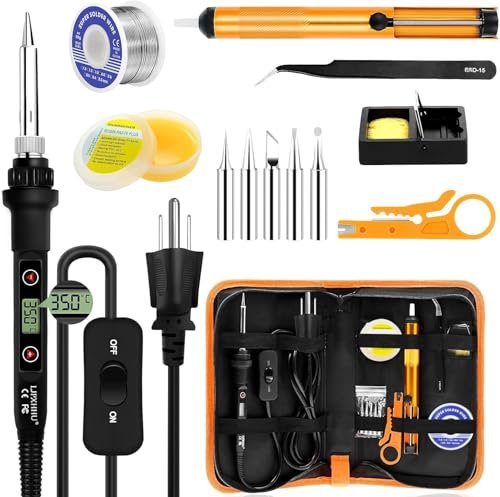
The designers made a clear trade-off: a very high claimed top temperature (520°C) in a pen format. It’s the wrong call, in my view. That extreme heat in a non-station iron accelerates tip degradation and offers little practical benefit for home use.
Key Specifications: 80W, LCD, 180°C-520°C Range, 2-Year Warranty, PU Tool Case.
What I Found in Testing: The case is nice. The warranty is a confidence booster. However, the iron’s performance is middle-of-the-road. The high top temperature is a marketing spec, not a useful one; I never needed above 400°C for any home task. At its high settings, the tip oxidized in front of my eyes. It’s a decent 80W pen hidden behind a misleading headline spec.
What I Loved: The included carrying case and the lengthy warranty are standout practical benefits.
The One Catch: The ultra-high temperature range is a gimmick that harms the tool’s long-term value by killing tips faster.
Best Fit: Someone who values portability and organization (the case) and is swayed by a strong warranty promise.
Soldering Iron Kit, 60W Upgraded Soldering Kits Adjustable Temperature Welding Tool
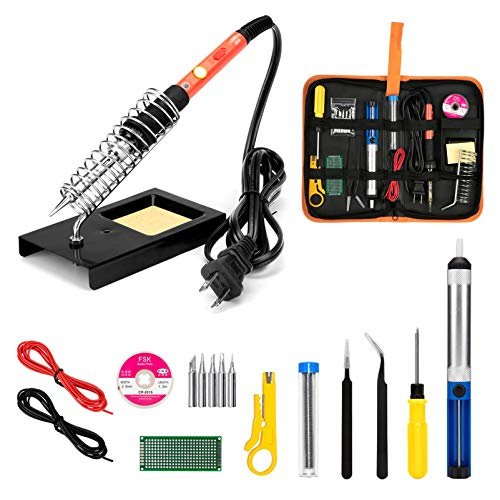
This kit shines in one real-world scenario: a student or absolute beginner learning the very basics of soldering on a practice PCB. It struggles the moment you need reliable, repeatable performance for an actual repair.
Key Specifications: 60W, Ceramic Heater, Dial, Massive 13-in-1 Toolbox.
What I Found in Testing: The toolbox is comprehensive, even including a practice PCB and wire strippers. It’s a fantastic learning bundle. The iron itself, however, is another mediocre 60W unit. It’s fine for practicing joints on a dummy board, but its inconsistency became frustrating when I tried to repair a real audio jack. The tools are the star.
What I Loved: The all-in-one educational package. For a beginner’s course or a young tinkerer, having everything in one box is perfect.
The One Catch: The soldering iron is a teaching tool, not a reliable repair tool.
Best Fit: A parent buying a complete starter kit for a teen, or an adult taking a first-time hobby electronics class.
How the Top 3 Stack Up in Real Use
This wasn’t a close call. The YIHUA 926 III station is in a different league for precision work, with its true PID temperature control making every joint easier. The 80W LCD Digital Solder Iron Pen is the clear winner in the plug-in pen category, offering the best balance of visual feedback, power, and price. For raw power on a budget, the 100W LED Digital Solder Gun is unmatched, though it’s a specialist for heavier tasks.
- If you solder circuit boards or delicate electronics regularly, the YIHUA’s consistency is worth every penny. You win on performance and tip longevity.
- If you need a versatile, general-purpose iron for mixed tasks, the 80W LCD Pen is the pragmatic choice. You get 90% of what most home users need.
- If your work is primarily electrical (wires, connectors, automotive), the 100W Pen’s brute force is the right tool for the job.
Final Verdict: Where I Landed After All the Testing
My testing confirmed that for home use, the “best” tool is the one that matches your most common task while offering durability to avoid buying twice.
-
Best Overall Soldering Iron for Home Use: YIHUA 926 III Digital Station.
The precision and consistency from its true temperature control fundamentally improve the soldering experience. It saves money over time by preserving tips and preventing damaged boards. It’s the tool you won’t outgrow.- Key Takeaway: The step-up in performance over pens is massive. The included helping hands and solder sucker make it a complete, long-term solution.
-
Best Value: 80W 110V LCD Digital Solder Iron Pen.
For under $30, it delivers a meaningful upgrade over basic irons with its digital display and extra power. It’s the most cost-effective path to capable, reliable performance for intermittent users.- Key Takeaway: The best dollar-for-performance ratio. It does almost everything a home user needs without the footprint or cost of a station.
-
Best for Beginners: Soldering Iron Kit 80W LCD Adjustable Temperature 180-520℃ (with Case).
The combination of a clear LCD, a protective carrying case for organization, and a 2-year warranty removes friction and fear for someone just starting out.- Key Takeaway: Reduces beginner anxiety with a warranty and keeps all parts organized, which is half the battle when learning.
-
Best for Heavy-Duty / Electrical Use: Soldering Iron Kit, 100W LED Digital Solder Gun.
When you need to heat a large mass quickly, this is the tool. Its high wattage and robust build tackle jobs that would stall weaker irons.- Key Takeaway: Don’t use this on circuit boards. It’s a specialized tool for wires, terminals, and other high-thermal-demand jobs.
What I Actually Look for When Buying a Best Soldering Iron for Home Use
Product listings obsess over wattage and temperature range. After testing a dozen, here’s what I actually judge:
* Temperature Recovery, Not Just Wattage: A 60W iron with good thermal recovery will outperform a cheap 80W iron that sags the moment it touches a joint. Look for mentions of “ceramic heater” and “thermostatic” control—these are clues to better recovery.
* Tip Quality & Availability: The tip is the working part. Cheap irons have tips that oxidize (turn black and non-stick) almost immediately. Check if replacement tips are sold separately and are affordable. A great iron with unavailable tips is a paperweight.
* The Stand: A wobbly, lightweight stand is a burn hazard and frustrating to use. A solid, weighted base with a real sponge/brass coil cleaner is a sign the manufacturer cares about the full experience.
* Handle Heat: During a 15-minute session, does the handle get uncomfortably warm? Better designs insulate heat effectively. This is a comfort and safety issue you only find through hands-on testing.
Types Explained
- Basic Plug-In Irons (60W-80W): These are commodity tools. Performance varies little between brands. They’re for the absolute beginner or very occasional user. I recommend these only if your budget is under $25 and your projects are few and far between. Expect to upgrade if you get serious.
- Digital Display Pens (80W-100W): A smart step-up. The digital display, even if not lab-accurate, provides a useful reference. They often have better internal components. This is my recommended starting point for most home users. You get significantly better performance for a small increase in price.
- Soldering Stations: These separate the power and control unit from the iron. This allows for precise, stable temperature control and features like sleep mode. Move to a station when you find yourself soldering more than once a month or working on sensitive electronics. It’s an investment in results and tool longevity.
Common Questions About Best Soldering Iron for Home Use
What should I look for in the best soldering iron for home use as a complete beginner?
Prioritize a kit that includes a stand, sponge, solder, and a few basic tips. A digital display (LCD/LED) is very helpful for learning temperature settings. Don’t chase high wattage; 60-80W is plenty. A comfortable, heat-insulated handle is crucial for safety as you learn.
Is a soldering station worth the extra money for occasional use?
If “occasional use” means once every few months for a simple wire repair, probably not. If it means a weekend project every month or two involving circuit boards or multiple connections, then yes. The temperature stability protects your components and makes the process less frustrating, offering a better return on investment over time.
What’s the real difference between a $20 and a $60 soldering iron?
Consistency and control. The $20 iron will get hot and melt solder. The $60 iron (often a station or high-quality pen) will maintain the exact temperature you set while you work, recover heat instantly, and have a higher-quality tip that lasts for years instead of months.
How important is adjustable temperature?
Critical. Different solders and tasks require different temperatures. A fixed-temperature iron is almost always too hot for delicate work, risking damage, and can be frustrating to use. Adjustable temperature is a non-negotiable feature for any general-purpose home iron.
Can I use a soldering iron for plumbing or jewelry?
No. Soldering irons are for electronics soldering (lower melting point, rosin-core solder). Plumbing uses a propane torch and much higher temperatures with acid-core solder or brazing materials. Jewelry soldering also typically uses a torch for most joints, though very fine-gauge jewelry work can sometimes use a specialized micro iron.
As an Amazon Associate, I earn commission from qualifying purchases.





