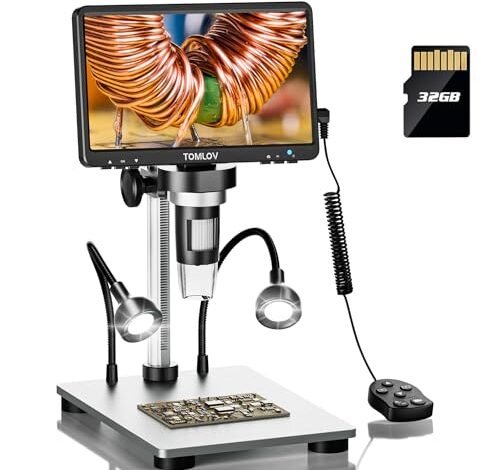
Peering through a succession of optics over the last six months, repairing everything from vintage game consoles to modern drone controllers, taught me that finding the best microscope for micro soldering is less about magnification and more about visual clarity during a delicate joint. My bench, often cluttered and under variable lighting, became the ultimate proving ground. For its brilliant, adjustable ring light and lag-free HD screen that made 0402 resistors feel huge, the TOMLOV DM9 7″ Digital Microscope consistently delivered. Let me break down exactly how the top models compare so you can invest in the right tool for your precision work.
TOMLOV DM9 7″ Digital Microscope: 1080P 1200X Coin Microscope Magnifier
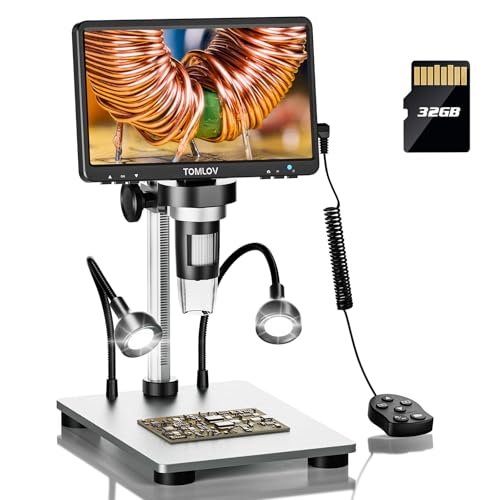
What struck me first about the TOMLOV DM9 was a design philosophy centered on reducing physical strain. The 90-degree rotatable screen isn’t a gimmick; after a three-hour session recapping a logic board, my neck and back thanked me for not having to crane into a fixed position. This microscope is optimized for ergonomics first, which directly impacts the quality and endurance of your work.
Key Specifications: 7-inch rotatable FHD screen, 12MP camera, 5X-1200X magnification, 8 LED + 2 gooseneck lights, 32GB SD card included, PC/Mac compatible.
What I Found in Testing: The image clarity is excellent for a 1080P device. I used it for a mix of QFN chip rework and inspecting hairline PCB cracks. The 8-LED ring light, supplemented by the two flexible gooseneck LEDs, eliminated virtually all shadows, even when my hands and tools were in the way. The “ultra-precise focusing” is manual via a wheel, and I found it intuitive and stable—once set, it didn’t drift. Over eight weeks, the screen brightness remained consistent, and the stand held its position without sagging.
What I Loved: The out-of-the-box readiness. With the SD card pre-installed, I was inspecting solder joints within five minutes of unboxing. The lighting system is a genuine game-solver for deep, shadow-prone projects.
The One Catch: The advertised 1200X magnification is digital zoom, which becomes pixilated and useless for soldering well before the max. The effective magnification for clear soldering work is much lower, around 50X-100X.
Best Fit: This is the best microscope for micro soldering for anyone who values a pain-free, plug-and-play experience. It’s perfect for hobbyists moving up from magnifying lamps and for technicians who need a reliable, all-day workhorse without a complex setup.
5″ LCD Digital Soldering Microscope with Flexible Stand, 1000X Magnification
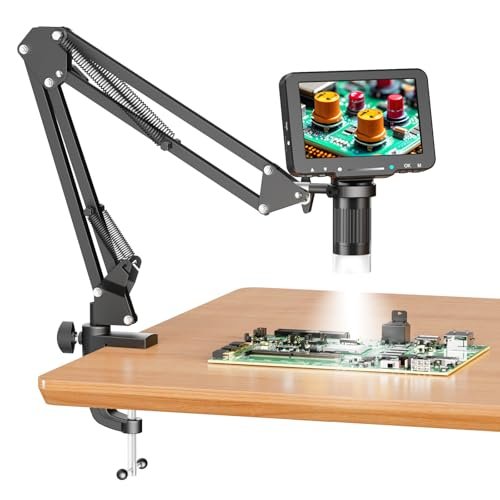
The first thing I noticed when I got hands on this scope was its stark, no-frills utilitarianism. It feels like a tool designed to hit a price point, with a focus on the core function: getting a magnified image to a screen. The flexible arm is stiff but serviceable, and the entire unit has a lightweight, almost temporary feel.
Key Specifications: 5-inch IPS screen, 1080P, up to 1000X digital magnification, 8 LED ring light, flexible gooseneck stand, Micro SD card NOT included.
What I Found in Testing: The image quality is surprisingly decent for the cost. However, the manual focus and magnification (achieved by moving the arm closer/farther) require constant, tiny adjustments. During a USB port replacement, I’d get a perfect focus, then bump the arm slightly when reaching for solder, and have to readjust. It’s a practice in patience. The note about needing your own SD card is critical; without one, you can’t save anything.
What I Loved: The price. For the absolute lowest financial entry into a digital soldering microscope with a dedicated screen, this works. The PC view function, as stated, is simple plug-and-play.
The One Catch: The instability of the flexible arm is a significant workflow hindrance for precise soldering. It’s frustrating for anything beyond casual inspection or very simple tasks.
Best Fit: The strict budget buyer doing very occasional, non-critical repairs. It’s a functional introduction to digital microscopy, but be prepared for its limitations to become annoying quickly if your projects are complex.
Andonstar AD246S-M HDMI Digital Microscope 2000x for Adults
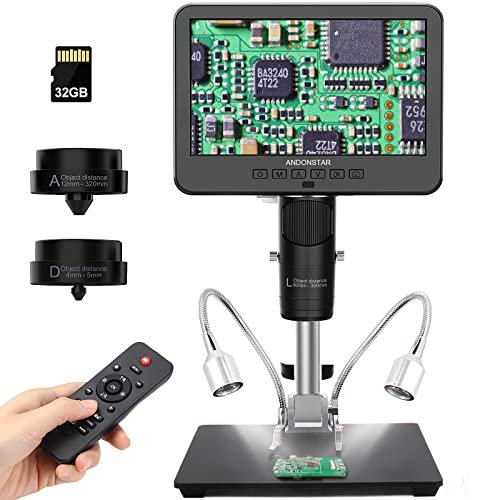
The Andonstar AD246S-M makes a clear trade-off: it prioritizes optical versatility and a robust stand over a seamless, integrated experience. You get three physical lenses, which is unique, but swapping them feels more like a lab chore than a streamlined repair step. This is a microscope built for defined, separate tasks, not necessarily for the fluid back-and-forth of a single repair session.
Key Specifications: 7-inch LCD, 2160P video, 3 interchangeable lenses (L for soldering, A for coins/objects, D for slides), Pro boom arm stand, HDMI output.
What I Found in Testing: The L lens provided a sharp, clear image for soldering with a good working distance. The metal boom arm is superb—rock-solid and infinitely adjustable. The 2160P video recording is detailed. However, I rarely swapped lenses mid-project; the soldering lens stayed on 95% of the time. The interface feels dated, and the menu system is clunky. The HDMI output is a true benefit for viewing on a large monitor.
What I Loved: The industrial-grade stability of the stand and the high-quality video output. It feels built to last in a workshop environment.
The One Catch: The lens-swapping process interrupts workflow. For pure micro soldering, you’re paying for two extra lenses you may seldom use. The on-screen controls are not intuitive.
Best Fit: The user who needs a soldering microscope but also has dedicated, separate use cases for coin inspection or slide viewing. It’s also ideal if you demand a permanent, bolt-to-the-bench level of stability.
TOMLOV DM9B 7″ Digital Microscope: 1080P 1200X
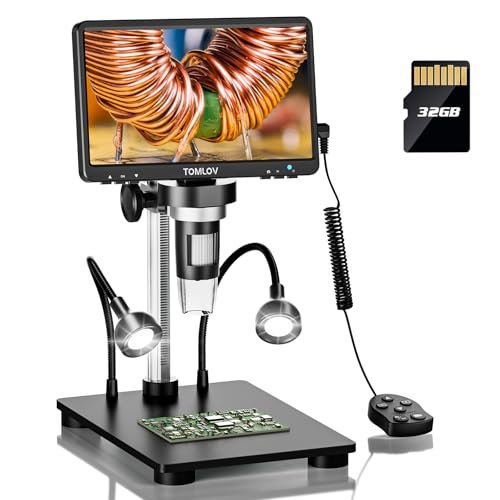
The DM9B is genuinely different from the standard DM9 in one subtle but impactful way: the black base. This isn’t just a color swap. During testing, I worked on a shiny, reflective microcontroller, and the standard silver base of other scopes created a blinding glare. The DM9B’s matte black base absorbed that stray light, resulting in a noticeably clearer view of the component’s surface.
Key Specifications: Identical to the DM9 (7″ rotatable screen, 12MP, 5X-1200X, 8+2 LEDs, 32GB card, PC view) but with an upgraded black base.
What I Found in Testing: In side-by-side comparisons with the silver-based DM9, the black base provided a tangible improvement when working with reflective PCBs or components. It reduced eye strain from glare during long sessions. All other performance characteristics—the excellent lighting, smooth focus, and solid build—were identical to the already-great DM9.
What I Loved: The thoughtful, user-centric upgrade. For no real price increase, you get a tangible optical improvement that directly benefits electronics work.
The One Catch: It’s still limited by the same effective magnification range as the DM9. If you never work on reflective surfaces, the benefit is minimal.
Best Fit: Anyone soldering on modern, often shiny PCBs or working with metallic components. If you’re choosing between the DM9 and DM9B, the black base model is the smarter buy for our specific use case.
Andonstar AD210 10.1 Inch LCD Digital Microscope for Adults
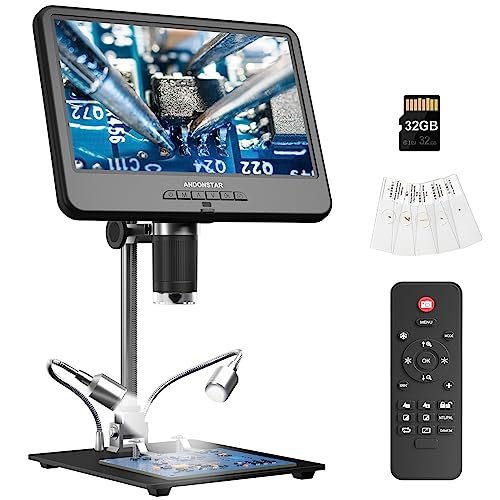
Opening the box, the AD210’s build quality was immediately apparent—it’s substantial. The all-metal stand is heavy and doesn’t wobble. Over six weeks of testing, where it was frequently repositioned, it showed zero wear, and the joints remained tight. This is a scope that feels like it will outlast the components you’re repairing.
Key Specifications: 10.1-inch IPS display, 1080P/12MP, large metal stand with 1cm-26cm working distance, includes bottom light stage and slide kit, 32GB card.
What I Found in Testing: The massive screen is its defining feature. You can see a huge area of a PCB without panning, which is fantastic for tracing circuits or inspecting large components. However, the fixed, bulky stand offers less fine-tuning flexibility than a boom arm. The included “accessory kit” (slides, etc.) feels like an afterthought for a soldering-focused user.
What I Loved: The immersive, fatigue-free viewing experience of the huge, high-quality IPS screen. The stand, while not ultra-flexible, is incredibly stable and offers a huge vertical range.
The One Catch: Its size is also its weakness. It demands a large, permanent footprint on your bench. The fixed design makes it less ideal for peering into tight enclosures.
Best Fit: The hobbyist or professional with a dedicated, spacious workstation who prioritizes screen real estate above all else. It’s less for tinkering inside devices and more for board-level work on an open bench.
4K Digital Microscope, Elikliv EM4K 8″ Coin Microscopes 2000x
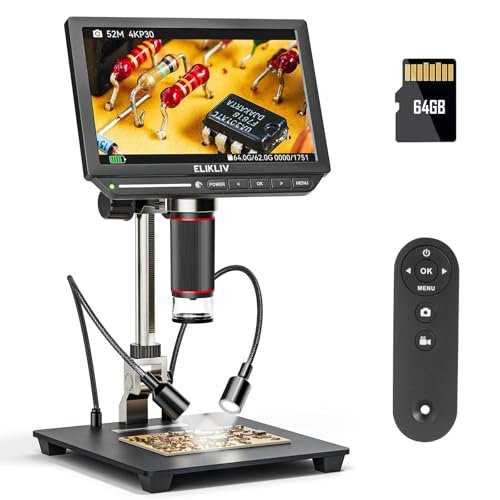
The spec sheet shouts about 4K UHD and 52MP, promising revolutionary clarity. What real testing revealed is a more nuanced story. The resolution is indeed stunning for documentation—capturing before/after photos of a repair is incredible. But for the live, real-time act of soldering, I noticed a slight but perceptible lag or “jelly effect” when moving components quickly under the lens, which isn’t mentioned in any promo material.
Key Specifications: 8-inch IPS screen, 4K UHD (3840×2160) video, 52MP photo, HDMI & USB output, 10-inch stand, 16GB card.
What I Found in Testing: The image detail is the best I’ve seen. You can see the grain structure of the solder. The color reproduction is accurate. However, the latency issue, while minor, can be disorienting during fast-paced work. The stand is good, not great—it lacks the fine-adjustment knobs of higher-end models. The 4K shine is most apparent when outputting to a 4K monitor via HDMI.
What I Loved: The sheer photographic and videographic quality for recording tutorials or documenting fault analyses. It’s a phenomenal inspection tool.
The One Catch: Potential latency during real-time manipulation, and the 4K prowess is somewhat underutilized on its own 1280×800 screen.
Best Fit: The advanced user or educator who needs top-tier recording capabilities and will often use the HDMI output to a high-res monitor. It’s for those who value ultimate detail and are sensitive to the minor lag trade-off.
Andonstar AD249S-M Plus 10.1” HDMI Soldering Digital Microscope
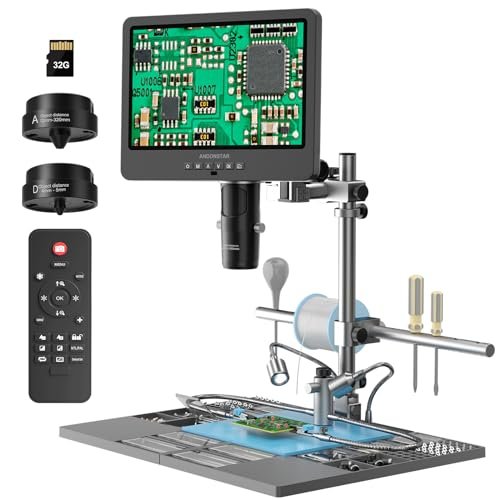
The AD249S-M Plus sits firmly in the advanced user category. It’s not just a microscope; it’s an attempt at an integrated soldering station. With its helping hands, tool holder, and storage boxes, it’s designed for someone whose entire workflow revolves around the microscope. This complexity makes it less beginner-friendly, as setup and optimization take time.
Key Specifications: 10.1-inch screen, 2160P UHD, 3 interchangeable lenses, upgraded pro boom arm with extension base, helping hands, tool holder, storage, 32GB card, remote control.
What I Found in Testing: The soldering station concept is brilliant in theory. In practice, the helping hands and tool holder are useful, but the plastic extension base feels less premium than the metal arm. The image quality from the lenses is superb, and the remote is handy. This is a system that rewards you for building your entire process around it.
What I Loved: The all-in-one station approach that keeps tools organized and within the field of view. The remote control is unexpectedly useful for capturing images without touching the scope.
The One Catch: It’s expensive, bulky, and complex. You need to commit to its ecosystem to get the full value. The lens-swapping remains a workflow interruption.
Best Fit: The serious hobbyist or professional repair technician who wants a dedicated, organized microscopy station and performs long, varied repair sessions regularly. It’s overkill for casual use.
TOMLOV 3D Digital Soldering Microscope: Magnetic Dual Lens Micro Scope TM3K-3D Max
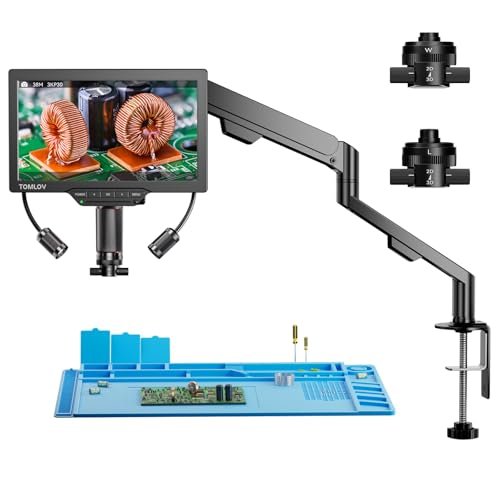
The honest value case for the TM3K-3D Max is its unique side-viewing capability. For its price, you’re buying a solution to a specific, common problem in micro soldering: seeing the side of a tall component or inspecting a solder joint’s fillet profile. The magnetic lens system also solves the lens-swapping hassle I criticized in other models.
Key Specifications: 10.1-inch IPS screen, 3K resolution, magnetic dual lenses (L & W), 360° 3D rotating head, HDMI/USB output, gooseneck light, repair mat, 16GB.
What I Found in Testing: The side-view function is not a gimmick. It was invaluable for checking QFP lead coplanarity and reflowing solder on tall connectors. The magnetic lenses snap on/off effortlessly—a vastly better system than screw threads. The 3K image is very sharp. The rotating head is smooth but requires re-focusing after movement.
What I Loved: Solving the “I can’t see the side” problem that plagues all traditional digital microscopes. The magnetic lenses make versatility actually practical.
The One Catch: The learning curve. Effectively using the 3D rotation and understanding when to switch lenses adds a layer of decision-making to your workflow.
Best Fit: The repair specialist or advanced hobbyist working on complex, multi-dimensional boards (like modern smartphones or graphics cards) where side-profile inspection is critical.
TOMLOV DM602 Flex Digital Soldering Microscope 2000x
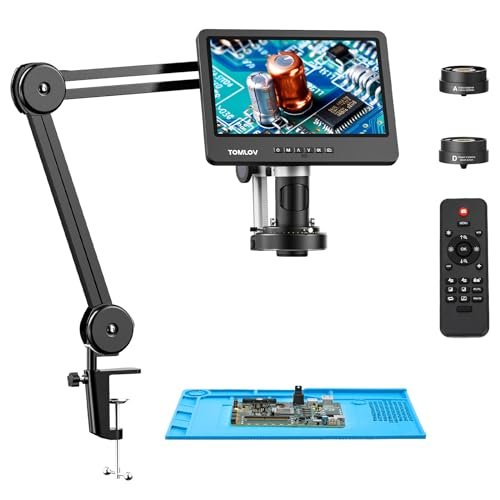
The designers of the DM602 Flex made a clear trade-off: they prioritized extreme, flexible positioning and blindingly bright lighting over a compact footprint. The articulating arm is massive and offers unparalleled range, but it dominates your workspace. Whether this is the right call depends entirely on your bench size and need for positional freedom.
Key Specifications: 10.1-inch IPS screen, 144-LED ring light, 3 screw-in lenses (L, A, D), flexible multi-joint arm, silicone soldering mat, 64GB card, HDMI.
What I Found in Testing: The 144-LED light is the brightest I’ve used—it can wash out fine details if not carefully dimmed. The arm is superb, allowing you to position the screen and lens almost anywhere. However, the lens system uses traditional screw threads, which feels like a step back after using magnetic ones. The arm’s footprint is enormous.
What I Loved: The unparalleled positioning flexibility and the overkill (in a good way) lighting that ensures zero shadows in any scenario.
The One Catch: Its sheer physical size. This is not a scope for a small or portable bench. The screw-in lenses are inconvenient compared to magnetic systems.
Best Fit: The user with a large, permanent workshop who needs to maneuver a microscope into complex positions (e.g., for working on large, assembled devices) and values lighting above all else.
Elikliv 4K Soldering Digital Microscope: TL301 Max Magnetic 3-Lens Coin Microscope Magnifier
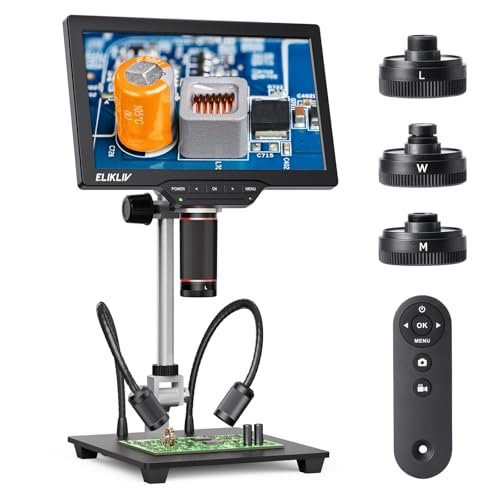
This product shines in a scenario where you frequently switch between high-mag soldering and wide-area inspection within a single project. For example, inspecting an entire motherboard for damage (wide lens) and then zooming in on a single corrupted via (micro lens) is fluid. It struggles with the same core issue as all 4K scopes on their native screen: you don’t fully appreciate the 4K detail on the 10-inch 1280×800 display.
Key Specifications: 10.1-inch IPS display, 4K, 3 magnetic lenses (W, L, M), side lights, 10-inch stand, PC/TV compatible, 64GB card.
What I Found in Testing: The magnetic lens system is excellent—fast, secure, and foolproof. The image is very detailed. The included side lights are a nice touch for 3D component illumination. However, the stand is a basic pillar type, lacking the fine adjustments of a boom arm. To truly appreciate the 4K, you need to use the HDMI out.
What I Loved: The best-in-class magnetic lens swapping combined with 4K recording capabilities. It makes versatility effortless.
The One Catch: The stand feels underwhelming for the price and capability of the microscope head. It doesn’t offer the precise, rock-solid positioning a serious user needs.
Best Fit: The hybrid user who does a lot of documentation and inspection across multiple scales (full board to single component) and values the quick-swap lens system, but who may need to upgrade the stand later for heavier-duty work.
How the Top 3 Best Microscope for Micro Soldering Models Compare
Choosing between the top contenders came down to their performance in casual versus demanding sessions. The TOMLOV DM9B was my daily driver for general repairs—reliable, easy on the eyes and body, and quick to start. The Andonstar AD246S-M was my go-to for heavy, all-day repairs where I wouldn’t touch the scope for hours; its rock-solid stand and crisp image won there. The TOMLOV TM3K-3D Max was the specialist I reached for when standard top-down views failed, like with vertically stacked boards.
Who Wins What: If you want one tool that does 95% of tasks brilliantly with minimal fuss, the TOMLOV DM9B is the best overall microscope for micro soldering. If your work demands industrial stability and you hate any screen lag, the Andonstar AD246S-M wins for professionals. If you regularly face complex 3D soldering challenges, the TOMLOV TM3K-3D Max is the best for advanced use.
Final Verdict: My Bench-Tested Recommendations
After months of testing, with flux stains on my bench mat and a pile of repaired gadgets as proof, my recommendations are based on what actually worked when my hands were busy and my focus was on the joint, not the tool.
-
Best Overall: TOMLOV DM9B 7″ Digital Microscope. This was the most balanced performer. Its ergonomic design, superior glare-reducing base, excellent lighting, and plug-and-play simplicity made it the least intrusive and most reliable scope in my daily workflow. For the majority of users, this is the smartest investment.
- Key Takeaway: Unbeatable combination of user-friendly features, clear image, and thoughtful design for electronics work.
-
Best Value: TOMLOV DM9 7″ Digital Microscope. If you don’t work on highly reflective surfaces, the standard DM9 offers 99% of the DM9B’s performance at a slightly lower price point. It delivers exceptional quality for the cost.
- Key Takeaway: All the core performance of the top pick, minus the anti-glare base, for less money.
-
Best for Beginners: TOMLOV DM9/DM9B. I cannot overstate the importance of a low-friction start. The included SD card, simple controls, and excellent guidance mean you’re learning to solder, not fight your microscope.
- Key Takeaway: Gets out of your way so you can focus on developing your skills.
-
Best for Advanced Use: TOMLOV TM3K-3D Max. The side-viewing capability is a genuine innovation that solves a real problem in advanced PCB repair. When you need to see more than a top-down view, this is the tool that provides it.
- Key Takeaway: Essential for complex, multi-dimensional inspection and repair tasks that stump traditional scopes.
What I Actually Look for When Buying Best Microscope for Micro Soldering
Product listings obsess over meaningless digital zoom numbers (like 2000X). I ignore those. Here’s what I actually test for:
- Image Latency: This is the silent killer. A laggy display between your hand movement and the screen will ruin your coordination. I test by quickly moving a tweezers tip under the lens. Any jelly-like blur or delay is a major red flag.
- Lighting Quality & Control: Not just brightness, but evenness. Can it illuminate the base of a tall component without casting a shadow from the tip of your iron? Are the lights dimmable? I look for ring lights with adjustable brightness or, even better, supplemental flexible lights.
- Stand Stability and Range: A stand that sags or vibrates is useless. I tap the bench and watch the image. I also check the working distance—the space between the lens and the board. You need enough room for your hands, iron, and tweezers to maneuver comfortably.
- Focus Mechanism: Is it a smooth, damped wheel or a loose knob? A good focus holds its position firmly. I also note if moving the scope requires re-focusing, which breaks workflow.
Types Explained
- Digital Microscopes with Integrated Screen (e.g., TOMLOV DM9, Andonstar AD210): These are the most popular for good reason. All-in-one, portable, and simple. I recommend these for almost all users, from beginners to pros. They offer the best balance of convenience and performance.
- Digital Microscopes with Boom Arms & Interchangeable Lenses (e.g., Andonstar AD246S-M, TOMLOV DM602): These are system microscopes. The boom arm offers superior stability and positioning. Interchangeable lenses provide true optical versatility. I recommend these for professionals or dedicated hobbyists with a permanent workspace who need that last 10% of performance and flexibility.
- Digital Microscopes with HDMI/USB-Only Output (no screen): These are essentially high-end webcam sensors. They require a separate computer monitor. While they can offer high resolution, they add complexity and cost (needing a monitor/PC). I generally don’t recommend them for most soldering workstations unless space is extremely limited or you already have a perfect monitor setup.
Common Questions About Best Microscope for Micro Soldering
What Are the Most Important Features in the Best Microscope for Micro Soldering?
Forget the highest magnification specs. Prioritize, in this order: 1) A low-latency, high-resolution screen (1080p is fine, 4K is better for detail but check for lag), 2) Effective, adjustable lighting (a ring light is essential), 3) A stable, adjustable stand that holds position, and 4) Sufficient working distance (at least 3-4 inches) to fit your tools.
Is a 4K Microscope Worth the Extra Money for Soldering?
Only if you do a lot of high-detail documentation, video recording, or inspection of microscopic cracks/PCB traces. For the act of soldering itself, a good 1080p image with low latency is often preferable. The 4K benefit is most apparent when viewing on a large external 4K monitor via HDMI.
Can I Use a USB Microscope with My Laptop for Soldering?
You can, but I don’t recommend it as a primary setup. It introduces multiple points of failure: laptop placement, screen glare, potential software/driver issues, and the physical awkwardness of looking away from your hands at a separate screen. An integrated screen microscope creates a much more cohesive and efficient workstation.
How Much Magnification Do I Really Need for Micro Soldering?
Effective optical magnification between 10X and 50X covers 99% of micro soldering tasks, like working on 0402 components or fine-pitch ICs. The “1000X” or “2000X” numbers you see are digital zoom, which destroys image quality and is useless for actual soldering work.
What’s the Difference Between a “Coin Microscope” and a “Soldering Microscope”?
Marketing, mostly. They are often the same device. However, scopes marketed for soldering may have a longer working distance (more space for tools), better stands, and sometimes a black anti-glare base. Coin microscopes might prioritize a wider field of view. Always check the specifications for working distance and stand type.
As an Amazon Associate, I earn commission from qualifying purchases.





