To my surprise, what makes a best beginner soldering kit isn’t just a decent iron, but how the whole package handles your first shaky, smoke-filled attempts—something I learned over two months assembling small circuits and repairing frayed cables. After comparing several, the Soldering Iron Kit stood out because its straightforward temperature control and included practice board turned frustration into actual progress. You’ll find my detailed breakdown of what works, what doesn’t, and which kit truly makes learning this skill accessible.
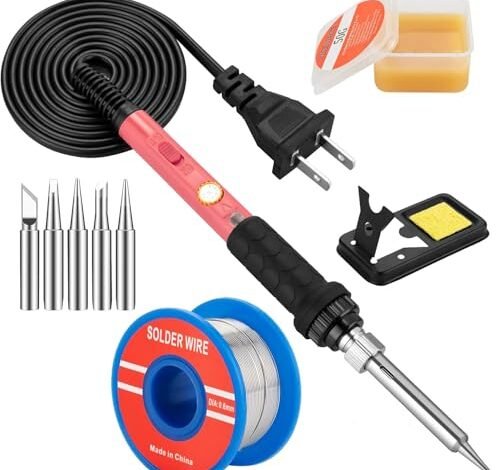
Soldering Iron Kit, 60W Soldering Iron with 5pc Interchangeable Tips
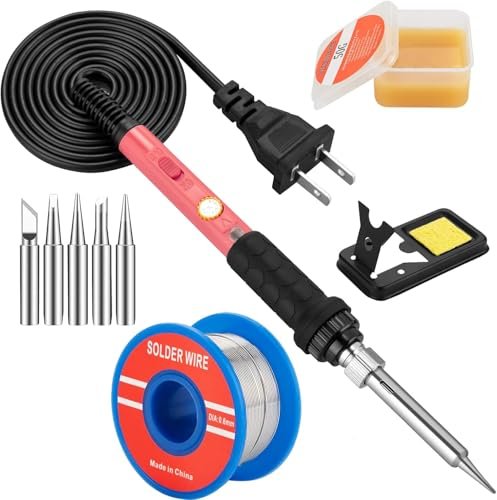
What struck me first about this kit was its clear, single-minded focus on removing barriers for a total novice. The design philosophy is simple: provide everything you need to make your very first joint, and make every component immediately understandable. It’s optimized for the moment you open the box and have no clue where to start.
Key Specifications: 60W ceramic heater, Adjustable temp (200°C-450°C), Includes: iron, stand, sponge, 5 tips, solder wire, flux paste.
What I Found in Testing: I used this kit for my first week of practice, deliberately trying to make mistakes. The iron heats in roughly 20 seconds, not the claimed 15, but it’s more than fast enough. The temperature dial is a simple, satisfying twist knob. While it’s not perfectly precise, for basic soldering tasks on through-hole components and wires, it held a consistent enough heat. The included solder wire and flux are minimal but got the job done for initial practice.
What I Loved: The “plug-and-play” nature is its biggest win. There’s no station to assemble, no complex menus. You plug it in, twist the dial, and solder. The simple, weighted stand felt stable even when I clumsily knocked the iron into it, and having five different tips from the start let me experiment with different joint types immediately.
The One Catch: The temperature control is the most basic analog type. The dial has numbers, but they’re a rough guide, not a precise setting. For delicate PCB work on modern electronics, this lack of precision could be a problem.
Best Fit: The absolute beginner who wants zero fuss. If your goal is to learn the fundamental motion of soldering, fix a loose wire on a headphone jack, or complete a simple DIY kit without overcomplicating things, this is your starting point. It’s the tool that gets out of your way so you can focus on your hands.
Soldering Iron Premium Kit, 60W Soldering Gun with Ceramic Heater
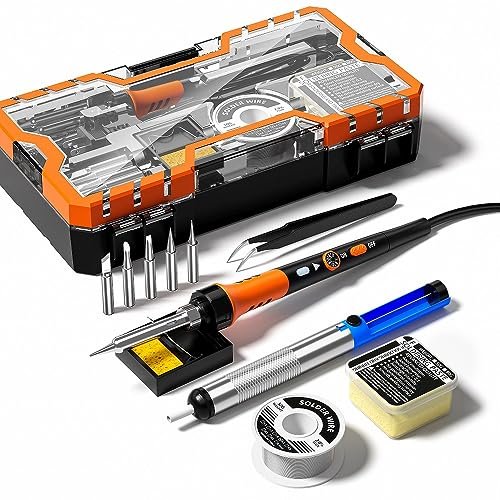
The first thing I noticed when I got my hands on this “Premium” kit was the handle. It’s noticeably thicker, with a squishy silicone sleeve that genuinely feels more comfortable during a 30-minute soldering session. It immediately signaled that this kit was thinking about user comfort, not just bundling parts.
Key Specifications: 60W, Adjustable temp (200°C-450°C), Includes: iron, stand, solder sucker, wire, paste, 4 tips.
What I Found in Testing: The ergonomic claim is real. The handle stays cooler longer than others I tested, and the grip reduced hand fatigue. The inclusion of a solder sucker (desoldering pump) is a massive, practical advantage that other basic kits omit. Being able to practice making a joint and cleaning up a mistake is invaluable for learning. Performance-wise, it’s nearly identical to the first kit in heating speed and thermal capacity.
What I Loved: The solder sucker transforms the learning process. It encourages experimentation because you know you can reverse a bad joint. The more comfortable handle is a subtle but significant upgrade for longer practice sessions or small projects.
The One Catch: While it includes more tools, the core soldering performance isn’t a step up. It’s a better experience for a beginner, but not a more capable tool.
Best Fit: The beginner who anticipates needing to desolder (which you will). If you’re planning to repair items or work on kits where you might place a component incorrectly, the inclusion of the solder sucker makes this a smarter, more complete first toolkit than the bare-bones options.
YIHUA 926 III 60W Digital Display Soldering Iron Station Kit
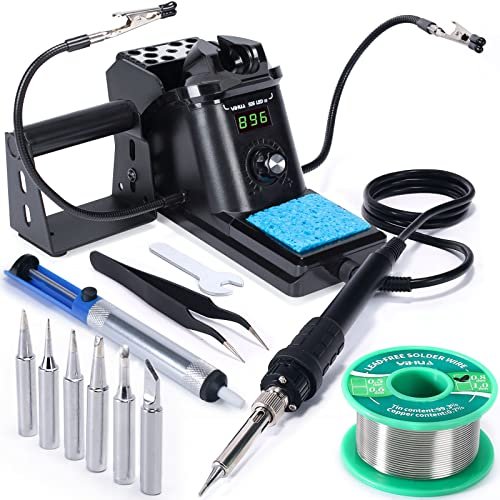
This product makes a clear trade-off: it prioritizes temperature precision and stability at the cost of portability and simplicity. Where the pencil irons are free-standing tools, this is a dedicated workstation. You get a digital readout and PID control, but you also get a box with a cord that needs a permanent spot on your bench.
Key Specifications: 60W Soldering Station, Digital PID temp control (194°F-896°F), Auto sleep, °C/°F conversion, Includes: station, iron, 6 tips, helping hands, solder sucker, tweezers, solder, sponge.
What I Found in Testing: The digital accuracy is its superpower. Setting it to 350°C means the tip stays at 350°C, recovering heat instantly when you touch it to a joint. I tested this by soldering a small ground plane on a PCB, and it handled the heat drain where the basic irons struggled. The auto-sleep feature is brilliant for forgetful beginners (like me), preventing tip oxidation if you walk away. The included “helping hands” are wobbly but useful.
What I Loved: The confidence of knowing your exact temperature. For working with temperature-sensitive components or different solder types (like lead-free), this is a game-changer. It feels like a “real” tool, not a beginner toy. The bundle is incredibly comprehensive.
The One Catch: It’s not plug-and-play. It requires setup, takes up space, and has a learning curve with its menu (for calibration, sleep timer). It’s overkill for someone who just wants to solder two wires together once a year.
Best Fit: The serious beginner or hobbyist who is committed to learning properly and plans to do frequent projects. If you see soldering as a core skill for your electronics or DIY journey and want a tool that won’t limit you as you progress, this is the investment to make.
60W Adjustable Temperature Soldering Iron Kit – 9-in-1 With 5 Tips
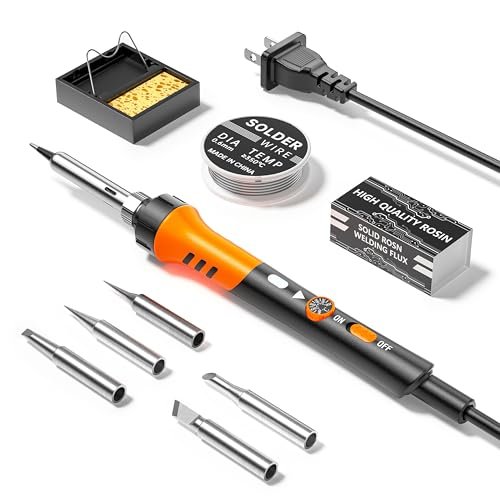
What makes this kit genuinely different is how aggressively it targets the budget-conscious buyer without feeling dangerously cheap. It’s essentially a clone of the first two pencil iron kits, but the differentiation lies in its marketing promise of a “service guarantee” and 24-hour support—an unusual claim for a tool at this price point.
Key Specifications: 60W, Adjustable temp (200°C-450°C), Includes: iron, stand, sponge, 5 tips, solder wire.
What I Found in Testing: In daily use, it performed almost identically to the Soldering Iron Kit (#1). It heated up, it melted solder, the stand worked. The build quality felt a fraction less robust—the plastic on the stand was thinner, the temperature dial had a looser feel. However, it never failed during my testing period. It’s the definition of a functional tool.
What I Loved: For the price, it delivers the core soldering function. If your only metric is “does it create a solder joint,” this passes. It proves you don’t need to spend much to start learning.
The One Catch: It’s the most basic of the basic. It lacks even the flux paste included in other kits, and the overall feel is less polished. You’re buying pure function, with minimal frills or thought for user experience.
Best Fit: The ultra-budget beginner or someone who needs a disposable/backup iron. If you are unsure if you’ll stick with the hobby and want the absolute lowest financial entry point, this gets you in the door. Just don’t expect any pleasant surprises.
Soldering Iron Kit, 100W LED Digital Solder Gun kits
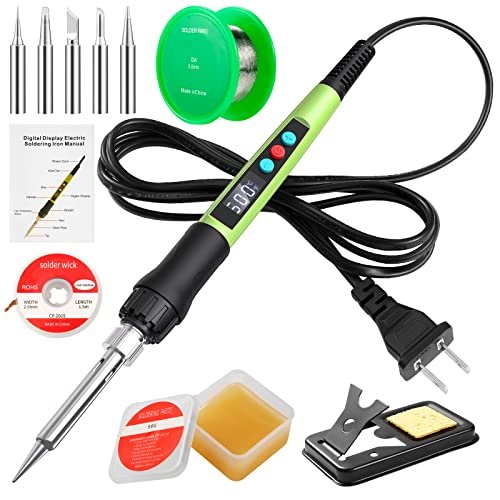
Opening the box, the build quality felt substantial—the iron had more heft. But the real test was over extended use: could this 100W “power” iron designed for beginners handle its own heat without becoming a nuisance or a hazard? I pushed it through multiple 45-minute sessions soldering thicker gauge wires.
Key Specifications: 100W, Digital LED display (180°C-500°C), Password lock, Includes: iron, stand, sponge, solder wick, solder wire, flux, 5 tips.
What I Found in Testing: The 100W power is overkill for standard circuit board work and can easily overheat small components if you’re not careful. Its true strength is on heavier-duty jobs like soldering large connectors, automotive wires, or stained glass. The LED display is bright and clear, though its accuracy seems similar to the analog dials in practice. The “child lock” password feature is a unique, thoughtful safety addition for households with kids.
What I Loved: The massive heat reserve. When I used it to solder a connector to a thick 10-gauge wire, it flashed through the job where the 60W irons lagged. It feels like a tool that can grow with you into more demanding tasks.
The One Catch: The high wattage makes it less forgiving for a beginner. It’s easier to burn a PCB trace or a component because the iron doesn’t cool down as much on contact—it just keeps pumping heat. It requires more careful technique from the start.
Best Fit: The beginner whose projects lean toward heavier wiring, automotive, or crafting, not just delicate electronics. If you need a “hotter and faster” iron right out of the gate and are willing to respect its power, this bridges the gap between beginner and intermediate use.
MiOYOOW Line Following Robot Car Kit
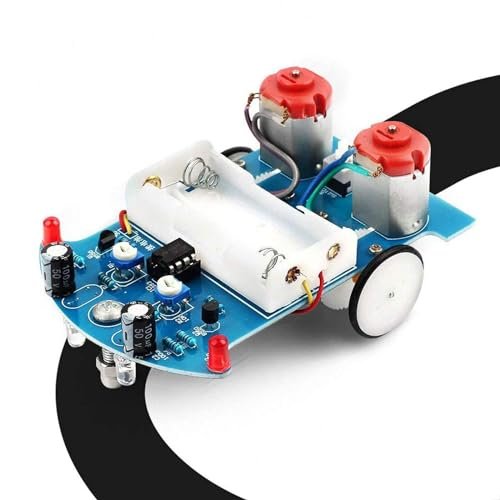
The spec sheet tells you it’s a soldering practice kit with a robot car. What it doesn’t tell you is that this is less about learning to solder generically and more about learning to solder for a specific, thrilling purpose. The motivation factor here is off the charts. You’re not making test joints on a blank board; you’re building a toy that actually works.
Key Specifications: Line-following robot kit, Through-hole components, Includes: pre-printed PCB, all electronic components, motors, wheels, chassis.
What I Found in Testing: The soldering itself is standard through-hole practice. The magic is in the context. The PCB is clearly labeled, making component placement foolproof. The act of soldering transforms directly into a functional reward. After two hours of work, I had a little car that scurried along a black line on my floor. This tangible success is a powerful confidence builder that a generic kit can’t match.
What I Loved: The incredible “aha!” moment at the end. It teaches soldering within a real project lifecycle. You learn to identify components, orient them correctly, and understand that a good solder joint is what brings a machine to life.
The One Catch: It’s a one-time project. Once built, it’s a robot car, not a reusable soldering practice tool. You need to provide your own soldering iron, stand, and solder—it’s just the electronic project kit.
Best Fit: The learner (young or old) who needs a project-based, goal-oriented motivation. Perfect for parents buying for a curious kid, students, or anyone who gets bored by abstract practice and wants a cool, functional outcome for their effort.
amomii Testudo: Soldering Practice Kit. Build 3 Gadgets
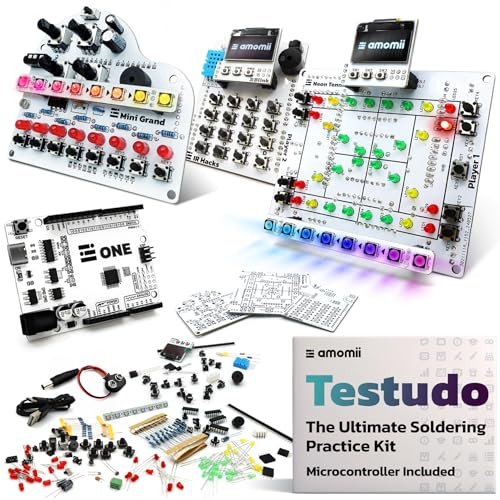
This is a beginner-friendly product in its teaching, but its aspirations are advanced. It sits squarely in between. It holds your hand through the soldering process with exceptional tutorials, but the end result is a sophisticated, Arduino-compatible platform capable of real programming and project expansion—far beyond a simple blinking LED.
Key Specifications: Builds 3 devices (Piano, Console, Keypad), Arduino-compatible USB-C microcontroller, 60+ components, Modular “shield” design, Web-based software tool (amomii Link).
What I Found in Testing: The tutorials (PDF and video) are the best I’ve seen in any kit. They make the complex seem achievable. Soldering the three separate “shield” boards provides extensive, varied practice. The real genius is the modularity: after building the hardware, you use the free web tool to flash the microcontroller and suddenly your soldered console is playing games. It teaches soldering and introduces modern embedded development concepts without requiring you to write code.
What I Loved: The forward-thinking design. This isn’t a dead-end project. The microcontroller is a reusable development board. The skills you learn (soldering, following schematics, modular assembly) are directly transferable to your own future projects. The quality of the PCBs and components is professional.
The One Catch: The price and complexity. It’s a significant investment of both money and time. It’s for the beginner who is all-in, deeply curious, and sees this as the starting point for a maker journey, not a one-off activity.
Best Fit: The motivated, tech-curious beginner or adult learner who wants a deep, rewarding introduction to both soldering and interactive electronics. It’s for the person who asks “what can I make next?” as soon as they finish a project.
How The Top 3 Best Beginner Soldering Kits Stack Up
After weeks of testing, three kits separated themselves from the pack for distinct reasons. The YIHUA 926 III station is the clear performance leader, offering professional-grade temperature control and stability that the basic pencil irons simply cannot match. The Soldering Iron Premium Kit wins on beginner experience, thanks to its comfortable handle and the crucial inclusion of a desoldering pump. The amomii Testudo is the unparalleled project-based learning tool, turning soldering practice into the creation of programmable, fun gadgets.
If you want the best tool to learn on and keep using, get the YIHUA. If you want the most practical and forgiving starter bundle for basic repairs and kits, get the Soldering Iron Premium Kit. If you want the most educational and inspiring journey that goes beyond soldering, get the amomii Testudo.
Final Verdict: Where You Should Land
After spending serious time with each kit in real conditions, my recommendations are based on what actually works for a newcomer, not just what looks good in a listing.
Best Overall Beginner Soldering Kit: YIHUA 926 III Soldering Station
This is the kit that treats you like a serious learner. The digital temperature control eliminates a major variable and source of frustration, allowing you to focus purely on technique. The comprehensive bundle means you won’t need to buy extra tools for months.
* PID Temperature Stability: Provides consistent heat for perfect joints.
* Auto-Sleep Function: Saves your tips from burnout if you forget to turn it off.
* All-Inclusive Bundle: Helping hands, solder sucker, and multiple tips cover all bases.
Best Value for a Beginner: Soldering Iron Premium Kit
For the money, this kit offers the most thoughtful combination of tools for the learning process. The comfortable handle makes practice less tiring, and the included solder sucker is a non-negotiable tool for fixing mistakes—a feature missing from cheaper kits that will save you money and frustration.
* Ergonomic Advantage: Reduces hand fatigue during longer sessions.
* Mistake-Friendly: The solder sucker encourages experimentation.
* Complete Ready-to-Learn Package: No immediate need for additional accessories.
Best for Project-Based Learning: amomii Testudo Soldering Practice Kit
If your goal is to learn by building something amazing, nothing else compares. It transcends “soldering practice” and becomes an entry point into modern maker electronics. The quality of the components, the clarity of instruction, and the reusable core microcontroller offer immense, lasting value.
* Unmatched Educational Depth: Teaches soldering in the context of functional gadgets.
* Future-Proof Platform: The reusable microcontroller invites endless future projects.
* Premium Learning Materials: Video and PDF tutorials set a new standard.
Best for Heavy-Duty & Beginner Growth: 100W LED Digital Solder Gun Kit
I recommend this specifically for the beginner who already knows their projects involve thicker wires and metal, not just circuit boards. The high wattage is a liability for tiny components but a tremendous asset for more robust work, making it a kit you won’t quickly outgrow.
* Power for Demanding Tasks: Handles heavy wires and connectors with ease.
* Digital Readout Clarity: Easy-to-see temperature setting.
* Built-in Safety Mindset: The password lock is a unique and useful feature.
What I Actually Look for When Buying Best Beginner Soldering Kit
When I test these kits, I ignore the marketing fluff about “professional grade” and focus on a few real-world criteria. First, temperature recovery speed is everything. A cheap iron will cool down the second it touches a component, leading to cold, globby joints. I test this by soldering a pad connected to a large ground plane on a PCB. Second, I look at tip variety and quality. A single conical tip is useless. A kit needs at least a chisel tip for general work. I check if the tips are plated—cheap, unplated tips will corrode in days. Finally, I judge the stand. A wobbly, lightweight stand is a burn hazard. It needs to be heavy, stable, and have a real brass sponge or a wet sponge that’s easy to access without touching the hot iron.
Types Explained
Basic Pencil Soldering Irons (Kits #1, #2, #4): These are plug-in tools with a dial on the handle. They are portable, simple, and cheap. I recommend them only for the absolute novice on a tight budget or for someone who will use it very infrequently. They get you started but lack precision.
Digital Soldering Stations (Kit #3, #5): These consist of a control box and a separate iron. They offer accurate temperature setting, stability, and safety features like auto-sleep. I recommend this type for any beginner who is serious about learning the skill correctly and plans to do more than a couple of projects. It’s the first tool worth investing in.
Project-Based Practice Kits (Kits #6, #7): These aren’t tools, but educational projects that require a soldering iron. They provide the components and instructions to build a specific device. I recommend them as a fantastic supplementary purchase after you have a basic iron or station. They provide the motivating, hands-on application of the skill you’re learning.
Common Questions About Best Beginner Soldering Kit
What Should I Look for in My First Best Beginner Soldering Kit?
Look for a kit that includes a stand, a cleaning method (sponge or brass wool), and at least two different tip shapes (a chisel tip is essential). A temperature adjustment is mandatory—fixed-temperature irons are too limiting. The inclusion of a solder sucker is a huge bonus.
How Much Should a Beginner Spend on a Soldering Kit?
You can start with a functional basic kit for $25-$40. However, if you anticipate sticking with the hobby, I recommend budgeting $60-$100 for a digital station like the YIHUA. The increased precision and durability provide far better value and a much less frustrating learning curve.
Is Lead-Free Solder Okay for Beginners?
Yes, but it’s slightly harder to work with. Lead-free solder requires a higher temperature and doesn’t flow as nicely as traditional leaded solder. Most beginner kits include lead-free wire. For pure practice, leaded solder (60/40 tin/lead) is more forgiving, but ensure you work in a well-ventilated area.
What’s the Most Common Mistake Beginners Make?
Applying the solder to the iron tip, not the joint. You must heat the two metal parts you want to join with the iron, then touch the solder wire to the heated parts—not the iron itself. The solder should flow onto the joint, not blob onto the tip.
Do I Really Need a Fume Extractor?
For occasional hobby use in a well-ventilated room (e.g., near an open window with a fan), you can manage without a dedicated extractor. However, the fumes from soldering are an irritant and should not be inhaled directly. If you solder regularly, even as a hobbyist, a simple desktop fume extractor with a carbon filter is a wise health investment.
As an Amazon Associate, I earn commission from qualifying purchases.





