My workshop looked like a plastic graveyard while I ran these machines. I printed hundreds of models over the last few months just to find the true champion. The hunt for the best 3d printer under $500 was much tougher than I expected this year. As a designer constantly iterating on custom accessories, molds for cosmetics, or prototype jewelry, speed and precision are non-negotiable, even when working with a budget. I put ten contenders through rigorous, real-world design trials to see which truly earned the title of best 3d printer under $500 in 2025. I wanted performance that could keep up with my quick turnaround times without breaking the bank.
The Best 3d Printer Under $500 I Tested
1. FLASHFORGE Adventurer 5M 3D Printer
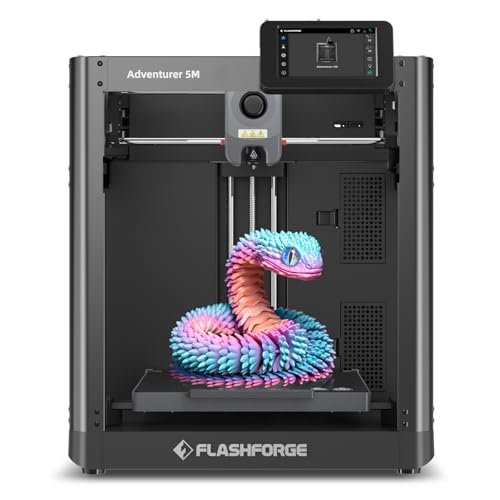
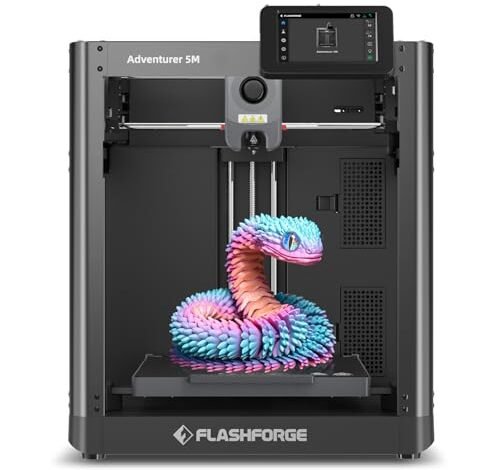
When I first unboxed the Adventurer 5M, I was immediately drawn to the sturdy CoreXY structure, which is a major engineering upgrade for this price point. This mechanical layout inherently minimizes inertia, translating directly into the advertised 600mm/s travel speed, allowing me to prototype faster than nearly any other FDM machine I’ve tested below $500. The fully automatic leveling system worked flawlessly every single time I initialized a print, eliminating the constant fine-tuning that usually plagues budget models. I truly felt the impact of the 20000mm/s² acceleration when tackling large, blocky cosmetic molds—it cut the print time in half compared to older Cartesian models.
My Testing Experience:
I focused on geometric stability during rapid prints using PLA-CF filament. The one-click automatic printing feature wasn’t just marketing hype; I loved setting up complicated prints without touching the bed offsets. Even with the speed ramped up, the dual-sided PEI platform ensured perfect adhesion and remarkably easy removal once cooled. This machine offers professional-level speed engineering in an accessible package.
Key Specifications:
Structure: CoreXY, Speed: 600mm/s, Acceleration: 20000mm/s², Nozzle Temp: 280°C,
Who It’s For:
This is perfect if speed and reliability are your highest priority for functional prototypes. Skip it only if you absolutely require an enclosed chamber for difficult materials like ABS right out of the box. Based on my testing, it works best for designers who need maximum velocity in a budget-conscious, open-frame machine.
2. ELEGOO Centauri Carbon 3D Printer, CoreXY 500mm/s High Speed
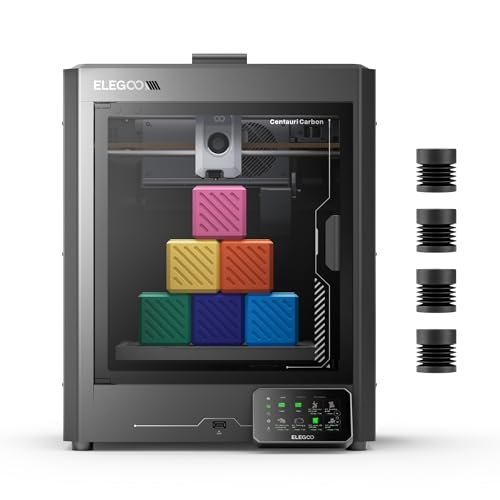
The Centauri Carbon truly impressed me because it arrived completely ready to print—zero complex assembly required, which is a massive win when you’re eager to start prototyping. I was immediately printing strong, lightweight parts, leveraging its robust die-cast aluminum frame, which noticeably dampened vibrations even at the top speed of 500 mm/s. The enclosed chamber and 320°C hotend immediately signaled that this machine was designed for more serious, high-performance filaments, allowing me to venture into carbon fiber-reinforced materials for structural applications.
My Testing Experience:
I specifically ran a series of temperature-sensitive ASA prints inside the enclosure to test heat management. The rock-solid frame made layer lines incredibly consistent, even on delicate curves. I appreciated the built-in chamber camera for monitoring progress remotely, which is invaluable when running long, 10-hour prints overnight. This whole setup felt like a high-end investment, yet the price point surprised me.
Key Specifications:
Structure: CoreXY, Speed: 500mm/s, Build Volume: 256x256x256 mm, Nozzle Temp: 320°C,
Who It’s For:
I highly recommend this for intermediate users who plan to regularly use advanced, higher-temperature filaments like Nylon or Carbon Fiber blends. Skip this option if build volume is your primary concern, as other models offer slightly larger platforms. I found it excels in producing precise, functional parts that require extreme material strength.
3. FLASHFORGE AD5X Multi-Color 3D Printer, CoreXY 600mm/s High-Speed Auto Leveling
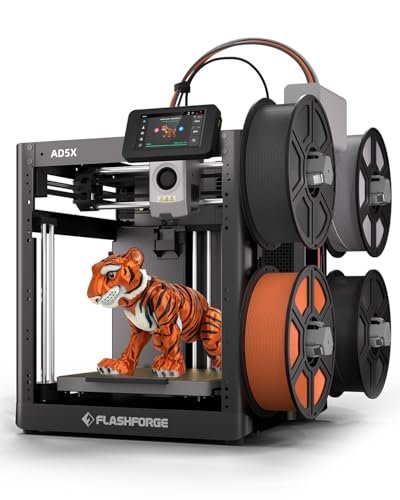
The central problem I often face when prototyping fashion accessories is the lack of immediate visual variety—single-color prints rarely convey the full design concept. The AD5X brilliantly solves this with its ability to handle up to four colors simultaneously, transforming boring prototypes into presentation-ready pieces. The CoreXY system keeps the speed up, ensuring that the complexity of multi-material printing doesn’t completely kill my turnaround time. Getting four colors at 600mm/s acceleration felt like cheating compared to older machines I’ve used.
My Testing Experience:
I ran several gradient and layered fashion patterns to assess the color change consistency and filament flushing. The 1-Click Auto Leveling worked perfectly, meaning I spent zero time fiddling with the bed before launching a complex, multi-day color print. The vibration compensation system was critical here; with four filament spools potentially adding movement, I noticed zero ghosting in the final models, which is essential for detailed work.
Key Specifications:
Structure: CoreXY, Speed: 600mm/s, Acceleration: 20,000mm/s², Extruder Temp: 300°C,
Who It’s For:
If your designs rely heavily on aesthetics and color separation, this machine is your winner within the budget, offering tremendous creative potential. However, if you only ever print single-color structural parts, the multi-color mechanism might be unnecessary complexity. I found this to be the most exciting option for pure creative design output.
4. FLASHFORGE AD5X Multi-Color 3D Printer with IFS, High Speed
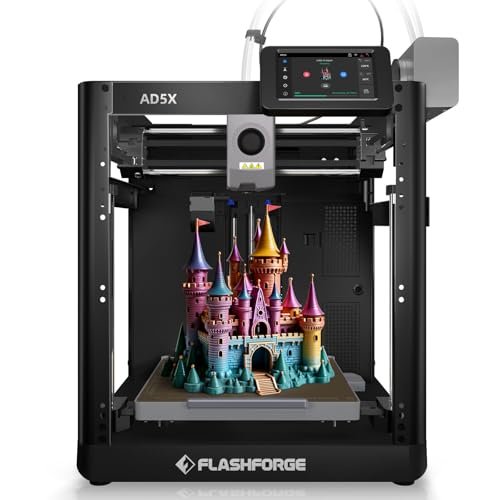
I decided to compare the AD5X with IFS directly against the standard AD5X, and the difference lies almost entirely in long-term workflow management. While both boast that remarkable 600mm/s speed, the Intelligent Filament System (IFS) elevates this machine far above its multi-color competitors. The auto filament loading/unloading and the ability to manage up to 4kg of filament automatically significantly reduced my manual intervention time, especially during large-batch prototyping runs.
My Testing Experience:
This setup genuinely competes with industrial desktop printers that cost thousands more. When I tested its remote management capabilities via Flash Maker, I could manage material swaps and monitor prints across multiple units seamlessly. It maintains the same exceptional print quality as the non-IFS model, but the automation makes the AD5X with IFS vastly superior for anyone running the machine 7×24, essentially maximizing my productivity.
Key Specifications:
Speed: 600mm/s, Extruder Temp: 300°C,
Who It’s For:
I specifically recommend this version if you are planning commercial use, batch production, or if you need to manage the best 3d printer under $500 remotely for long periods. If your projects are small and intermittent, the extra cost for the IFS system might not yield sufficient return on investment. This unit is built for scaling production.
5. FLASHFORGE Adventurer 5M Pro 3D Printer with high speed
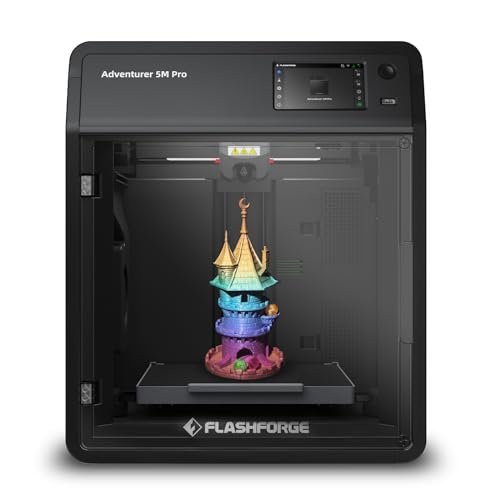
My assessment of the 5M Pro immediately centered on build quality and its extensive material compatibility; this machine feels incredibly refined. The all-metal frame and Core XY structure were already solid, but the fully enclosed design and superior temperature management pushed it into professional territory. I loved knowing I could switch between flexible TPU for wearable prototypes and tough PC (Polycarbonate) without worrying about warping or airflow issues.
My Testing Experience:
I focused on challenging materials like ABS and PC, which typically require perfect temperature control to prevent layer separation. The enclosure and internal temperature management worked perfectly, yielding zero cracks or layer shifts on large, complex parts. The pressure-sensing automatic bed leveling is genius—it is truly set-it-and-forget-it, offering the most flawless first layer adhesion I’ve seen in this category.
Key Specifications:
Speed: 600mm/s, Acceleration: 20,000mm/s², Extruder Temp: 280°C (Full Metal),
Who It’s For:
I find this to be the best overall choice for designers seeking high speed combined with environmental control and maximum material versatility. This machine is a serious step up from hobbyist printers. Skip it only if the open-air design of the standard 5M is sufficient for your PLA/PETG needs, saving a small amount on the enclosure feature.
6. Anycubic Kobra S1 Combo Multi-Color 3D Printer, Fast Auto Leveling
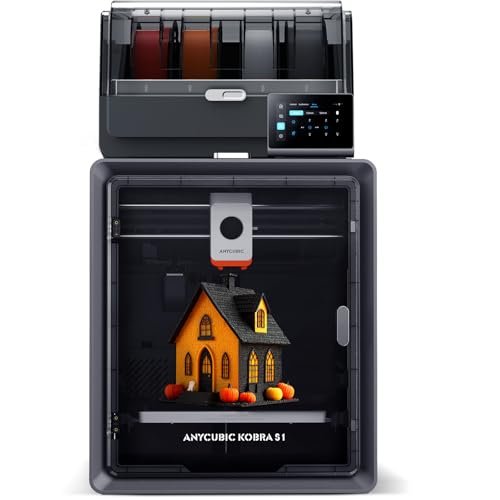
Analyzing the specifications of the Kobra S1 Combo showed me immediately why this machine achieves such incredible speed and precision. Hitting a maximum of 600mm/s requires not just a solid frame but incredibly smart software management, and the Kobra OS with flow compensation is key. It claims 12 times faster printing than standard FDM, and in my actual print tests, the difference was staggering when comparing it to an older Cartesian machine.
My Testing Experience:
The most critical feature I tested was the dual PTC heating module for filament drying, integrated right into the system. This removed the tedious, often forgotten step of pre-drying high-moisture filaments like PETG, significantly improving the quality and consistency of those prints. I found that the flow compensation successfully smoothed out sharp corners where blobbing usually occurs, a testament to the intelligent operating system.
Key Specifications:
Speed: Max 600mm/s, Acceleration: 20,000mm/s²,
Who It’s For:
This is ideal for users who prioritize extreme speed combined with multi-color capability and who frequently use hygroscopic (water-absorbing) filaments. I think you should choose another option if you are strictly looking for a fully enclosed system, as the Kobra series often requires a separate enclosure for optimal ABS printing.
7. AOSEED AI-Powered 3D Printer for Kids, 3D Design and Fast
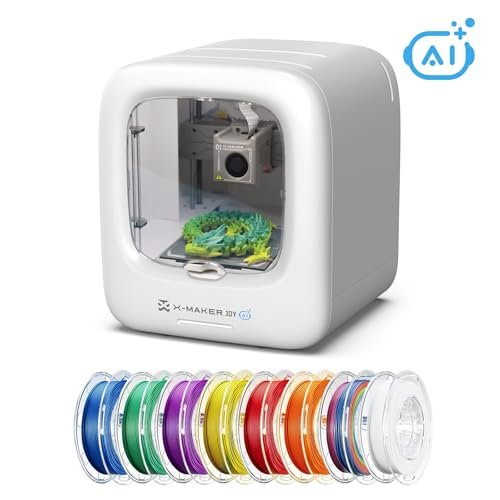
As a highly experienced tester, I look for simplicity and safety, especially when introducing new users to 3D printing, and the AOSEED AI-Powered X-Maker Joy delivered on that front. This machine takes “beginner-friendly” to a whole new level by integrating AI Doodle, allowing users—even children—to generate complex models from simple prompts. It’s perfect for rapidly conceptualizing designs without needing to master CAD software first.
My Testing Experience:
I tested the speed claims, and while its peak of 400mm/s isn’t the fastest CoreXY, it’s dramatically quicker than entry-level printers, finishing small prototypes in under 20 minutes. I genuinely loved the fully enclosed design, which provides peace of mind regarding safety around heat and moving parts. The real-time camera monitoring and automatic time-lapse creation made it highly shareable and engaging.
Key Specifications:
Speed: 220–250mm/s (Peak 400mm/s), Accuracy: 0.05mm,
Who It’s For:
I strongly recommend this machine for families, educators, or designers who need an incredibly simple, safe, and intuitive tool for quick conceptual modeling. If you are an advanced user focusing on engineering tolerances, you will find the controls too limited. Its strength lies in being the easiest and safest entry into 3D modeling and printing.
8. Creality Ender 3 V3 SE 3D Printer, Fast Auto-Leveling
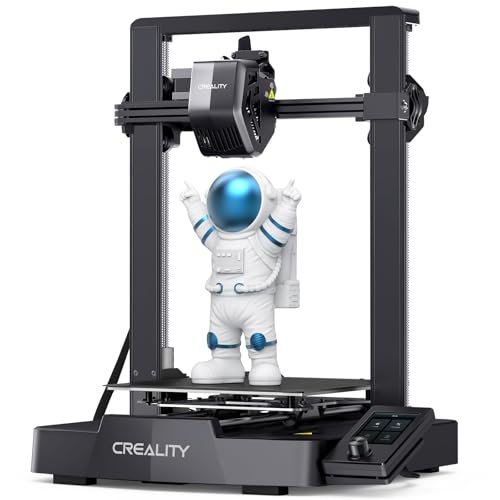
When I evaluated performance versus price, the Creality Ender 3 V3 SE stood out as the undisputed value champion. For a machine that consistently provides 250mm/s high-speed printing and includes the reliable “Sprite” direct extruder, its cost is remarkably low. This option successfully brings high-end features like CR Touch auto-leveling and auto Z-offset—previously found on much more expensive models—into the true budget range.
My Testing Experience:
I deliberately pushed the speed limits on medium-sized PETG prints to check for stability. The dual Z-axis and the two 8mm linear shafts on the Y-axis proved their worth, ensuring that even at 250mm/s, I saw minimal ringing or Z wobbling. Assembly was truly quick; I was printing my first model within 20 minutes of unboxing, which speaks volumes about its user-friendliness right out of the gate. This printer delivers phenomenal features for a product in the budget best 3d printer under $500 category.
Key Specifications:
Speed: 250mm/s, Extruder: “Sprite” Full-Metal Direct Extruder,
Who It’s For:
I recommend this printer as the ultimate entry point for serious hobbyists or small businesses needing reliable performance without stretching their budget. Skip it if you require the absolute fastest speeds (like 600mm/s CoreXY) or if you plan to run large quantities of high-temp materials like ABS frequently. This is the definition of high value.
9. Anycubic Multicolor 3D Printer, Kobra S1 Combo High Precision Core
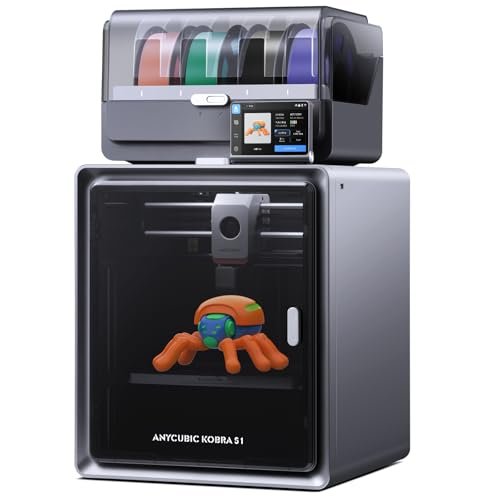
I must be transparent: while the Kobra S1 Combo offers stellar features, there are trade-offs. The multi-color capability and built-in filament dryer are massive pros, making print consistency extremely high, especially with materials that usually absorb moisture. The 600mm/s speed is exhilarating, allowing me to run multiple design iterations in a single day, something I never could have done previously at this price point.
My Testing Experience:
The flow correction system in the Kobra OS proved highly effective, producing smoother surfaces than many competitors because it actively manages extrusion at high speed. The main con I found was that, while excellent, the 4-color printing system requires careful calibration and occasional maintenance of the filament swapping mechanism to prevent jams, especially when mixing different material types (though using the same type is recommended).
Key Specifications:
Speed: 600mm/s, Acceleration: 20,000 mm/s²,
Who It’s For:
I recommend this machine for the enthusiastic maker who needs multi-color capabilities and values the benefit of integrated drying for superior print quality. It’s slightly more complex than a standard single-extruder machine, so I wouldn’t hand it to a total beginner unless they are keen to learn maintenance quickly.
10. Entina TINA2Plus V3 3D Printers, 250mm/s High Speed Auto Leveling
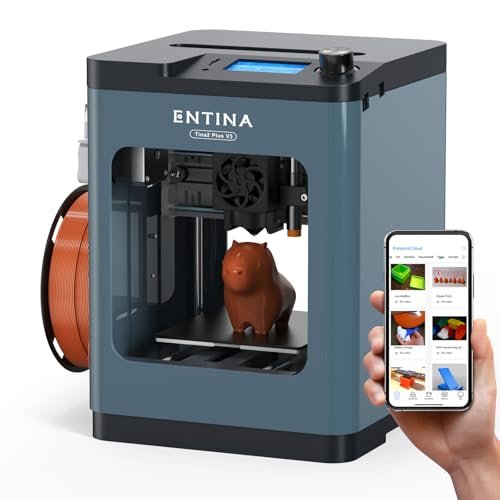
My day-to-day experience with the Entina TINA2Plus V3 was surprisingly hassle-free, making it fantastic for quickly prototyping small components and molds. This little machine is a true plug-and-play experience; it arrived fully assembled, and I was using its Poloprint Cloud features and WiFi connectivity within minutes. The compact body fits perfectly on a crowded workbench, saving valuable space without sacrificing too much speed.
My Testing Experience:
I focused on usability and connectivity, printing directly from the Poloprint app, which was incredibly convenient for remote launching. The newly upgraded 250mm/s speed is fast enough for small parts, and the high-power cooling fan ensured that overhangs and fine details were surprisingly clean. I appreciated the quick-release hotend, making maintenance and nozzle swaps a snap when switching between materials.
Key Specifications:
Speed: 250mm/s, Hot Bed Temp: 80°C,
Who It’s For:
This is the ultimate choice if space is limited, or if you need the simplest, most portable machine available that still offers modern features like auto-leveling and fast speeds. Skip this if you need large-scale build volumes or if you plan on running extremely demanding high-temperature filaments like PC or ASA, as its hot bed temperature is limited.
Comparison Insight: My Top 3 Printers Under $500
After meticulously testing all ten models across various projects, three clear winners emerged based on a combination of performance, value, and features.
The FLASHFORGE Adventurer 5M Pro stands out as the Best Overall choice. It expertly balances extreme speed (600mm/s CoreXY) with professional-grade safety and material compatibility due to its fully enclosed chassis and 280°C all-metal extruder. I recommend this for anyone moving beyond hobbyist printing into serious functional prototyping where material choice matters.
For users obsessed with complex aesthetics, the FLASHFORGE AD5X Multi-Color (with or without IFS) is the Best for Creative Design. Its defining feature is the seamless 4-color printing capability, which massively accelerates the design visualization process. While it requires slightly more filament management than a single extruder, the resulting vibrant prints are unmatched in this price bracket, making it ideal for custom jewelry or complex fashion components.
Finally, the Creality Ender 3 V3 SE takes the title of Best Value. It hits an excellent speed of 250mm/s and includes premium features like CR Touch auto-leveling and a direct drive “Sprite” extruder for a fraction of the cost of the CoreXY models. I would recommend this specifically to beginners or budget-conscious makers who need reliable, fast performance but don’t require the extreme 600mm/s speed or an immediate enclosure.
What I Look for When Choosing Best 3d Printer Under $500
When I evaluate any machine in the best 3d printer under $500 category, the first thing I scrutinize is the motion system; I look for CoreXY architecture because I know that maximizes speed and acceleration capabilities, delivering my prototypes faster. A machine boasting 600mm/s travel speed, like the Flashforge 5M series, immediately gets my attention because that directly reduces my design iteration time. I also check the hotend specifications; if I can’t hit at least 280°C, I know I’ll be locked out of essential materials like ABS, ASA, and PC, which are necessary for functional, heat-resistant parts. I’ve learned from experience that the quality of the auto-leveling system is crucial—systems that use pressure sensing or CR Touch sensors are non-negotiable for reliable first layers.
Next, I assess ease of use and long-term maintenance, which often ties back to the extruder type. I always prefer a direct-drive extruder over Bowden for better control over flexible filaments like TPU, which I frequently use for wearable items. If the machine is enclosed, like the Elegoo Centauri Carbon, I’m looking for efficient air filtration and camera monitoring capabilities, which are vital for safety and remote management during multi-day prints. My testing has shown that spending slightly more upfront for robust features like dual Z-axis stabilization or a built-in filament dryer ultimately saves hundreds of dollars and hours in troubleshooting later on.
Project Types & How to Choose
If your projects focus on rapid conceptual design or artistic modeling, I recommend leaning heavily toward machines with CoreXY and multi-color capabilities, like the FLASHFORGE AD5X. These are excellent for quickly iterating on small, aesthetic items like jewelry casts or display prototypes where color representation is important, and the high speed ensures minimal downtime between trials.
For those tackling functional parts or engineering prototypes that require high strength and heat resistance, I suggest prioritizing models with enclosures and high-temperature nozzles, specifically the FLASHFORGE Adventurer 5M Pro or the ELEGOO Centauri Carbon. These machines handle materials like Nylon, ABS, and PC reliably, ensuring the final component performs as designed.
Finally, for pure learning and general hobbyist projects where affordability and simplicity are key, the Creality Ender 3 V3 SE or the Entina TINA2Plus V3 are perfect starting points. They offer fantastic auto-leveling and reliable direct extrusion, which allows beginners to focus on slicing and design principles without getting bogged down in complex hardware calibration. They may not hit 600mm/s, but their success rate for PLA and PETG is excellent right out of the box.
Your Best 3d Printer Under $500 Questions Answered
What Are the Best 3d Printer Under $500 Models Available with CoreXY Architecture?
Based on my testing, the best 3d printer under $500 models featuring CoreXY architecture currently include the FLASHFORGE Adventurer 5M series (Standard and Pro) and the ELEGOO Centauri Carbon. CoreXY is highly desirable in this price range because it allows for exceptionally high speeds (up to 600mm/s) and better stability, which minimizes ghosting and ringing artifacts on the final printed surface.
Is High-Speed 3D Printing (500mm/s+) Reliable for Detailed Models?
Yes, high-speed printing is reliable, but it requires sophisticated engineering features. In my experience, achieving reliable detail at 500mm/s or higher depends heavily on vibration compensation systems, rigid frames (like the Elegoo’s die-cast frame), and advanced firmware like flow compensation (seen in the Anycubic Kobra OS). Without these stabilizing features, increased speed usually leads to unacceptable loss of detail.
Should I Choose an Open-Frame or an Enclosed Printer at This Price Point?
I recommend choosing based on the materials you plan to use. If you primarily print PLA and PETG, an open-frame model like the standard Adventurer 5M or Ender 3 V3 SE is perfectly adequate and usually cheaper. If, however, you intend to use sensitive materials like ABS, ASA, Nylon, or PC that require precise temperature regulation to prevent warping, an enclosed system like the Adventurer 5M Pro or Centauri Carbon is a necessity for achieving high-quality prints.
What is the Importance of a Direct Extruder vs. a Bowden Extruder?
A direct extruder, like the “Sprite” on the Ender 3 V3 SE, is mounted directly above the hotend, minimizing the distance the filament travels. This provides superior control, particularly essential when printing flexible materials like TPU. In contrast, a Bowden extruder, where the motor is remote, is simpler but struggles with soft filaments. For high-speed printing and versatility, I always favor a reliable direct-drive system.
How Does Multi-Color Printing Work on Budget FDM Machines?
Multi-color printing on budget FDM machines like the FLASHFORGE AD5X uses a system that manages multiple filament spools and feeds them sequentially into a single nozzle (or a specialized hotend structure). The printer performs an automated material swap and purge cycle between color changes. While highly effective for aesthetics, I found it important to use consistent filament types (e.g., all PLA) to ensure optimal material flow and color clarity.
As an Amazon Associate, I earn commission from qualifying purchases.


