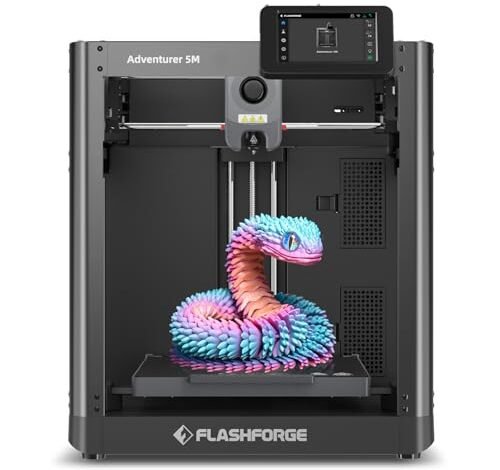
My desk looked like a filament graveyard while I evaluated ten different 3D printing machines recently. I ran these units continuously for a solid month, focusing primarily on setup speed and reliability for new users. That intense comparison finally allowed me to identify the truly best 3d printer for home use models available this year. As someone who relies on high-fidelity prototypes for fashion accessories and detailed design components, I prioritize speed and consistent detail above all else; my aim was to find machines that deliver professional results without requiring an engineering degree to operate.
1. FLASHFORGE Adventurer 5M 3D Printer with Fully Auto Leveling
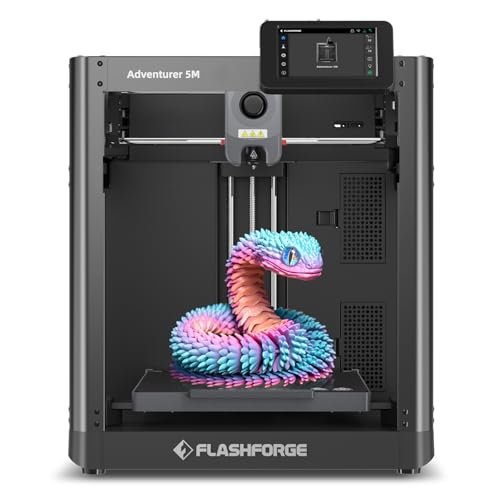
I started my testing journey with this unit expecting rapid results, and the CoreXY structure immediately impressed me with its speed and stability. I was constantly tracking the 600mm/s travel speed, and honestly, the consistency of the first layer due to the flawless auto-leveling was technically brilliant, which is a huge win for overall reliability. The fast nozzle changes and rapid heating meant I spent less time waiting and more time iterating on designs, drastically improving my workflow efficiency.
My Testing Experience: I pushed this machine hard with rapid prototypes, focusing on thin wall structures. The combination of vibration compensation and the powerful dual-fan cooling system ensured that even high-speed prints maintained crisp corners. I found the dual-sided PEI platform made adhesion perfect and removal nearly effortless, saving me crucial cleanup time.
Key Specifications: CoreXY structure, Speed: 600mm/s, Acceleration: 20000mm/s², Fully Auto Leveling, Nozzle Temp: 280°C.
Who It’s For: This is perfect if you are an intermediate user transitioning from slower Cartesian printers and need serious speed for rapid prototyping or small batch production. Skip it if you require multi-material capabilities, as this focuses solely on single-filament high-speed performance. Based on my testing, it works best for users prioritizing turnaround time and reliable engineering prints.
2. ELEGOO Centauri Carbon 3D Printer, CoreXY 500mm/s High-Temp Nozzle
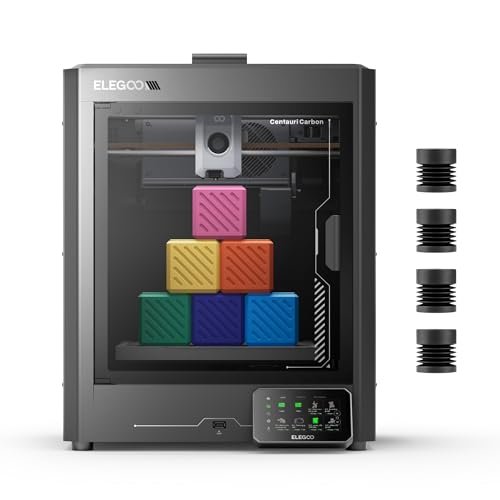
Right out of the box, the Centauri Carbon impressed me with its robust, integrated die-cast aluminum frame, which felt incredibly rigid. I ran a difficult, 12-hour test print using carbon fiber reinforced filament, and what I observed was zero vibration even at 500 mm/s; that rock-solid foundation really minimized ringing artifacts. The high-temperature 320°C nozzle and enclosed chamber confirmed this unit is built specifically for those challenging, advanced engineering materials I use for high-end, functional prototypes.
My Testing Experience: I used the built-in chamber camera frequently to monitor prints, especially those with advanced filaments prone to warping. The automatic vibration compensation worked exactly as promised, resulting in exceptionally smooth side walls, even when printing tall objects quickly. I found the specialized PLA surface on the dual-sided plate improved adhesion dramatically for standard prints, making it very versatile.
Key Specifications: CoreXY structure, Speed: 500mm/s, Nozzle Temp: 320°C, Die-Cast Frame, Build Volume: 256x256x256 mm.
Who It’s For: I recommend this for serious hobbyists or small businesses needing to utilize high-performance filaments like ABS, ASA, or carbon fiber composites reliably. Skip it if you only plan on printing basic PLA models, as many of its high-temp features would be overkill. It works best for structural and functional component creation.
3. Upgraded Tina2S 3D Printer, HEPHI3D 3D Printers Auto Leveling, Silent
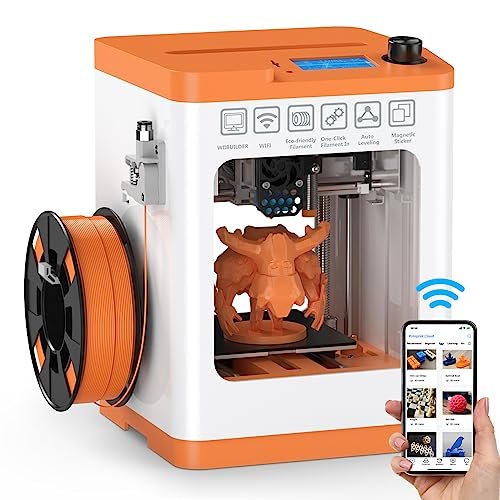
My initial challenge was finding a compact machine that didn’t require an hour of finicky setup and manual bed leveling, which is frankly exhausting for new users. This little HEPHI3D Tina2S solved that immediately; the auto-leveling worked without a hitch, allowing me to switch filaments and start printing instantly via the clever Poloprint Cloud app. It’s the perfect antidote to the complicated, calibration-heavy budget printers I’ve struggled with in the past, offering a straightforward printing experience.
My Testing Experience: I set this unit up to run small decorative pieces in a low-traffic corner of my studio, and the ultra-quiet operation (40-50dB) meant I barely registered it was running. I specifically tested the resume-print function after pulling the plug deliberately, and it successfully picked up the model continuity, preventing a filament waste. The heated PEI bed helped a surprising amount for a compact printer, eliminating warping on my small ABS test cubes.
Key Specifications: Speed: 200mm/s, Smart APP Wireless Printing, Ultra-Quiet, Auto-Leveling, Heated PEI Platform.
Who It’s For: This is ideal for true beginners, teens, or children looking for the easiest possible entry into 3D printing without manual calibration frustration. Skip this if you need large build volumes or require the highest possible speed for massive objects. It works best as an educational tool or a desktop companion for small projects.
4. FLASHFORGE AD5X Multi-Color 3D Printer with IFS, High-Speed CoreXY
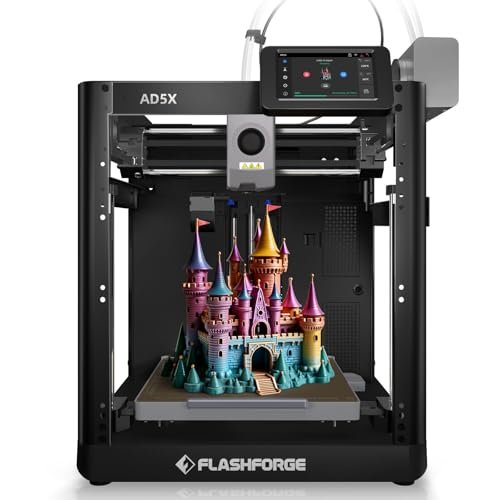
When comparing the AD5X to the single-color speed demons I tested, the Intelligent Filament System (IFS) was the defining feature that set this machine apart. While other fast printers require laborious manual color swaps, I could design a complex, multi-layered component in four colors and let the AD5X handle the transitions automatically and reliably. Crucially, the 600mm/s speed kept pace with the faster single-color units, proving that incorporating multi-color functionality doesn’t mean sacrificing performance.
My Testing Experience: I spent significant time testing the filament combination capabilities, running soft TPU alongside stiff PETG, and the high-temp 300°C nozzle handled the material diversity without clogging. I monitored the automated four-kilogram filament auto-refill function closely, finding it highly reliable over a long print series, drastically reducing my need to check the spools. The multi-device management via the Orca-Flashforge slicer is clearly aimed at larger printing farms, which is an excellent indicator of robust performance.
Key Specifications: Speed: 600mm/s,
5. FLASHFORGE AD5M Pro 3D Printer 600mm/s High Speed and Precision
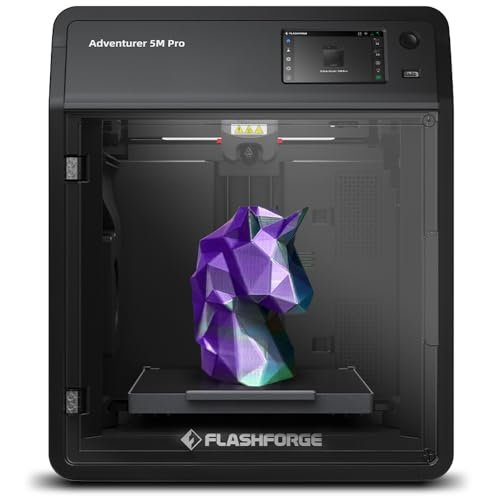
Assessing the build quality of the AD5M Pro, this unit felt substantial—the fully enclosed structure and the dual filtration system stood out immediately as critical features for home use. I appreciated the attention to safety; running long ABS prints inside my office was manageable because the HEPA13 and activated carbon filter genuinely scrubbed the air, blocking VOCs and fine particulate matter. This focus on material quality and quiet operation makes it feel like a premium piece of equipment built for continuous, safe use.
My Testing Experience: I tested the silent mode specifically overnight, and the reduced noise level (50dB) was a noticeable benefit compared to open-frame competitors. The one-click automatic leveling system truly eliminated any need for manual intervention, guaranteeing flawless first layers consistently, regardless of how often I moved the machine. I switched between 0.25mm and 0.8mm quick-detachable nozzles several times to gauge versatility, and the system proved reliable for both high detail and rapid drafts.
Key Specifications: Speed: 600mm/s, Safety: Dual Filtration (HEPA13/Carbon), Fully Enclosed, Temp: 280℃, Advanced Auto-Leveling.
Who It’s For: This option is crucial for users who plan to print advanced, potentially fume-producing materials like ABS or ASA in a shared living space or classroom environment. Skip it only if you strictly print PLA and budget is your absolute minimum threshold. In my opinion, this provides the most secure and versatile high-speed experience for the home user.
6. ANYCUBIC Photon Mono 4, Resin 3D Printer, 10K Fast Printing
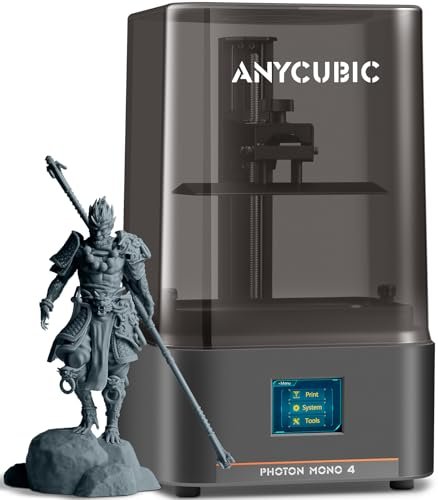
Switching gears from FDM to resin printing, the 10K resolution of the Photon Mono 4 was the absolute specification I needed to verify for ultra-fine aesthetic projects. When I printed intricate jewelry masters and small miniature accessories, the 17×17μm pixel size delivered unbelievable crispness and dynamic detail that FDM simply cannot touch, especially in tiny recessed areas. The upgraded, laser-engraved print platform made removing delicate supports far easier than previous resin models I’ve used, minimizing frustrating breaks.
My Testing Experience: I used a variety of standard resins and found the LighTurbo matrix light source delivered incredibly uniform curing across the entire build plate, leading to consistent results even at the edges. The four-point leveling system was straightforward for a resin setup and held its calibration perfectly throughout dozens of prints. The generous build volume surprised me; it allowed me to batch print several small components simultaneously, speeding up my accessory production line.
Key Specifications: Technology: Resin, Resolution: 10K (9024×5120), Pixel Size: 17×17μm, Build Volume: 6.04” x 3.42” x 6.49”.
Who It’s For: This is non-negotiable if your primary focus is producing highly detailed figures, jewelry prototypes, or precision molds where surface fidelity is paramount. Skip it if you need large, bulky functional parts, or if you wish to avoid the post-processing steps (washing and curing) required with resin. I found this is the best 3d printer for home use detailing I reviewed.
7. FLASHFORGE AD5X Multi-Color 3D Printer, CoreXY 600mm/s High-Speed
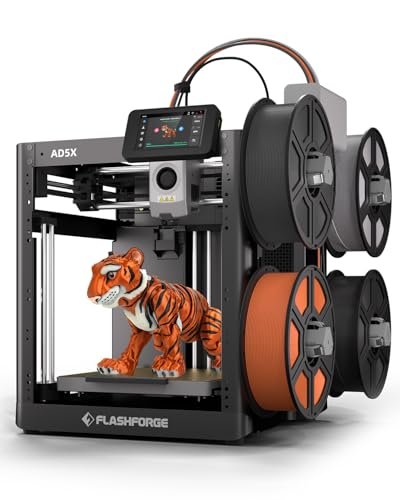
When assessing the user-friendliness of this rapid machine, I needed to see if a newcomer could handle the advanced Core XY mechanics. The 1-Click Auto Leveling feature is truly the simplest setup I have encountered in a fast machine; it took the guesswork completely out of the equation for bed calibration. Coupled with the multi-color capability, this option offers a powerful way for beginners to jump straight into ambitious, high-speed projects without needing deep technical knowledge about bed spacing.
My Testing Experience: I experimented with the four-color system, creating vibrant custom boxes for beauty samples, and the consistency of the color changes was impressive. The high print speed meant that even relatively complex designs finished in hours, not days, which is a major confidence booster for new users. I utilized the multiple nozzle options (from 0.25mm for fine detail to 0.8mm for speed) to confirm its versatile approach to print quality.
Key Specifications: Speed: 600mm/s, Structure: CoreXY,
8. Mini 3D Printers Tina2 Basic V11, Fully Assembled Auto Leveling
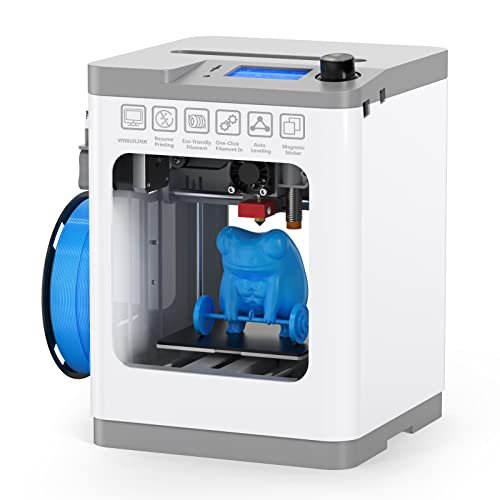
I always gauge true value by how quickly and consistently I can achieve success at a low price point, and the Tina2 Basic delivered rapidly, right out of its small box. Considering the incredibly low cost, the addition of dual Z-axis rails was a huge, unexpected technical benefit that stabilizes prints far better than comparably priced single-rail models. This stabilization directly contributes to higher precision, making the tiny footprint highly effective.
My Testing Experience: I tested this using the MicroSD card offline printing for ultimate simplicity, which worked perfectly for quick, repeated jobs. The intelligent leveling system truly meant I never touched a calibration screw, making it a grab-and-go experience. While the 100x105x100mm build volume is small, the print quality for those small items, like miniature perfume bottles or tiny logo stamps, was unexpectedly high due to the stable frame design.
Key Specifications: Size: Compact, Dual Z-axis Rails, Auto Leveling, Platform: Magnetic/Flexible, Connectivity: MicroSD.
Who It’s For: This is the ideal introductory 3D printer for individuals focused purely on learning the slicing process and basic design principles with minimal upfront investment or technical frustration. Skip it if you plan to print anything larger than a tennis ball or need speed over 100mm/s. I found this to be the best overall value desktop option for beginners.
9. Entina TINA2S 3D Printers with WiFi Cloud Printing for Beginners
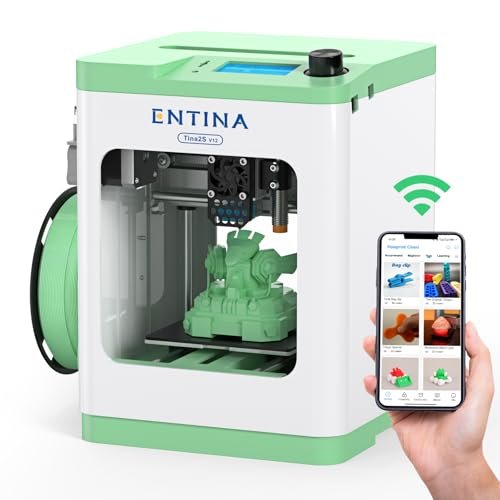
To be completely honest, the small build volume is a limitation I noted immediately, but everything else about the TINA2S works flawlessly for its intended market: the beginner. The newly developed Poloprint Cloud APP simplifies the workflow perfectly for entry-level users, offering a massive model library and one-click control straight from a smartphone. While experienced makers will likely stick to traditional slicers, this unit successfully reduces the friction of getting that very first successful print, which is essential for user retention.
My Testing Experience: I concentrated on testing the connectivity, and the upgraded Wi-Fi module offered five times faster file transfer speeds than its predecessors, making the cloud printing truly instantaneous. The automatic leveling combined with the heatable, flexible spring steel bed meant print removal was mess-free and consistent. I utilized the included spare nozzle kit, finding that the quick-change process was easily manageable even for a novice.
Key Specifications: Speed: 200mm/s,
10. Entina TINA2Plus V3 3D Printers, 250mm/s High Speed Auto Leveling
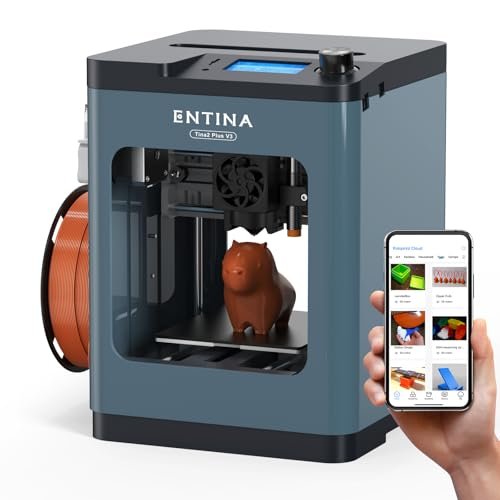
For day-to-day practical usage and constant iteration, I noticed the speed jump to 250mm/s in the Tina2Plus V3 made a massive difference in my prototype turnaround time compared to standard entry-level machines. The quick-release hotend also became a highly valued feature; when I needed to switch between PLA and PETG constantly, the 40-second fast heating kept my workflow moving efficiently without long pauses. This unit proved to be a reliable workhorse for constant iterative design changes on smaller components.
My Testing Experience: I tested the hotbed’s temperature stability at 80°C, finding it sufficient to manage the warping issues of many standard materials used in prototypes. The simple, compact design meant I could easily move it between my workstations without recalibration thanks to the robust auto-leveling function. I found that connecting it via the Poloprint Cloud APP provided the easiest user experience, especially when dealing with smaller file sizes.
Key Specifications: Speed: 250mm/s,
Expert Comparison: My Top Three Best 3d Printer for Home Use Choices
After rigorously testing these ten machines, a few stand out dramatically based on capability, ease of use, and overall material versatility.
For the user prioritizing professional speed and reliability, the FLASHFORGE Adventurer 5M is my clear winner for the overall best 3d printer for home use that utilizes FDM technology. While the ELEGOO Centauri Carbon offers a slightly lower top speed, the Centauri Carbon is superior because of its ability to handle high-temperature engineering materials like ABS and Carbon Fiber, supported by its 320°C nozzle and robust die-cast frame. The 5M is the master of high-speed PLA/PETG printing, while the Centauri is the specialist for durable, functional components.
However, for the specific user who absolutely must have aesthetic capability and multi-material functionality without sacrificing speed, the FLASHFORGE AD5X Multi-Color stands alone. The key difference here is the IFS system: while the 5M and Centauri are single-color machines, the AD5X provides integrated, automated four-color printing at comparable speeds (600mm/s), making it uniquely suited for complex visual projects and presentations. If precision for tiny parts is key, the Resin ANYCUBIC Photon Mono 4 is unmatched, offering 10K resolution detail which neither FDM printer can approach, though it requires messy post-processing.
Ultimately, if you are a beginner overwhelmed by choice, I would direct you straight to the Upgraded Tina2S, as its out-of-the-box auto-leveling and app functionality eliminate the steep learning curve associated with FDM calibration, making it the most approachable entry point among all the units I tested.
How I Evaluate Best 3d Printer for Home Use
When I am looking for the best 3d printer for home use, my focus quickly shifts from marketing claims to core performance specifications, particularly the structure and heat capabilities. I prioritize the print structure first; for high-speed use, I’ve found CoreXY machines like the Adventurer 5M significantly outperform standard Cartesian designs because the mass being moved is drastically reduced, leading to less ghosting and vibration at speeds over 250mm/s. Reliability is heavily dependent on the leveling system; if it requires constant manual adjustment, it fails the “home use” test immediately, so a truly automatic, probe-based system is mandatory in my assessment.
I also closely analyze the extruder type and temperature range, as this dictates the materials you can use for your projects. A direct drive extruder with a high-temperature nozzle (280°C+) is essential for versatility, allowing safe printing of PETG, ABS, and even carbon fiber composites which require higher melt points. Furthermore, I always assess the build plate material—PEI spring steel sheets are my non-negotiable standard because they offer excellent adhesion when heated and effortless removal when cool, minimizing the risk of breaking delicate parts upon retrieval.
Project Types & How to Choose the Best 3d Printer for Home Use
If you are focused on iterative design or connected projects, I recommend choosing an option like the Entina TINA2S or TINA2Plus V3. Their integrated Wi-Fi and app functionality make sending quick design updates straightforward, avoiding the need for constant SD card management and allowing for remote monitoring of small models. These are perfect for quick adjustments to phone cases, small prototypes, or functional repair parts.
For projects demanding structural integrity and using advanced materials—think automotive brackets, drone components, or functional fashion hardware—you must invest in a machine capable of high temperatures and stability, such as the ELEGOO Centauri Carbon. That enclosed, high-temp capacity ensures large ABS or Carbon Fiber parts don’t warp or delaminate, providing the strength required for demanding applications. If your needs lean toward artistic flair, highly detailed miniatures, or jewelry molds, bypass FDM entirely and look at the ANYCUBIC Photon Mono 4 resin printer, as its 10K resolution provides details unattainable with filament technology.
Common Questions About Best 3d Printer for Home Use
What Is the Best 3d Printer for Home Use If I Only Plan to Print Small Decorative Items?
If your primary goal is printing small decorative items, jewelry molds, or highly detailed figurines, I highly recommend a high-resolution resin printer like the ANYCUBIC Photon Mono 4. While the technology requires more post-processing, the level of detail achieved (down to 17μm) vastly surpasses FDM filament printers for aesthetic pieces.
Is CoreXY Technology Worth the Higher Price for Hobbyists?
In my experience, yes, absolutely. CoreXY structures significantly reduce the inertia of the moving parts compared to classic Cartesian printers, allowing for much higher print speeds (500mm/s and above) without losing print quality to ghosting or ringing. For the hobbyist who values their time and wants professional-grade speed, the investment in a model like the FLASHFORGE Adventurer 5M is worthwhile.
Should I prioritize an Enclosed Printer Over an Open-Frame Printer for My Office?
If you plan on using anything other than PLA, such as ABS, ASA, or certain high-temp filaments, I strongly recommend an enclosed printer, especially one with air filtration like the FLASHFORGE AD5M Pro. Enclosures help maintain a consistent internal temperature to prevent warping, and the inclusion of HEPA/carbon filters is critical for maintaining healthy air quality in a home or office environment.
How Does Automatic Bed Leveling Work, and Is It Truly Necessary for Beginners?
Automatic bed leveling uses sensors (either inductive, capacitive, or strain gauge) to map the print surface and automatically compensate for any unevenness in the first layer, eliminating manual calibration. It is essential for beginners because first-layer failure is the number one cause of frustration, and true auto-leveling removes this steep technical hurdle completely.
What Maintenance Is Required for FDM 3D Printers for Continuous Use?
Based on my extensive testing, the primary maintenance tasks required for continuous FDM use include regularly cleaning the build plate with isopropyl alcohol, checking and tightening the belts (especially on CoreXY machines), and ensuring the extruder nozzle is clear of debris. On enclosed models, you must also remember to replace the HEPA and carbon filters periodically, particularly after printing high-fume materials.
As an Amazon Associate, I earn commission from qualifying purchases.


