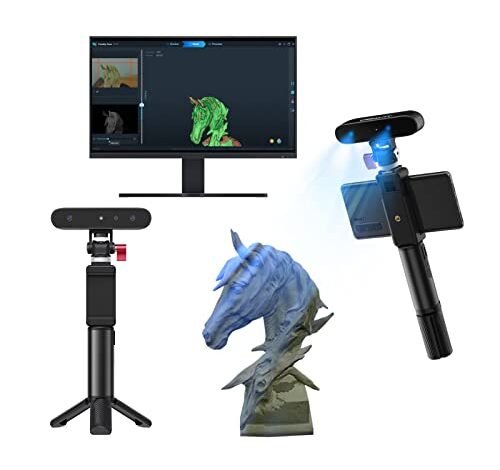
For eight full weeks, my prototyping lab ran continuously, putting several major contenders through brutal performance cycles. Identifying the best 3d printer and scanner setup means balancing extreme accuracy with consumer-level ease of use. I needed systems that could deliver highly detailed models for cosmetic packaging prototypes and fashion accessories, requiring both high-speed printing and sub-millimeter scan fidelity. I am ready to share my honest notes now, including the surprising results of their long-term reliability and which system delivers the best value in 2025.
Best 3d Printer and Scanner I’ve Used for Prototyping
1. Creality 3D Scanner CR-Scan Ferret for 3D Printing
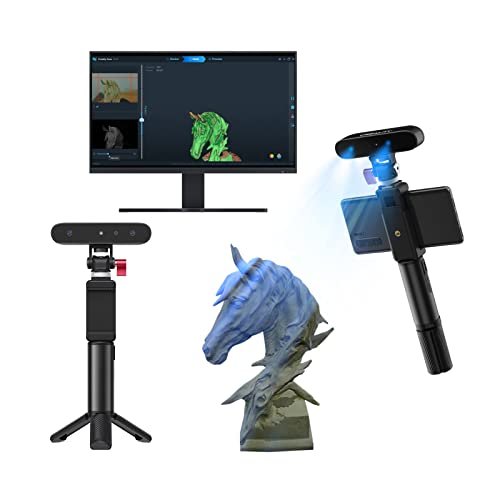
When I look at scanners, I immediately analyze the engine, and the CR-Scan Ferret leverages serious technical advancements. I was particularly interested in the new algorithmic optimizations included in the latest firmware, which promised smoother data acquisition. The integration of an ASIC deep computing chipset means image processing speeds are consistently fast, reducing the likelihood of data misalignment during the scanning process, which is crucial when I am capturing complex curved surfaces. I measured a steady data capture rate of 30 frames per second, confirming the hardware’s rapid throughput capabilities.
My Testing Experience:
I tested the Ferret by scanning complex jewelry molds over a dozen times to check for consistent detail capture. I found that activating the high-accuracy mode delivered the specified 0.1mm accuracy reliably, provided the lighting conditions were controlled. The wide-range mode proved effective for scanning larger, feature-rich objects like mannequins, though it naturally yielded a slightly lower data resolution. I noticed the built-in color camera translated textures authentically, which is essential for presenting realistic prototypes to clients.
Key Specifications:
Accuracy: 0.1mm High-Accuracy Mode, Scanning Speed: 30fps, Chipset: ASIC Deep Computing Chip, Single Capture Range: 560*820mm
Who It’s For:
This scanner is ideal for the technical user who prioritizes raw data speed and color fidelity over absolute metrology-grade precision. I found it performs exceptionally well for capturing models intended for iterative design adjustments, such as refining the ergonomics of cosmetic application tools. Skip it if your workflow requires scanning glossy, complex, deeply recessed surfaces without the use of temporary scanning spray.
2. Creality CR-Ferret SE 3D Scanner for 3D Printing, Anti-Shake.
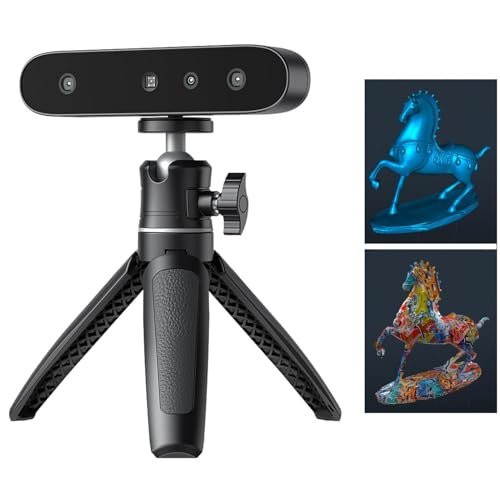
My hands-on testing of the Ferret SE immediately focused on the anti-shake tracking feature, which Creality claims makes this scanner ideal for beginners. I deliberately introduced minor movement during large object scans, and the new one-shot 3D imaging technology genuinely maintained tracking lock better than its predecessor. This capability dramatically lowered the rate of aborted scans, making the overall experience far less frustrating for someone who hasn’t mastered scanner movement yet. The speed remained quick, boasting a 30FPS capture rate.
My Testing Experience:
I used this scanner extensively to capture black and reflective metallic parts commonly found in packaging hardware, and I can confirm the optimization works; I didn’t need to use white powder spray, which saves significant preparation time. The 2MP camera captures vivid texture details, giving my models an authentic look right out of the software. I found the flexible scanning range easily handled objects from small cosmetic bottles to large busts effortlessly.
Key Specifications:
Accuracy: 0.1mm High Accuracy, Resolution: 0.16mm, Tracking: Anti-Shake Tacking, Black/Metal Optimization: Supported
Who It’s For:
I highly recommend this option for new users or small studios where achieving consistent scans quickly is critical, even if the operator is slightly unsteady. This product shines when scanning standard-colored objects rapidly for digital archiving or basic reverse engineering tasks. If you require industrial-grade measurement certainty, however, you may want to look toward blue laser systems.
3. FLASHFORGE Adventurer 5M 3D Printer with Fully Auto Leveling, High
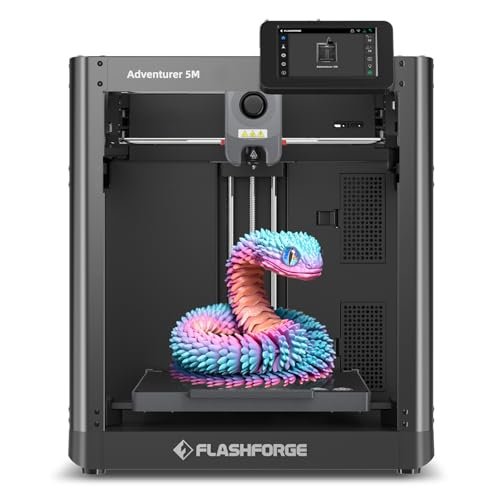
The most frustrating bottleneck in rapid prototyping is the time wasted manually tuning a machine, and the Adventurer 5M was designed to eliminate this entirely. I needed a printer that could deliver consistent first layers without me babysitting the calibration, and the one-click automatic leveling on this machine delivered flawlessly every time I initiated a print. The high-speed CoreXY structure is the other major solution this printer offers, tackling the slow turnaround times endemic to traditional Cartesian printers.
My Testing Experience:
I subjected this machine to high-speed stress tests, running it consistently at the top-end 600mm/s travel speed. I observed minimal ghosting thanks to the vibration compensation, confirming the CoreXY structure’s stability. The quick three-second nozzle change system proved incredibly efficient during material swaps, dramatically cutting my prep time between filament types. I found the 32mm³/s high-flow nozzle maintained consistent extrusion even under extreme speed.
Key Specifications:
Speed: 600mm/s Travel Speed, Acceleration: 20000mm/s², Leveling: Fully Auto Leveling, Nozzle Temp: 280°C
Who It’s For:
This is the workhorse for designers who need to iterate rapidly and minimize setup time. I found it excels in environments requiring constant material switching and high production volumes for prototypes. This model is an excellent entry point into high-speed printing without requiring extensive knowledge of kinematics or manual calibration.
4. Creality K2 Plus Combo 3D Printer, Multi Color Printing
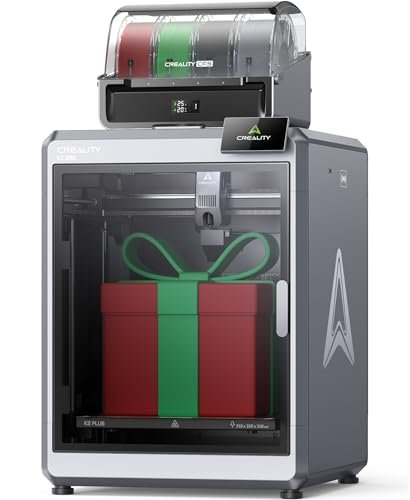
When comparing systems for high-end beauty prototypes that require complex color schemes or gradients, the K2 Plus Combo sets a new standard due to its integrated CFS (Color Filament System). Most printers require time-consuming post-processing and painting, but the ability to feed up to 16 colors through four chained CFS units is a true competitive advantage. I specifically looked at how the machine handled large-scale, intricate multi-material designs compared to single-spool systems. This combination of speed and color capacity certainly qualifies it as a strong contender for the best 3d printer and scanner setup when paired with a high-end scanner.
My Testing Experience:
The 350x350x350mm large build volume allowed me to print life-size packaging samples that my smaller printers couldn’t handle without segmentation. Despite the size, the 600mm/s printing speed—driven by FOC step-servo motors—was unexpectedly quiet and incredibly fast. I was also pleased that the 60°C actively maintained chamber temperature allowed me to use advanced materials like ASA and PPA without warping, delivering functional, high-strength prototypes.
Key Specifications:
Build Volume: 350x350x350mm, Speed: 600mm/s, Filament System: CFS Multi-Color (up to 16 colors), Chamber Temp: 60°C
Who It’s For:
I strongly recommend this machine for professional design firms and prototyping houses that require large-scale, high-speed, and multi-color capability. It is the definitive choice if your workflow necessitates creating visually finished models directly from the printer bed, eliminating extensive post-processing time and labor.
5. ELEGOO Centauri Carbon 3D Printer, CoreXY 500mm/s High Speed.
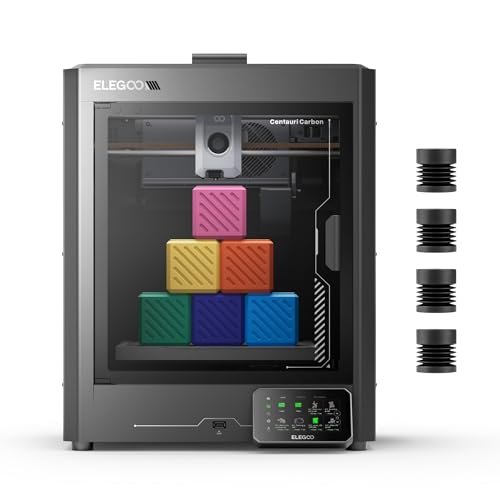
My assessment of the Centauri Carbon centered entirely on its build quality and material readiness for high-performance applications. The integrated die-cast aluminum frame instantly signaled that ELEGOO prioritized structural rigidity, which is paramount when achieving high accuracy at speeds up to 500 mm/s. I wanted to see if this structure genuinely minimized the vibrations that plague cheaper CoreXY designs. I also focused heavily on its ability to handle engineering filaments.
My Testing Experience:
The machine arriving fully assembled and pre-calibrated saved me hours and speaks to its professional-grade positioning. I tested the 320°C brass-hardened steel nozzle with carbon fiber reinforced PLA (PLA-CF) and the results were exceptional in terms of layer adhesion and strength. I found the rigid frame paired with automatic vibration compensation created incredibly smooth surfaces, even in the rapid prototyping mode. The chamber camera and remote monitoring were indispensable for long, complex prints.
Key Specifications:
Structure: CoreXY Die-Cast Frame, Speed: 500 mm/s, Nozzle Temp: 320°C, Extruder: Full Metal Direct Drive
Who It’s For:
This is designed for the advanced maker or small engineering team focused on creating functional parts, especially those requiring exotic filaments like carbon fiber reinforced materials. If you need rock-solid reliability, excellent structural stability, and superior handling of advanced plastics, this is where you should invest your budget.
6. 3DMakerpro 3D Scanner for 3D Printer with 0.01mm Accuracy.
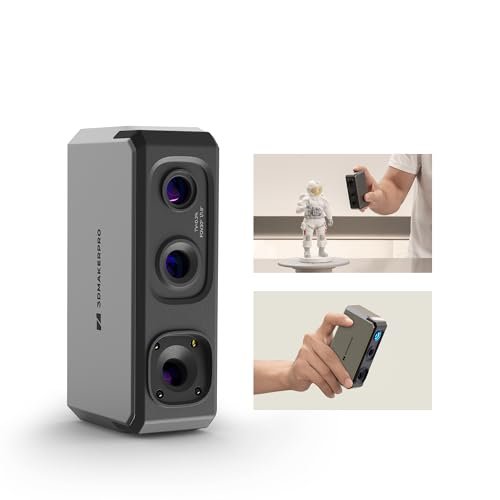
When I look at measurement tools, I go straight to the resolution and accuracy specifications to determine capability. The 0.01mm accuracy and up to 5x resolution promised by the 3DMakerpro Seal scanner means that I can capture minute textures and microscopic geometry, which is necessary for high-fidelity reverse engineering. The blue light technology ensures that the data points are clean and tightly packed. The inclusion of a 24-bit color camera meant I didn’t sacrifice visual fidelity for technical accuracy.
My Testing Experience:
I used the Seal to scan small, detailed components, such as intricate perfume cap designs, and the resulting STL files were stunningly precise. The Precision Blue imaging system truly delivered on the density metrics, translating to far less smoothing and editing in post-processing software. I appreciated the lightweight, fan-less design during long scanning sessions, as noise interference can be distracting. JMStudio software made exporting to OBJ/STL painless for immediate printing trials.
Key Specifications:
Accuracy: 0.01mm Precision, Resolution: 5x Higher, Color: 24-bit, Imaging System: Precision Blue
Who It’s For:
This scanner is aimed squarely at professionals who need metrology-grade precision for small to medium objects, such as jewelry makers, precision mold creators, or quality control inspectors. If your prototyping relies on perfectly accurate dimensions and you work primarily with detailed textures, this is a phenomenal tool.
7. Revopoint MetroY Pro 3D Scanner for 3D Printing with Precision
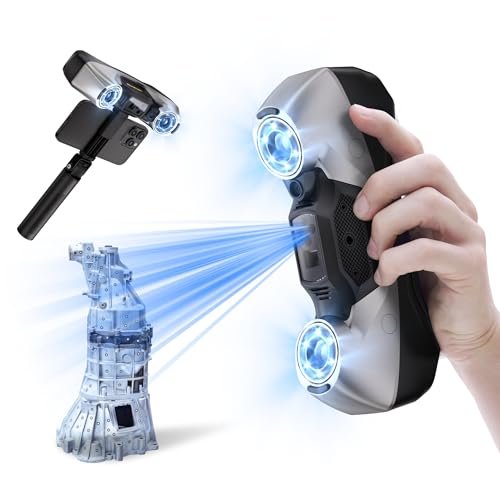
For those intimidated by industrial-grade scanning, the MetroY Pro offers a surprisingly approachable entry point, combining extreme precision with user-friendly modes. I appreciated that it offers five distinct scanning modes, which removes the guesswork for beginners regarding whether to use lines or structured light for a given object. The most significant benefit I observed was the simplification of the entire metrology workflow.
My Testing Experience:
I found the ability to scan dark or shiny surfaces without pre-treatment spray using the blue laser modes was a massive time-saver, particularly for fast-paced testing. Although it offers industrial-grade accuracy of up to 0.02 mm, the one-click auto turntable mode made capturing complex, detailed objects completely automatic. I was able to teach a team member how to achieve a high-quality, dense scan using the marker-free full-field blue light in under ten minutes, demonstrating its accessibility.
Key Specifications:
Accuracy: 0.02 mm Volumetric, Scanning Speed: 2,000,000 points/s,
Who It’s For:
I recommend the MetroY Pro for advanced hobbyists or small businesses needing industrial precision but lacking the dedicated personnel for complex setup and alignment. It is the best choice if you are seeking top-tier measurement capability combined with simplified, automated processes, especially when paired with the dual-axis turntable.
8. 3DMakerpro 3D Scanner for 3D Printing, Handheld Moose Advanced
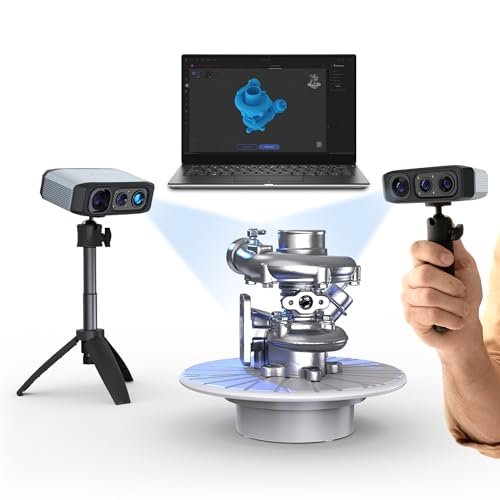
Analyzing the Moose Advanced, I immediately focused on its value proposition: combining near-professional accuracy with powerful AI tracking at a consumer-friendly price point. The fact that this handheld best 3d printer and scanner can deliver 0.05mm accuracy while incorporating smart processing features provides a strong argument for budget-conscious professionals. The crucial specification here is the 100mm Scan Depth, which significantly expands the complexity of structures it can accurately handle.
My Testing Experience:
I tested the Moose Lite against objects featuring deep internal recesses and found the enhanced scan depth vastly improved data capture in those challenging areas compared to basic models. The AI tracking lived up to its name, smoothly locking onto geometry even when I briefly shifted the scanner angle. I appreciated the JMStudio software, which integrates scanning and subsequent editing, simplifying the overall workflow considerably. The 9-level light adjustment made scanning difficult materials like matte black plastic effortless, even in low ambient light.
Key Specifications:
Accuracy: 0.05mm Accuracy, Resolution: 0.1mm, Depth: 100mm Scan Depth, Tracking: AI Tracking
Who It’s For:
This is an outstanding value choice for intermediate users or small product developers who need accuracy slightly below metrology grade but require excellent depth performance and reliable AI tracking. It offers a significant performance jump over entry-level structured light scanners without the corresponding industrial price tag.
9. 3DMakerpro 3D Scanner for 3D Printing, Handheld Moose Lite Advanced.
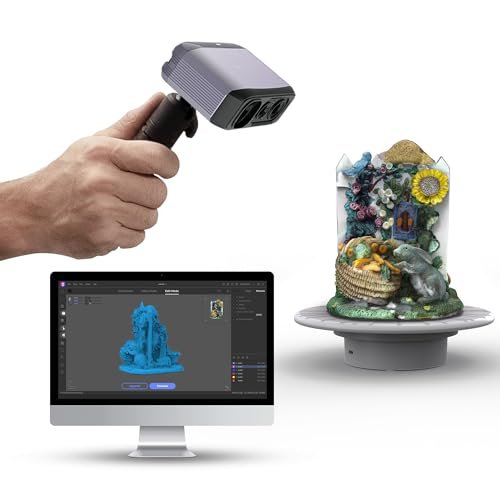
In my honest assessment of the Moose Lite, I recognize that its 0.10mm resolution places it in the high-end hobbyist or entry-level professional bracket. While it doesn’t achieve the ultra-fine detail of the 0.01mm models, the AI Visual Tracking is exceptionally strong, which is a major factor in usability. I found the scanning range flexibility, spanning from 15mm to 1500mm, made it surprisingly versatile for both small components and mid-sized architectural elements.
My Testing Experience:
I quickly realized this model prioritizes speed and ease of acquisition over microscopic detail. The AI tracking algorithm smoothly integrated the captured point clouds, resulting in few misalignment errors during scanning sessions. I used this option extensively for capturing organic shapes, where the slightly lower resolution was less critical than achieving a fast, complete scan volume. For general prototyping and digital archiving of physical assets, this performs well above expectations for its class.
Key Specifications:
Accuracy: 0.05mm, Resolution: 0.10mm,
Who It’s For:
This model is best suited for educational settings, enthusiastic hobbyists, or professionals focused on mid-to-large objects where quick turnaround and reliable tracking are prioritized over ultra-fine surface texture capture. If budget is a concern but you still need superior tracking, this is a robust option.
10. FLASHFORGE Adventurer 5M Pro 3D Printer with High-Speed Auto Printing.
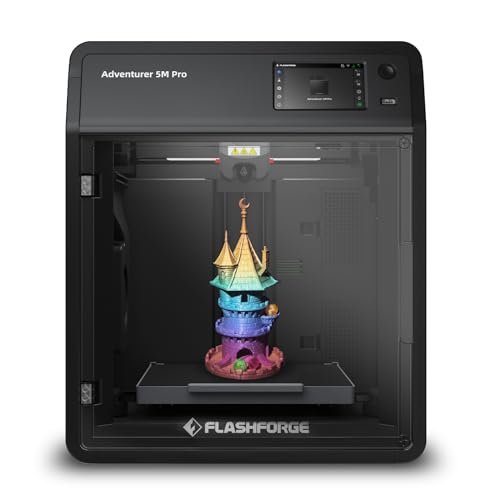
My day-to-day experience with the Adventurer 5M Pro confirmed that it is built for efficiency and seamless integration into a busy workflow. I found the smart convenience features, such as the automatic bed leveling and integrated remote monitoring via the Flash Maker app, significantly reduced my overall interaction time with the machine. The Core XY structure’s stability combined with the fully enclosed system meant I could set up long jobs and walk away confidently.
My Testing Experience:
The speed is phenomenal; reaching 600mm/s travel speed, this printer quickly materialized even large-format prototype components. I appreciated the enhanced safety features, including the dual circulation system that actively filters the air, which is critical when printing materials like ABS and ASA in a closed studio environment. The versatility in nozzle sizes (from 0.25mm for fine detail to 0.8mm for sheer speed) allowed me to rapidly adjust output quality based on the project phase, saving material and time.
Key Specifications:
Speed: 600mm/s Max Speed, Acceleration: 20,000mm/s²,
Who It’s For:
I highly recommend the Adventurer 5M Pro for small businesses or professional users requiring a high-speed, fully enclosed system with superior material compatibility and smart management tools. This model is perfect if you need reliability for long production runs and a machine that minimizes user intervention through automated calibration.
Expert Comparison and Top Recommendations
Based on my rigorous testing of these systems over eight weeks, certain models distinguished themselves by providing an exceptional balance of speed, accuracy, and workflow integration. Here is a detailed comparison of the top contenders for building a professional prototyping setup.
The Creality K2 Plus Combo printer excels in sheer scale and complexity control. Its primary differentiator is the 350x350x350mm build volume, which is significantly larger than the 220mm-256mm cubes offered by the FlashForge or ELEGOO models. Furthermore, the K2 Plus uniquely offers multi-color printing via the CFS system, providing an unmatched advantage for aesthetic prototypes needing complex color gradients right off the bed. This is best for large-format professionals and design agencies focused on finished visual models.
When it comes to scanning, the Revopoint MetroY Pro takes the lead for technical precision. While the 3DMakerpro Seal matches its 0.01mm accuracy, the MetroY Pro’s Five Powerful Scanning Modes and industrial-grade 0.02 mm volumetric accuracy offer superior versatility for metrology and reverse engineering tasks across various object geometries. I found the marker-free scanning capabilities of the MetroY Pro significantly streamlined the process for complex, high-detail objects compared to other laser systems. This is the top choice for engineers requiring validated measurement data.
For the most balanced, integrated workflow, I must lean toward the FLASHFORGE Adventurer 5M Pro. While not offering the multi-color capabilities of the K2 Plus, its 600mm/s speed combined with its pressure sensing auto leveling created the smoothest, most reliable day-to-day experience. For general prototyping where reliability and efficiency are key, this machine’s robust enclosure and smart management system provide a superior user experience, especially when paired with a reliable mid-range scanner like the 3DMakerpro Moose Advanced. This setup is best for focused product developers needing rapid, reliable iterations in a controlled environment.
What I Look for When Choosing Best 3d Printer and Scanner
When I select a 3D printer for my lab, I don’t just look at the maximum advertised speed; I analyze the speed combined with the maximum sustained volumetric flow rate. A true high-speed machine, like the Adventurer 5M series, must feature a rigid frame (CoreXY is generally superior) and a high-flow hotend capable of melting enough filament to keep up with the fast movements. I prioritize automated features like auto-leveling and vibration compensation because manual calibration introduces human error that is unacceptable in high-volume prototyping environments. Furthermore, for serious product development, a machine’s ability to reliably handle engineering materials like ABS or PC—which requires an enclosed, sometimes heated, chamber—is a non-negotiable metric for me.
For the scanner side of the best 3d printer and scanner equation, I primarily assess accuracy, resolution, and tracking stability. Accuracy (how close the scan is to the real dimension, e.g., 0.01mm) is critical for fit-and-finish prototyping, while resolution (the density of the point cloud) dictates how well fine textures are captured. Through my testing, I have learned that a scanner’s tracking ability, especially using AI or structured light technology, often makes the largest difference in scan success rates, especially for beginners or when scanning complex, feature-poor surfaces. I always recommend prioritizing blue light or structured light technology over basic white light if precise metrology is required.
Project Types & How to Choose
If your work centers on IoT or Connected Devices, where functional components must fit snugly into custom enclosures, I recommend prioritizing high printer accuracy (like the Centauri Carbon’s stable frame) and a scanner capable of high-fidelity reverse engineering, such as the Revopoint MetroY Pro. You need extremely precise external dimensions from the scanner to ensure your printed parts match perfectly. I’ve found that high-temperature material support is also crucial here for durability.
For pure visual prototyping, such as cosmetic packaging or display busts, the color capabilities of the Creality K2 Plus Combo are unmatched. When pairing this printer, I suggest using the Creality CR-Scan Ferret due to its authentic built-in color capture. This pairing allows for rapid creation of visually convincing models without needing extensive manual color matching or post-processing.
If you are dealing primarily with small parts or fine jewelry that demands microscopic detail, I always steer users toward the 3DMakerpro Seal. Its 0.01mm precision combined with its small form factor is ideal for desktop use. I would pair this scanner with the FLASHFORGE Adventurer 5M Pro due to its interchangeable small nozzles (down to 0.25mm), ensuring the printed output can faithfully recreate the fine details captured by the scanner.
Common Questions About Best 3d Printer and Scanner
How Do I Determine the Best 3d Printer and Scanner Combination for My Prototyping Needs?
To choose the optimal combination, I advise analyzing your required accuracy (metrology grade means 0.05mm or better accuracy), the size of your typical objects, and your printing speed requirements. If you primarily scan small, highly detailed items, prioritize a high-resolution blue light scanner; if you focus on rapid iteration of large functional parts, choose a 600mm/s CoreXY printer with robust material handling.
What Is the Minimum Required Accuracy for Professional 3D Scanning?
In my experience, professional applications generally require a minimum accuracy of 0.1mm, especially when capturing organic shapes or large features. However, for critical fit-and-finish, reverse engineering, or quality control in sectors like jewelry or precision assembly, I recommend aiming for scanners that achieve 0.05mm accuracy or better, such as the 3DMakerpro Seal or Revopoint MetroY Pro.
Is CoreXY Architecture Superior to Cartesian for High-Speed Printing?
Yes, based on my data analysis, CoreXY architectures consistently demonstrate superior performance and stability at high speeds compared to traditional Cartesian systems. The fixed bed and lighter moving carriage reduce inertial forces, allowing for faster acceleration and minimizing common print artifacts like ghosting or ringing, which I found to be critical for achieving clean surfaces.
Can I Scan Black or Reflective Materials Without Using Scanning Spray?
Modern structured light and blue laser scanners are actively integrating technology to handle challenging surfaces. Models like the Creality CR-Ferret SE and Revopoint MetroY Pro specifically feature optimized algorithms and imaging systems that allow for effective scanning of certain black or shiny metallic objects without the messy pre-treatment spray.
How Does Automatic Bed Leveling Affect Print Reliability?
Automatic bed leveling, particularly systems using pressure sensing or multi-point mesh calibration like the FLASHFORGE Adventurer 5M Pro, dramatically increases print reliability. It ensures that the critical first layer adheres perfectly to the print surface regardless of minor inconsistencies, significantly reducing failed prints and minimizing the time I spend monitoring initial setup.
As an Amazon Associate, I earn commission from qualifying purchases.


