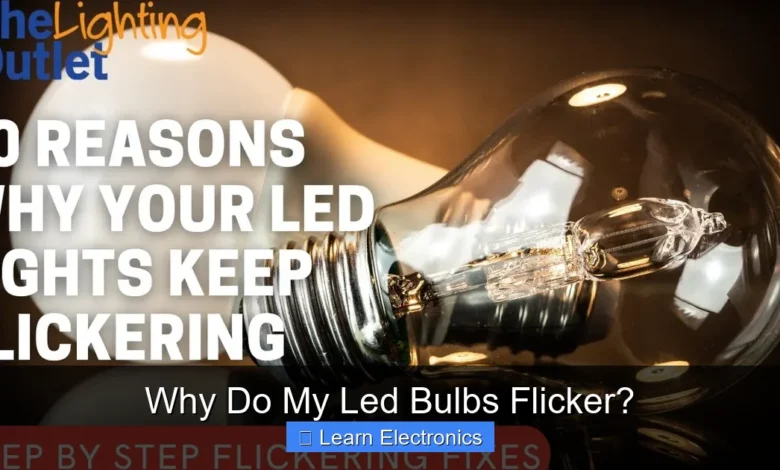
Why Do My LED Bulbs Flicker? This common frustration often stems from incompatible dimmer switches, unstable electrical supplies, or internal bulb issues. Understanding the underlying causes of this phenomenon is key to resolving it and ensuring a consistent, reliable light source.
The intermittent flashing or dimming can be more than just annoying; it can indicate a deeper electrical problem or simply that your lighting components aren’t playing well together. This exploration will delve into the various reasons behind LED bulb flickering, offering practical solutions to restore steady illumination.
Quick Answers to Common Questions
Why do my new LED bulbs flicker even though they’re brand new?
If your new LED bulbs flicker, it’s often due to an incompatible dimmer switch. Many older dimmers aren’t designed for the low power consumption of LEDs, causing them to flicker.
My LED bulbs flicker sometimes, but not always. What could be causing that?
Intermittent flickering can point to minor voltage fluctuations in your home’s electrical system, an overloaded circuit, or even a failing LED driver within the bulb itself. Observing when it happens can offer clues!
Is it dangerous if my LED bulbs flicker consistently?
While often just annoying and a cause of eye strain, consistent flickering can sometimes signal underlying electrical issues like loose wiring, which should be addressed for safety. It’s always best to investigate the cause of your LED bulbs flickering.
📑 Table of Contents
Incompatible Dimmer Switches and Circuits
One of the most prevalent reasons for flickering LED bulbs is the use of an incompatible dimmer switch. Unlike incandescent bulbs, which operate on a simple resistive load, LEDs require a more sophisticated electrical interaction. Traditional dimmers were designed for the high wattage of older bulbs, not the low-wattage, complex circuitry of modern LEDs.
The Problem with Traditional Dimmers
Traditional incandescent dimmers typically use a technology called Triode for Alternating Current (TRIAC) or phase-cut dimming. They work by rapidly turning the power on and off hundreds of times per second, effectively chopping the AC waveform to reduce the average voltage supplied to the bulb. For incandescent bulbs, this rapid switching isn’t noticeable because the filament retains heat and glows continuously. However, LED drivers, which convert AC to DC, react differently to this chopped waveform. Many older dimmers also require a minimum load to function correctly, which low-wattage LED bulbs often don’t meet.
Minimum Load Requirements
Most traditional dimmers require a specific minimum wattage load (e.g., 40-60 watts) to operate without issues. If the total wattage of the LED bulbs on a circuit falls below this threshold, the dimmer may not function as intended, leading to inconsistent power delivery and noticeable flickering. Modern LED-compatible dimmers, on the other hand, are designed with much lower minimum load requirements and often feature different dimming technologies (like reverse-phase or ELV/MLV dimming) that are better suited for LEDs.
Solutions for Dimmer Incompatibility
The most effective solution for dimmer-related flickering is to upgrade your dimmer switch to one specifically designed for LED lighting. These are often labeled “LED compatible” or “universal.” When purchasing, ensure the dimmer’s specifications match the type of LED bulbs you are using (e.g., forward-phase vs. reverse-phase, or ELV/MLV). If you prefer not to replace the dimmer, you could try increasing the load on the circuit by adding another compatible LED bulb, though this is a less ideal and often temporary fix.
Unstable Power Supply and Electrical Issues: Why Do My LED Bulbs Flicker?
Beyond dimmer compatibility, external electrical factors can also contribute significantly to flickering LED bulbs. An unstable power supply or faults within your home’s wiring can manifest as inconsistent light output, raising concerns about your electrical system’s health.
Voltage Fluctuations and Brownouts
LED drivers are sensitive to variations in voltage. If the voltage supplied to your home or a specific circuit fluctuates significantly, your LED bulbs may respond by flickering. Short-term voltage dips, known as brownouts, can also cause noticeable flickering or temporary dimming. These issues can originate from the power grid (e.g., during peak demand or utility work) or be localized within your home due to other high-power appliances drawing current. Monitoring your home’s voltage with a multimeter during flickering instances can help diagnose this problem.
Loose Connections and Wiring Faults
A loose wire connection, either at the light fixture, the bulb socket, the wall switch, or within the electrical panel, can interrupt the consistent flow of electricity to your LED bulb. Even minor breaks in continuity can cause rapid flickering as the connection intermittently makes and breaks contact. Over time, wires can loosen due to vibration, thermal expansion and contraction, or improper installation. If you suspect loose wiring, it’s crucial to consult a qualified electrician, as this can pose a fire hazard.
Circuit Overload
An overloaded circuit occurs when too many appliances or lights are drawing power from a single circuit than it is rated to handle. While LED bulbs consume less power individually, a heavily loaded circuit can still experience voltage drops or surges that affect sensitive LED drivers, leading to flickering. If flickering occurs primarily when other high-power appliances (like a vacuum cleaner, hair dryer, or microwave) are in use on the same circuit, circuit overload might be the culprit. Redistributing appliances to different circuits or upgrading your electrical panel may be necessary.
Quality of the LED Bulb Itself
Sometimes, the problem isn’t with your electrical system but with the LED bulb’s internal components. The quality and design of an LED bulb play a critical role in its stability and longevity.
Poorly Designed Drivers
The driver is the “brain” of an LED bulb, converting the incoming AC power to the DC power required by the LEDs. A poorly designed or low-quality driver may not be able to regulate the current effectively, leading to instability and flickering. Some cheaper LED bulbs may use simpler, less robust drivers that are more susceptible to minor voltage fluctuations or interference, causing them to flicker where higher-quality bulbs would remain stable. This can also be observed as poor dimming performance or premature failure.
Heat Dissipation Problems
LEDs are sensitive to heat. While they produce less heat than incandescents, the heat they do generate must be properly dissipated. If an LED bulb’s heatsink is inadequate, or if the bulb is enclosed in a fixture with poor ventilation, the internal components (especially the driver and LED chips) can overheat. Overheating can cause the driver to malfunction or the LED chips themselves to degrade, leading to flickering, reduced brightness, or early failure. This is often more pronounced in recessed fixtures or enclosed luminaires.
Component Degradation
Like all electronic components, the parts within an LED bulb can degrade over time. Capacitors can dry out, solder joints can crack, and the LED chips themselves can become less efficient. This degradation can lead to erratic behavior, including flickering, especially as the bulb approaches the end of its lifespan. If only one or a few bulbs are flickering in an otherwise stable setup, it might simply be time to replace those particular bulbs.
External Interferences and Appliances
Beyond internal electrical issues, certain external factors and appliances in your home can introduce interference that causes LED bulbs to flicker. These phenomena are often less obvious but can be equally disruptive.
Inductive Loads
Large inductive loads, such as motors in refrigerators, washing machines, or HVAC systems, can create momentary voltage drops or surges when they switch on or off. These transient disturbances can be enough to cause sensitive LED drivers to momentarily reset or lose regulation, resulting in a flicker. If you notice your LED bulbs flicker coincidentally with the operation of a major appliance, an inductive load might be the cause. Installing a whole-house surge protector or line conditioner could mitigate this.
Electromagnetic Interference (EMI)
Electronic devices and appliances can emit electromagnetic interference (EMI) that can affect nearby wiring and sensitive electronics, including LED drivers. Sources of EMI can include wireless routers, cordless phones, microwave ovens, or even poorly shielded audio equipment. While less common, severe EMI can sometimes induce flickering in LED bulbs, particularly if the bulb or its wiring lacks adequate shielding. Identifying and moving the source of interference or installing EMI filters can sometimes help.
“Phantom Loads” or Residual Current
In some older wiring systems, or when certain types of switches (like illuminated switches or smart switches that require a neutral wire but are installed without one) are used, a small amount of residual current (sometimes called a “phantom load” or “ghost voltage”) can flow through the circuit even when the switch is off. While this current is too low to fully illuminate an incandescent bulb, it can be just enough to cause an LED bulb to faintly glow or flicker, especially when the light is supposedly off. This phenomenon often requires installing a “snubber” or a capacitor across the load to absorb the residual current.
Environmental Factors Affecting LED Performance
Environmental conditions can also impact the performance of LED bulbs, contributing to or exacerbating flickering issues. Understanding these external influences is important for maintaining optimal lighting.
Temperature Extremes
LED bulbs are designed to operate within a specific temperature range. While they are generally robust, extreme temperatures can affect their performance. In very cold environments, the internal components of an LED driver might take longer to warm up and stabilize, potentially causing a brief flicker upon startup or intermittent flickering. Conversely, excessive heat, as discussed previously, can lead to overheating and degradation, resulting in flickering. Ensure your LED bulbs are rated for the ambient temperature of their operating environment, especially in outdoor fixtures or unheated garages.
Humidity and Moisture
High humidity or the presence of moisture can adversely affect the electronics within an LED bulb. Moisture can lead to short circuits, corrosion of internal components, or interfere with the driver’s operation, causing flickering or premature failure. This is particularly relevant in bathrooms, basements, or outdoor settings without proper weatherproofing. Always use LED bulbs and fixtures rated for damp or wet locations in such environments to prevent moisture-related issues.
Troubleshooting Steps and Preventing Future Flickering
Addressing the issue of flickering LED bulbs often involves a systematic approach to identify and rectify the root cause. A methodical investigation can save you time and prevent unnecessary expenses.
Step-by-Step Diagnostic Approach
- Isolate the Bulb: If only one bulb is flickering, try swapping it with a known good bulb from another fixture. If the flicker follows the bulb, the bulb is likely faulty. If the flicker remains in the fixture, the issue is with the fixture or its circuit.
- Check Dimmer Compatibility: If the bulbs are on a dimmer switch, try replacing the dimmer with an LED-compatible one. If that’s not feasible, try replacing the flickering LED bulbs with non-dimmable LEDs or incandescent bulbs to see if the flickering stops.
- Inspect Connections: (Caution: Always turn off power at the circuit breaker before inspecting electrical connections.) Check if the bulb is screwed in tightly. For light fixtures, gently wiggle the fixture to see if it affects the flicker, which could indicate a loose wire within the fixture or wall switch.
- Monitor for Appliance Interference: Pay attention to when the flickering occurs. Does it coincide with other appliances turning on or off? This could point to an inductive load or circuit overload.
- Test Different Circuits: If possible, plug a portable LED lamp into a different electrical outlet on a separate circuit to see if it experiences similar flickering. This helps determine if the issue is localized to one circuit or systemic in your home’s power supply.
When to Call an Electrician
While many flickering issues can be resolved with simple bulb or dimmer replacements, certain situations warrant professional help. If you suspect loose wiring within walls, circuit overloads, persistent voltage fluctuations not caused by your appliances, or if flickering occurs in multiple circuits simultaneously, it’s best to call a licensed electrician. Electrical work can be dangerous, and a professional can safely diagnose and repair complex wiring problems, ensuring the safety and stability of your home’s electrical system.
Here’s a quick reference table for common flickering issues and their typical solutions:
| Flickering Symptom | Potential Cause | Recommended Solution |
|---|---|---|
| Flickers only when dimmed | Incompatible dimmer switch | Replace with LED-compatible dimmer |
| Constant flickering, even when off | Residual current (“phantom load”) | Install a snubber/capacitor; check smart switch wiring |
| Flickers intermittently, randomly | Loose bulb, fixture, or wiring connection | Tighten bulb; check/secure wiring (consult electrician) |
| Flickers when high-power appliance turns on | Inductive load, circuit overload | Relocate appliance; install surge protector; electrician review |
| All bulbs on a circuit flicker | Circuit overload, voltage fluctuation | Reduce load; consult electrician for power quality check |
| Only one specific bulb flickers | Faulty LED bulb, poor quality driver | Replace the LED bulb |
By systematically investigating these potential causes and applying the appropriate solutions, you can often put an end to the frustrating problem of flickering LED bulbs and enjoy consistent, reliable lighting in your home or workspace.
The journey to understanding why do my LED bulbs flicker can seem complex, but by breaking down the common culprits into manageable categories, we can effectively diagnose and resolve these issues. From ensuring dimmer compatibility to addressing underlying electrical system anomalies, a stable and flicker-free lighting environment is achievable. Embracing proper components and addressing environmental factors will not only eliminate flickering but also extend the lifespan and efficiency of your LED lighting system, providing comfort and clarity in your illuminated spaces.
Frequently Asked Questions
Why do my LED bulbs flicker when connected to a dimmer switch?
Many older dimmer switches are designed for incandescent bulbs and may not be fully compatible with modern LED technology. This incompatibility can prevent the LED driver from receiving a stable power supply, leading to noticeable flickering. Upgrading to an LED-compatible dimmer is often the most effective solution.
Could a loose connection be causing my LED bulbs to flicker?
Yes, a loose bulb in its socket or poor wiring connections within the fixture or switch can definitely cause your LED bulbs to flicker. Always ensure the bulb is screwed in tightly and consider checking the wiring if the problem persists across multiple bulbs in the same fixture.
What if I just have a faulty LED bulb that keeps flickering?
It’s entirely possible that an individual LED bulb itself is defective, either due to a manufacturing flaw or an internal component failure. If only one specific bulb flickers regardless of where it’s installed, replacing it is usually the simplest fix. Look for bulbs from reputable brands for better reliability.
Can power fluctuations make my LED bulbs flicker?
Yes, minor power fluctuations or voltage drops in your home’s electrical system can indeed cause your LED bulbs to flicker intermittently. These can sometimes be caused by high-power appliances turning on and off nearby, or by issues with the main power supply to your home.
Why do my LED bulbs flicker even without a dimmer switch?
Even without a dimmer, your LED bulbs might flicker due to incompatibility with the fixture’s internal wiring, a low-quality bulb driver, or even electromagnetic interference from other electronics on the same circuit. Additionally, an overloaded circuit can sometimes cause flickering in your LED bulbs.
As an Amazon Associate, I earn commission from qualifying purchases.