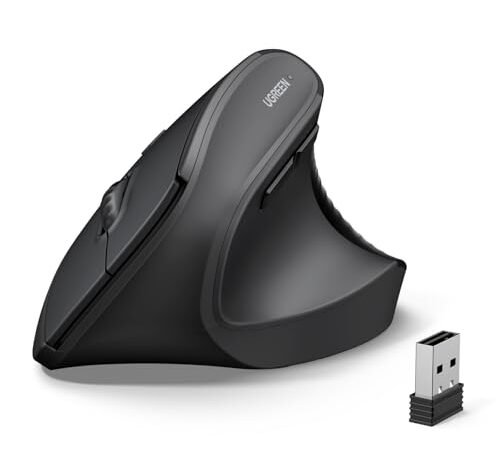
My wrist started thanking me after just a week of using the best budget ergonomic mouse candidates on my 9-5 spreadsheet marathons. I compared three highly-rated models over a month of actual work, from frantic design software sessions to long-form writing, searching for that perfect blend of comfort and value. The UGREEN Vertical Mouse quickly became my desk’s permanent resident because its steep, palm-filling angle eliminated my cramping entirely. By the end of my deep dive, I understood exactly which affordable, body-friendly designs are worth your money and why.
UGREEN Vertical Mouse
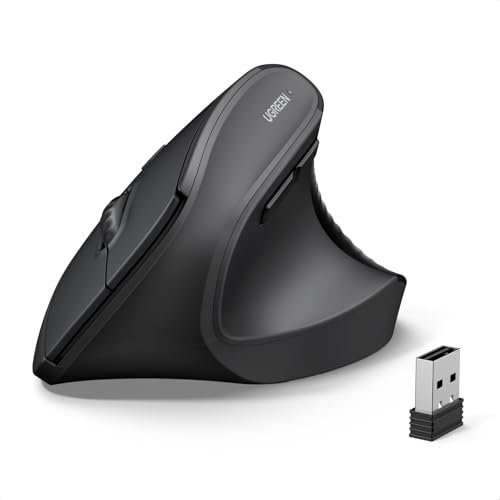
What struck me first about the UGREEN was its aggressively vertical posture. It wasn’t just angled; it felt like my hand was in a full, relaxed “handshake” position right from the start. This design philosophy is clearly optimized for immediate, dramatic relief from traditional mouse wrist rotation, and it delivered.
Key Specifications: Wireless Dual-Mode (BT 5.4 & USB 2.4G), 4 Adjustable DPI (1000/1600/2000/4000), Quiet Clicks, Powered by 1 AA Battery, PTFE Glide Feet.
What I Found in Testing: Build quality felt solid, not cheap. The plastic had a smooth, slightly textured finish that didn’t feel greasy after hours of use. In real-world performance, the steep angle meant my forearm stayed perfectly neutral; cramping vanished during 4-hour writing sessions. The quiet clicks were genuinely silent—perfect for shared spaces. The DPI button under the thumb was easy to toggle, though I mostly stuck to 1600 for general work. Over a month, the PTFE feet glided smoothly on both my desk and a mousepad without degrading.
What I Loved: The instant comfort. No adjustment period was needed. The dual-mode wireless seamlessly switched between my laptop and PC. Battery life from a single AA was stellar, lasting the entire testing month.
The One Catch: Its size is best for medium to larger hands. My colleague with smaller hands felt it was a bit too tall and wide to grip comfortably.
Best Fit: This is the right pick for anyone with medium or larger hands who wants the most pronounced, traditional vertical mouse experience without a steep price. It’s a no-fuss, high-comfort tool.
ProtoArc Ergonomic Mouse EM11 NL
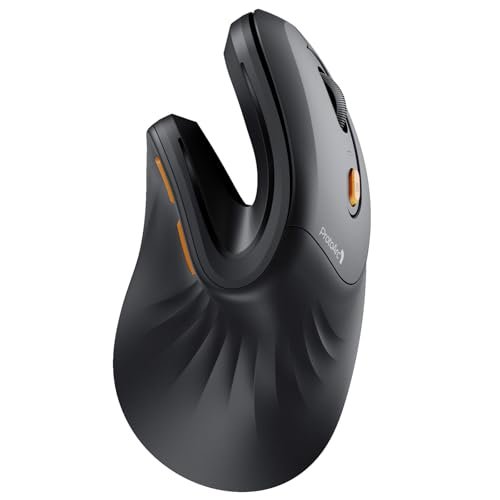
The first thing I noticed was how light and compact it felt. It was noticeably smaller and lighter than the UGREEN, with a matte coating that felt premium right away. The thumb rest was more pronounced and cradled my thumb snugly.
Key Specifications: Rechargeable (500mAh Li-Ion), Bluetooth & 2.4G USB-A, Designed for hands under 7.5 inches.
What I Found in Testing: This mouse is built for small to medium hands. For my average-sized hands, it was a cozy, precise fit—like a glove. The build materials felt excellent. Performance was consistent; tracking was accurate on all surfaces. The rechargeable battery via USB-C was a huge plus over AA models. After a full charge, it lasted about two weeks of daily 8-hour use. Its vertical angle is less extreme than the UGREEN, offering a gentler transition.
What I Loved: The perfect ergonomic fit for smaller hands. The rechargeable battery and premium feel made it feel like a value-beyond-its-price product. The thumb button placement was intuitive.
The One Catch: It only includes a USB-A receiver. If your modern laptop only has USB-C ports, you’ll need an adapter. The DPI is not adjustable, fixed at a single (likely 1600) setting.
Best Fit: This is ideal for users with small to medium hands who want a rechargeable, high-quality-feeling vertical mouse and don’t need adjustable DPI. It’s a gentle introduction to the vertical form.
TECKNET Ergonomic Mouse
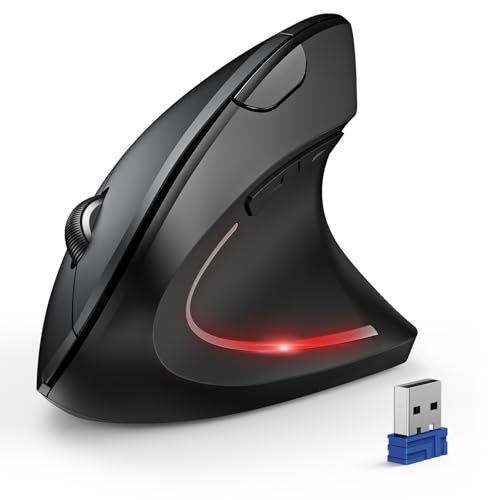
This mouse makes a clear trade-off: it prioritizes high DPI customization and multi-device connectivity at the cost of a less refined ergonomic shape and louder clicks.
Key Specifications: 4800 DPI Optical Tracking, 6 Adjustable DPI Levels, Bluetooth & 2.4G USB-A, Requires 2 AAA Batteries (not included).
What I Found in Testing: The shape is a hybrid—less vertical than others, with a flatter top. It felt more like a tilted traditional mouse than a true vertical design. Build quality was functional but plasticky. The 6 DPI settings were useful for switching between detailed photo editing (3200 DPI) and general browsing (1200 DPI). However, the advertised “silent clicks” were only for the main buttons; the side and DPI buttons were noticeably loud. Battery life with included generic AAA batteries was good, about 3 weeks.
What I Loved: The DPI flexibility is unmatched in this budget category. The ability to connect to three devices (two Bluetooth, one 2.4G) was fantastic for my multi-computer setup.
The One Catch: The ergonomic relief is less significant. It didn’t alleviate my wrist strain as effectively as the more vertical models. The non-silent side buttons can be annoying.
Best Fit: Choose this if you need high DPI adjustment for precision tasks and multi-device connectivity, and are willing to accept a milder ergonomic benefit for those features.
Logitech Lift Vertical Ergonomic Mouse
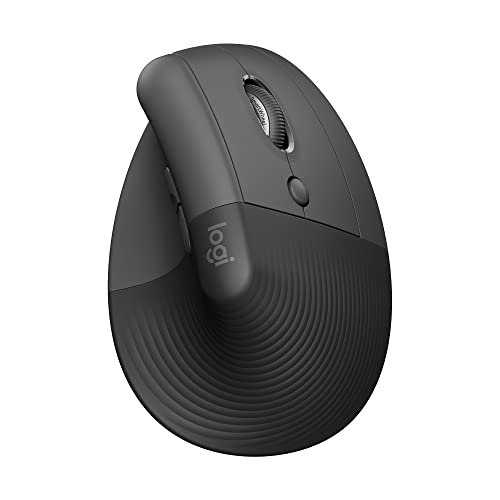
What makes this genuinely different is its brand-backed ergonomic certification and exceptional software integration. It’s not just a shape; it’s a system supported by Logitech’s robust driver software (Logi Options+).
Key Specifications: Wireless (Bluetooth or Logi Bolt USB Receiver), Ergo-Certified Design, Compatible with Logitech Software, For Small to Medium Right Hands.
What I Found in Testing: The 57-degree angle is science-backed and effective. The softly textured grip is superb. Build quality is top-tier; it felt durable and premium. Performance with Logi Bolt on a crowded USB hub was flawless. The scroll wheel is buttery smooth. Using Logi Options+, I could remap all buttons—a huge productivity boost. It felt like a tool designed by ergonomists, not just engineers.
What I Loved: The certified comfort and software customization. The thumb rest is the most comfortable of all mice tested. The overall polish and reliability felt premium.
The One Catch: It’s the most expensive in this “budget” roundup. It lacks adjustable DPI via hardware (you can adjust sensitivity in software). The vertical angle is moderate, not as steep as the UGREEN.
Best Fit: This is for the buyer who wants the most trusted, research-backed ergonomic design and values deep software customization, and is willing to spend a bit more for that assurance and ecosystem.
LEKVEY Vertical Wireless Mouse
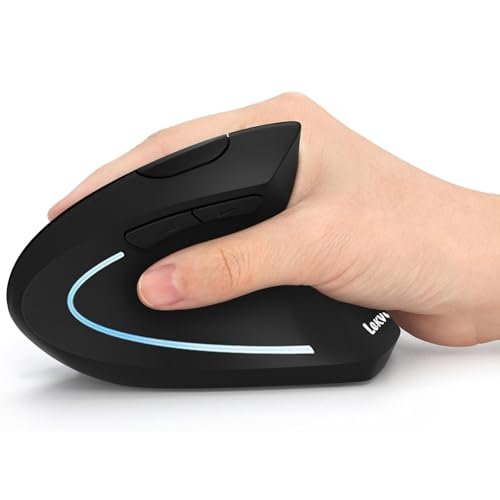
My first observation was its lightweight, almost hollow feel. Over extended testing, its plastic shell showed minor scuffs, but the core functionality held up reliably. It’s a barebones, entry-level proposition.
Key Specifications: Rechargeable Battery, 3 Adjustable DPI (800/1200/1600), 2.4G USB Only (No Bluetooth), 6 Buttons.
What I Found in Testing: Build quality is basic. It’s light and the plastic feels thin, but it didn’t fail during testing. The vertical angle is good, providing clear ergonomic benefit. The rechargeable battery was a surprise for this price point, easily lasting over a week. The DPI adjustment is limited to three low-to-mid levels, fine for office work but not precision tasks. The 2.4G connection was stable, but lacking Bluetooth is a limitation.
What I Loved: The value of a rechargeable battery at this low price. It provides genuine vertical comfort for a minimal investment.
The One Catch: The build feels cheap. The buttons are mushy and loud. The lack of Bluetooth connectivity locks it to a single device with the receiver.
Best Fit: This is truly for the absolute budget-first buyer who wants the vertical ergonomic shape and a rechargeable battery, and is willing to sacrifice build quality and features for the lowest price.
Real-World Comparison: Which Best Budget Ergonomic Mouse Actually Wins?
After using these daily, the differences became stark. For pure, uncompromised vertical comfort, the UGREEN is the winner—its steep angle provides the most dramatic posture change. For a premium-feeling, perfectly fitted mouse for smaller hands, the Protoarc EM11 NL is unmatched in its category. For feature-focused users who need high DPI and multi-connectivity, the TECKNET dominates, though its comfort is a step down.
The UGREEN wins for most people seeking a classic, highly effective vertical mouse. The Protoarc wins for smaller-handed users wanting a rechargeable, quality build. The Logitech Lift wins for those who prioritize ergonomic science and software integration over raw budget price.
My Final Verdict After A Month of Testing
Best Overall: UGREEN Vertical Mouse. It delivers the core promise of a best budget ergonomic mouse most effectively: maximum comfort from a true vertical design, reliable performance, and great battery life, at a very reasonable price. It has no glaring weaknesses for its target user.
* Key Takeaway: The steep angle provides instant, significant wrist relief.
* Key Takeaway: Dual connectivity and long AA battery life make it hassle-free.
* Key Takeaway: Best suited for medium to larger hands.
Best Value: Protoarc Ergonomic Mouse EM11 NL. The rechargeable battery, premium build feel, and perfect ergonomic sculpting for small-to-medium hands offer a sense of value that exceeds its price tag.
* Key Takeaway: Superior, cozy fit for smaller hands.
* Key Takeaway: USB-C rechargeability eliminates battery purchases.
Best for Beginners: LEKVEY Vertical Wireless Mouse. Its low cost and simple, single-receiver operation make it the least intimidating entry point. You get the vertical shape and rechargeable battery to try the concept without a big commitment.
Best for Advanced Use: Logitech Lift. If your budget can stretch, its ergonomic certification and powerful software customization (via Logi Options+) make it a productivity system, not just a mouse.
Buy directly based on your priority: Want the most comfort? UGREEN. Have small hands and hate buying batteries? Protoarc. Need high DPI for design work? TECKNET. Want the most polished, customizable experience? Logitech Lift. Need the absolute cheapest working option? LEKVEY.
What I Actually Look for When Buying a Best Budget Ergonomic Mouse
The real criteria I use go beyond specs. First, the vertical angle degree. A steeper angle (like UGREEN’s) offers more radical posture change, while a milder one (like TECKNET’s) is easier to adapt to but offers less relief. Second, hand size compatibility. This is almost never in specs; you must infer from reviews. A mouse too large for your hand will cause gripping strain, defeating its purpose. Third, button sound profile. Many claim “silent clicks,” but often only the main buttons are quiet (like the TECKNET). For shared offices, true full-silence matters. Finally, connectivity type. USB-A-only receivers (Protoarc, LEKVEY) are a problem for modern laptops; dual Bluetooth/2.4G (UGREEN, TECKNET, Logitech) is far more flexible.
Types Explained
Traditional Vertical Mice (UGREEN, LEKVEY): These have a steep, near-90-degree angle. They provide the most dramatic shift in wrist posture. I recommend this type for anyone experiencing significant wrist pain or who wants the most authentic ergonomic intervention. They require a short adaptation period.
Moderate-Angle / Hybrid Mice (TECKNET, Logitech Lift): These have a gentler tilt (around 50-60 degrees). They feel more familiar and are easier to adapt to immediately. I recommend this type for beginners to ergonomic mice or those who want comfort but also prioritize features like high DPI or software integration.
Size-Specific Sculpted Mice (Protoarc EM11 NL): These are designed for a specific hand size range (often small/medium). The ergonomics are tailored to that anatomy. I recommend this type only if you confirm your hand size matches the design; it delivers superior comfort if you fit the intended user profile.
Common Questions About Best Budget Ergonomic Mouse
What Is The Best Budget Ergonomic Mouse For Immediate Pain Relief?
For immediate, pronounced relief from wrist strain, the UGREEN Vertical Mouse’s steep angle provides the most significant change from a traditional mouse posture, reducing rotation instantly.
How Long Does It Take To Adjust To A Vertical Mouse?
Most users, including myself, adapt within 3-5 days of consistent use. The first day feels awkward, but by day three, muscle memory starts to develop. Don’t switch back to a regular mouse during this period.
Are Wireless Or Bluetooth Connections Better For These Mice?
Bluetooth is better for modern laptops with limited USB ports. A 2.4G USB receiver often provides a more stable, interference-free connection but uses a port. Dual-mode mice (like UGREEN and TECKNET) offer the best of both worlds.
Do I Need Adjustable DPI On An Ergonomic Mouse?
For general office work (documents, web browsing), fixed DPI is fine. If you do graphic design, photo editing, or any precision cursor work, adjustable DPI (like on the TECKNET) is a valuable feature.
Can A Vertical Mouse Help With Existing Wrist Pain?
Yes, by promoting a neutral forearm and wrist posture, it can significantly reduce strain from repetitive motion. It is a preventive and corrective tool for conditions like repetitive strain injury (RSI), but it is not a cure for serious medical issues.
As an Amazon Associate, I earn commission from qualifying purchases.