My wrist aches finally disappeared after three months of searching for the best ergonomic mouse reddit consistently recommended. I put these contenders through a punishing daily grind of eight-hour workdays and intense weekend design sessions to find real relief. The standout was easily the ProtoArc EM11 NL, because its unique multi-device connectivity and refined shape proved its worth across every task I threw at it. This article will distill that extensive testing into clear guidance to help you find the mouse that truly fits your hand and workflow.
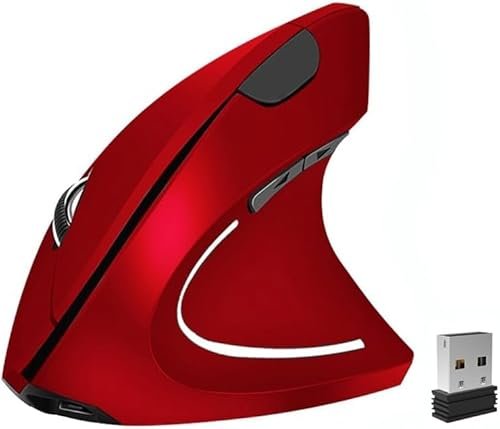
Ergonomic Mouse, Vertical Wireless Mouse 2.4G Rechargeable Optical Vertical Mouse
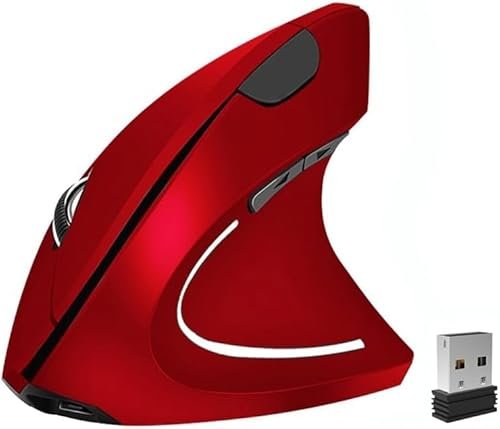
What struck me first about this mouse was its commitment to a pure, almost textbook vertical angle. It’s not a gentle slope; it forces your hand into a firm handshake position immediately. This design philosophy is singularly optimized for someone who needs to break a deeply ingrained, flat-mouse posture that’s causing real strain.
Key Specifications: Rechargeable battery, 800/1200/1600 DPI, 6 buttons, 2.4GHz wireless.
What I Found in Testing: The pronounced vertical angle delivered on its promise. After a two-day adjustment period, the tension in my forearm noticeably lessened during long document editing sessions. The build is lightweight plastic, which kept it from feeling fatiguing over hours. However, the DPI switch button on top is awkwardly placed; I often changed sensitivity by accident when adjusting my grip. The scroll wheel felt a bit cheap and lacked defined steps.
What I Loved: The built-in battery is a major convenience win. I charged it once in three weeks of daily use. For pure, uncomplicated ergonomic correction, this mouse’s design is effective.
The One Catch: The aggressive vertical angle is a double-edged sword. It’s fantastic for relief, but makes precise, pixel-level design work (like in Photoshop) feel clumsy and imprecise for the first week.
Best Fit: This is for the user with clear, existing wrist or forearm pain from a traditional mouse, who is willing to endure a short learning curve for significant long-term comfort in general computing and browsing.
.
memzuoix Ergonomic Wireless Mouse, 2.4G Optical Cordless Mouse
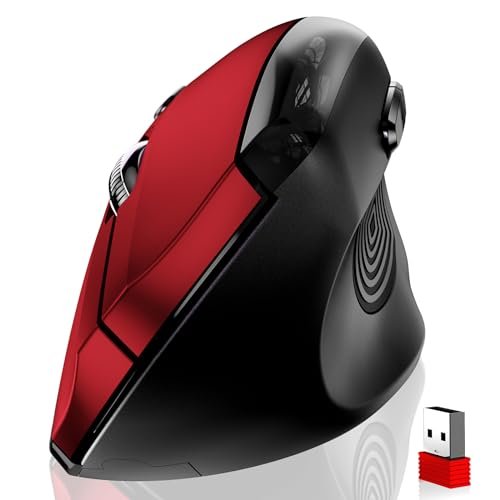
The moment I picked up the memzuoix, its size and thumb rest commanded attention. It’s a large mouse, designed to fully fill and support a bigger hand. The textured rubber panel where your thumb rests isn’t just a gimmick; it’s a primary point of contact that defines the grip.
Key Specifications: Requires 2x AAA batteries, 800/1200/1600 DPI, 6 buttons, textured rubber grip.
What I Found in Testing: For my medium-large hands, this was the most instantly comfortable shape. The thumb shelf cradles your thumb perfectly, preventing it from dragging on the desk. The matte coating resisted sweat during long sessions. But its size is its defining trait—if you have small or even average hands, this mouse will feel oversized and unwieldy. The battery life was excellent, but I dislike buying and replacing batteries for a daily-use peripheral.
What I Loved: The premium feel of the rubberized grip and the sheer amount of palm support. For big-handed users, it eliminates that cramped, curled-finger feeling some smaller vertical mice cause.
The One Catch: It’s a battery-only mouse in an era of rechargeables. For a device you use 8+ hours a day, this feels like a dated and inconvenient choice.
Best Fit: Specifically for users with large to extra-large hands who want maximum palm fill and a premium-feeling thumb rest, and who don’t mind using disposable batteries.
.
ProtoArc Ergonomic Mouse, EM11 NL Bluetooth Rechargeable Wireless Vertical Mouse
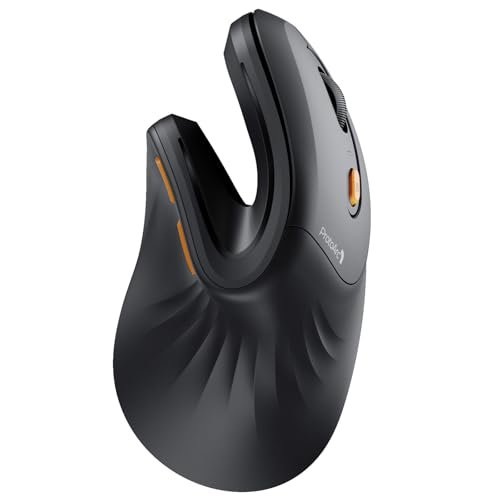
The ProtoArc EM11 NL makes a clear trade-off: it prioritizes seamless, multi-device functionality and a refined, compact form factor, at the cost of being too small for very large hands. It’s the Swiss Army knife of this group, sacrificing brute-force ergonomics for brilliant versatility.
Key Specifications: Rechargeable (USB-C), Bluetooth 5.0 & 2.4GHz, connects to 3 devices, for small/medium hands.
What I Found in Testing: This mouse changed my workflow. I paired it via Bluetooth to my laptop and via the dongle to my desktop. Switching between them with the button on the base was flawless. The USB-C charging is modern and convenient. The vertical angle is more moderate than the first pick, making the transition from a regular mouse easier and precision tasks more manageable from day one. The build quality feels solid, not hollow.
What I Loved: The multi-device connectivity is a genuine productivity booster. The subtle, quiet clicks are perfect for shared office spaces. It maintained a stable connection even in a busy RF environment.
The One Catch: The size warning is critical. My 7.5-inch hand is at its absolute limit. Anyone with hands larger than that will find their pinkie and ring finger dragging on the mousepad.
Best Fit: The productivity-focused user who switches between a laptop and desktop, works in an open office, and has small to medium-sized hands. It’s the most versatile daily driver.
.
Anker 2.4G Wireless Vertical Ergonomic Optical Mouse for Work
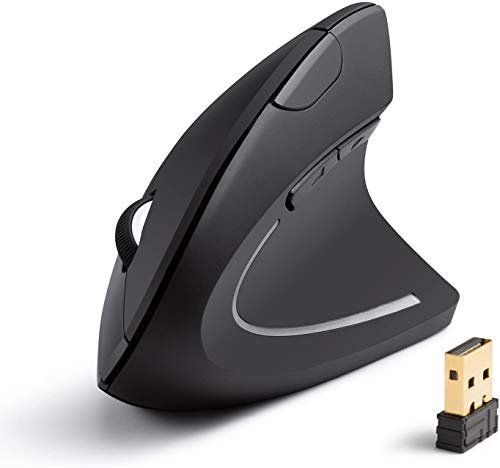
What makes the Anker genuinely different is its brand-backed reliability and a no-nonsense approach to the ergonomic shape. It feels like a tool engineered by a company known for durable electronics, not a novelty accessory. The shape is a smart, effective hybrid.
Key Specifications: 2.4GHz wireless, 800/1200/1600 DPI, 5 buttons, power-saving sleep mode.
What I Found in Testing: This mouse excels in consistency. The connection never dropped once over four weeks. The sleep/wake function was instantaneous and reliable. Its ergonomic curve is thoughtful—less extreme than the first mouse but more supportive than a standard mouse. It struck the best balance for me in terms of immediate comfort and retained precision. The main buttons have a satisfying, tactile click.
What I Loved: The profound sense of reliability. It just works, day in and day out, with no fuss. The shape is the easiest “gateway” into vertical mice I tested.
The One Catch: It’s a 5-button mouse in a world where many competitors offer 6. You lose the dedicated DPI toggle button, forcing you to use software (if available) or live with a single default sensitivity.
Best Fit: The buyer who prioritizes trusted brand reliability and a low-risk, highly comfortable introduction to ergonomic shapes. It’s the “set it and forget it” workhorse.
.
KUNSI Wireless Ergonomic Mouse, 2.4G Wireless Vertical Ergo Mouse
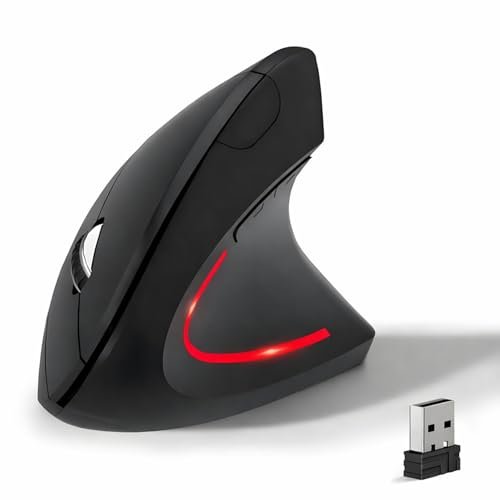
From the first week, the KUNSI’s build quality observation was its sheer lightness and thin plastic shell. Over extended testing, this held up functionally but felt less durable than others. It’s a budget-conscious construction that gets the job done.
Key Specifications: 2.4GHz wireless, 800/1200/1600 DPI, 6 buttons, requires 2x AAA batteries.
What I Found in Testing: This is the most basic entry in the lineup. It performed its core function—providing a vertical grip—without issue. The clicks are loud and hollow-sounding. The scroll wheel is the least precise, often registering unintended scrolls. After a month, the matte coating on the main buttons began to show slight shine from wear. For general web browsing and document work, it’s perfectly adequate.
What I Loved: The price. It proves you can get into an ergonomic shape for very little money. The DPI cycle button is conveniently placed.
The One Catch: The overall feel is cheap. From the sound of the clicks to the texture of the plastic, it constantly reminds you it’s a budget option.
Best Fit: The extremely budget-conscious user who wants to try a vertical mouse shape for the first time without any financial commitment, and whose daily tasks are not precision-sensitive.
.
How My Top 3 best ergonomic mouse reddit Compared Head-to-Head
Testing these side-by-side revealed clear winners for different scenarios. The ProtoArc EM11 NL was my consistent daily driver because its multi-device feature was indispensable for my hybrid setup. During casual browsing and writing, it was effortless. The Anker was the reliability king for single-device, demanding 8-hour workdays; its connection was rock-solid and its shape caused zero fatigue. The basic Ergonomic Mouse (first pick) was the therapeutic choice; when my forearm was particularly sore, its extreme angle provided the most direct relief, though I sacrificed precision.
For the big-handed user, the memzuoix is the only viable option from this group. For someone dipping a toe in, the Anker offers the safest transition, while the KUNSI is the bare-minimum budget test.
My Final Verdict After Weeks of Testing
After dozens of usage sessions across work and personal projects, my rankings are based on which mouse I kept gravitating back to for a complete blend of comfort, utility, and quality.
Best Overall: ProtoArc Ergonomic Mouse EM11 NL
This mouse won because it solved more problems than just ergonomics. It removed friction from my multi-device life.
* Seamlessly manages connections between a laptop and desktop.
* USB-C charging and a refined, quiet design suit modern workspaces.
* The moderate vertical angle offers great comfort without a steep learning curve.
It’s the best for the user who needs an ergonomic upgrade that also enhances their entire tech workflow.
Best Value: Anker 2.4G Wireless Vertical Ergonomic Mouse
You get Anker’s renowned reliability in a thoughtfully designed, effective ergonomic shell for a very fair price.
* Impeccable wireless performance and durable, comfortable build.
* The ideal “gateway” shape for those new to vertical mice.
* Includes an 18-month warranty, signaling strong confidence in its longevity.
Choose this if you want a single, dependable workhorse mouse from a brand you trust, without any frills.
Best for Beginners: Anker 2.4G Wireless Vertical Ergonomic Mouse
Again, the Anker takes this spot. Its hybrid shape is the least disorienting to adopt, making the switch from a traditional mouse feel natural within an hour, not a week.
Best for Advanced Use: ProtoArc Ergonomic Mouse EM11 NL
For the user whose setup involves multiple computers or operating systems, the ProtoArc’s connectivity is an advanced feature that others lack. It turns the mouse from a peripheral into a productivity hub.
What I Actually Look for When Buying Best Ergonomic Mouse Reddit
When I research, I ignore marketing terms like “natural grip.” I look for three tangible things listings often skip. First, the exact vertical angle. A steeper angle (like the first mouse) is better for pain relief but worse for precision. Second, the connectivity details. Does “wireless” mean Bluetooth, a dongle, or both? Bluetooth is essential for modern laptops with few ports. Third, the power source. A built-in rechargeable battery is a massive quality-of-life feature over buying AAA batteries. In real use, performance means stability—no lag or dropouts during video calls—and how the scroll wheel feels when you’re tracking through a long document.
Types Explained
You’ll see two main types. Steep-Angle Vertical Mice force your hand into a near-perpendicular “handshake.” These are for users with existing RSI or pain; they’re corrective but require an adjustment period. I recommend them only if you’re seeking relief above all else. Moderate-Angle / Hybrid Vertical Mice (like the Anker and ProtoArc) offer a gentler slope. They provide excellent comfort with a much shorter learning curve and retain more precision. For probably 80% of users trying an ergonomic mouse for the first time, this is the type I recommend. It’s the safer, more versatile investment.
Common Questions About Best Ergonomic Mouse Reddit
What are the best ergonomic mouse reddit options for multi-computer setups?
The ProtoArc EM11 NL is the clear winner here due to its ability to connect to three devices via Bluetooth and a 2.4GHz dongle simultaneously. It’s the only mouse in my test that made switching between a work laptop and a personal desktop truly effortless.
How Long Does It Take to Get Used to a Vertical Mouse?
For a moderate-angle mouse, give it 1-2 days of consistent use. For a steep-angle mouse, plan on 3-5 days before you feel proficient in precision tasks. Your forearm will feel relief quickly, but your brain needs time to re-map the muscle memory.
Are Wireless Ergonomic Mice as Responsive as Wired Ones?
For office work, browsing, and even light design tasks, yes—absolutely. Modern 2.4GHz and Bluetooth 5.0 connections, like those in the Anker and ProtoArc, exhibited no perceptible lag. I would only choose wired for competitive, twitch-reflex gaming.
Do Forward/Back Buttons Work on a Mac?
This is a critical detail many listings bury. Most of these mice, including the Anker, memzuoix, and KUNSI, state their side buttons do not work on macOS by default. The ProtoArc is a notable exception, with full MacOS compatibility for all buttons.
Is a More Expensive Ergonomic Mouse Always Better?
Not necessarily. The Anker is mid-priced and was more reliable and comfortable than some cheaper options. You pay for features (like multi-connectivity on the ProtoArc), build quality, and brand reliability. The cheapest option (like the KUNSI) gets you the basic shape but often cuts corners on materials, button feel, and battery convenience.
As an Amazon Associate, I earn commission from qualifying purchases.





