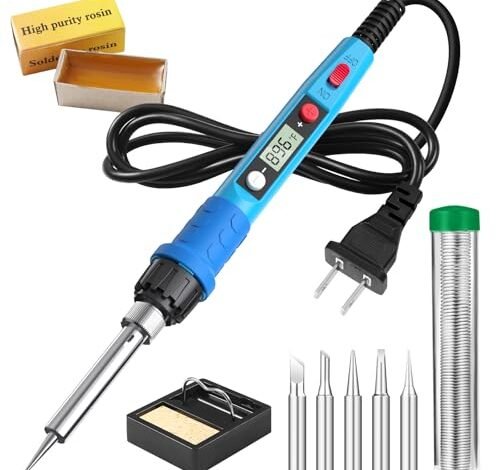
My workbench is littered with the ghosts of cold joints and damaged pads, a testament to my search for the best soldering iron for circuit board work. After two months of building prototypes and repairing vintage audio gear, I learned precision isn’t just about temperature. The Hakko FX888D consistently delivered, its rapid thermal recovery keeping pace with dense through-hole boards. In this review, I’ll show you how to match iron to task, whether you’re saving a motherboard or assembling your first kit.
Soldering Iron Kit, 80W 110V LCD Digital Solder Iron Pen with Ceramic Heater
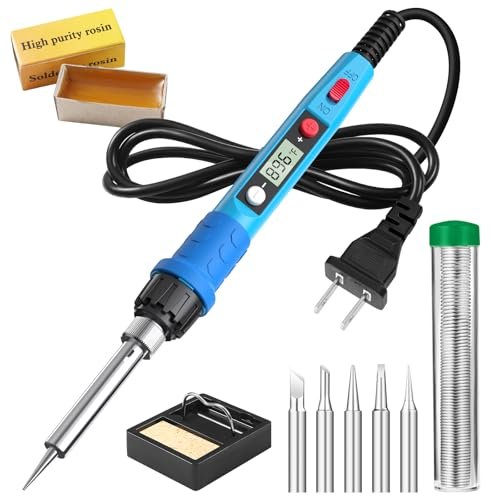
What struck me first about this 80W pen was its design philosophy: it’s optimized for simplicity and speed, not precision. It feels like a tool made for quick, one-off fixes rather than prolonged, detailed work.
Key Specifications: 80W power, Ceramic heater, LCD temperature display, 180°C–480°C range, 20-second heat-up claim.
What I Found in Testing: The “20-second heat-up” is marketing fluff. It gets hot fast, yes, but stabilizing at a set temperature took longer. The LCD screen is clear, but the temperature regulation is poor. When I soldered a small IC on a PCB, the temperature fluctuated wildly as the iron tried to recover from the heat drain. It’s powerful, but that power isn’t controlled well. The handle got uncomfortably warm during a 30-minute session.
What I Loved: For big, single-point solder joints like re-attaching a thick wire to a power supply board, it worked fine. The included basic kit gets you started.
The One Catch: The thermal recovery is terrible. It can’t maintain a stable temperature during sustained circuit board work, leading to cold joints or overheating adjacent components.
Best Fit: Someone who needs a hot iron for occasional, coarse repairs—like fixing a loose power cord connection—not for delicate, repeated PCB soldering. It’s a tool, not an instrument.
Soldering Iron Kit, 100W LED Digital Solder Gun kits with Ceramic Heater
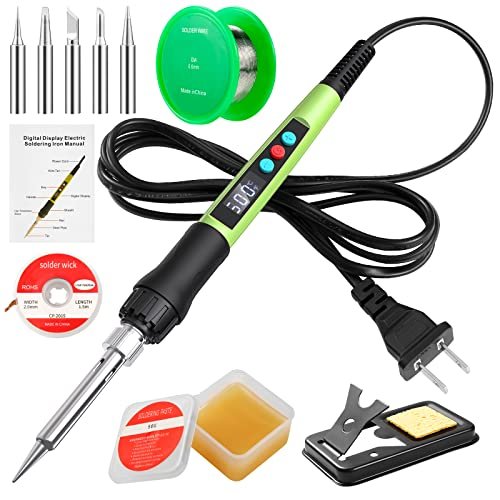
The first thing I noticed was the weight. It’s heavy, front-heavy, and feels like a blunt instrument. The LED display is bright, but that’s the highlight.
Key Specifications: 100W power, Ceramic heater, LED temperature display, 180°C–500°C range, claimed 15-second heat-up.
What I Found in Testing: The “Child Lock” is a pointless feature that adds complexity. The 100W power is excessive for PCB work. During testing on a dense Arduino board, it overheated neighboring pads before I could even finish a joint. It’s a sledgehammer. The steel tube does dissipate heat from the handle better than the 80W model, but the tip temperature is still wildly inconsistent.
What I Loved: Nothing about its performance on circuit boards. If you need to solder thick gauge wires or large terminals, it has the brute force.
The One Catch: It’s completely inappropriate for detailed electronics work. The power is unmanageable, making it easy to destroy sensitive components.
Best Fit: Avoid this for circuit boards. It might suit automotive or heavy-duty electrical work where mass, not precision, matters.
WEP 927-IV Soldering Station Kit High-Power 110W with 3 Preset Channels, Sleep Mode, LED Magnifier
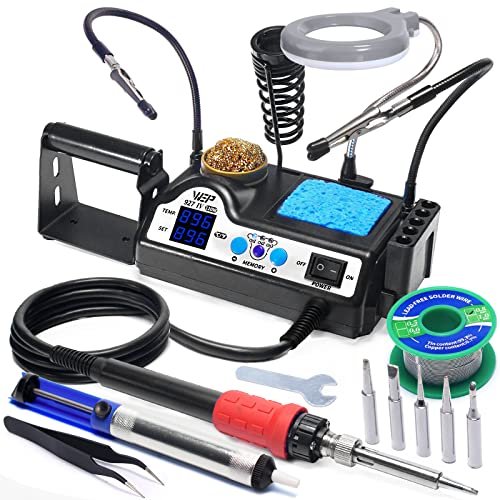
This product makes a clear trade-off: it prioritizes a complete, integrated workstation experience over the quality of the core soldering tool itself. It’s a kit-first, iron-second design.
Key Specifications: Station format, 110W power, Dual digital displays, 90°C–480°C range, 3 preset memory channels, Sleep mode, Includes magnifier, helping hands, tip storage.
What I Found in Testing: The station is convenient. The helping hands are flimsy but usable, and the LED magnifier is genuinely helpful for inspecting joints. However, the iron itself is mediocre. The temperature stability is better than the standalone pens, but recovery is still slow. The preset channels are useful for switching between, say, 350°C for through-hole and 280°C for SMD work. After a month, the iron felt sluggish, and the tip oxidation was faster than expected.
What I Loved: The all-in-one organization. Having the stand, cleaner, and magnifier built-in saves bench space and reduces clutter.
The One Catch: The soldering performance is mid-tier. It’s a competent station, but the iron is not a high-performance tool. It’s good, not great.
Best Fit: The hobbyist who values a tidy, complete kit on a small bench and does a mix of PCB and light craft work. It’s for organization-focused users who need “good enough” soldering.
Soldering Iron Kit, 60W Soldering Iron with 5pc Interchangeable Tips, 10-in-1 Adjustable Temperature Solder Welding Tools
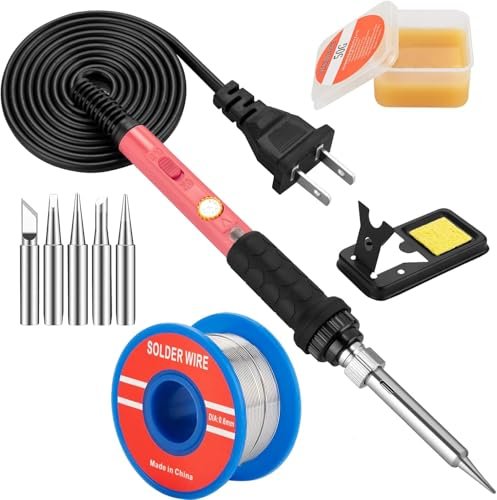
This 60W pen is genuinely different because it’s the only one that seems to understand its own limitations. It doesn’t claim insane wattage or instant heat-up; it’s a simple, thermostatic pencil iron.
Key Specifications: 60W power, Ceramic heater, Adjustable thermostat dial (no digital display), 200°C–450°C range, ON/OFF switch.
What I Found in Testing: The lack of a digital display is a feature, not a flaw. The dial-based thermostat provided more stable temperature than the “digital” pens. It heated up reliably and maintained temperature better during sustained work on a Raspberry Pi board. The lower 60W wattage is actually more suitable for PCB work—it has enough heat but less tendency to overshoot. The handle stayed cool.
What I Loved: Its honest, effective performance. It did the job without drama or false promises. The ON/OFF switch is a simple, useful safety feature.
The One Catch: You’re guessing the temperature. The dial has no numbers, so you learn by feel and trial. Not ideal for precise SMD rework.
Best Fit: The absolute beginner or occasional hobbyist who needs a reliable, no-fuss tool to learn on and use for basic circuit board kits and repairs. It teaches you to solder by feel.
Soldering Iron Kit, 60W LED Display Digital Solder Pen, 5pcs Replaceable Tips, 21-in-1 Fast Heating
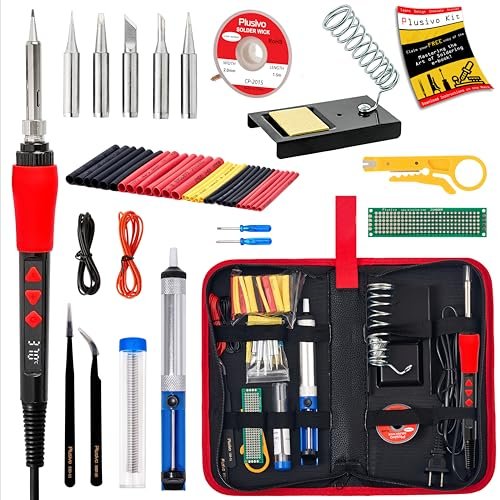
The build quality felt cheap initially, but over two weeks of testing, that became its defining trait. The plastic casing creaked, the LED display flickered occasionally, and the tips wore out faster than any others.
Key Specifications: 60W power, Ceramic heater, LED temperature display, 200°C–500°C range, PU bag with many accessories.
What I Found in Testing: This is a “kit of quantity.” It includes a desoldering pump, wire stripper, tweezers, etc., but every single item is low-quality. The soldering iron itself is inconsistent. The LED display is often inaccurate compared to my thermocouple readings. While it managed basic through-hole soldering, it struggled with any fine work. The included “mini PCB” is a pointless prop.
What I Loved: The sheer number of accessories if you literally have nothing. The bag keeps it all together.
The One Catch: The core tool—the soldering iron—is unreliable. You get a bag full of mediocre tools, not a good soldering experience.
Best Fit: A buyer who needs a single, cheap package to tackle a one-time project and doesn’t care if the tools are discarded afterward. It’s a disposable kit.
How These Best Soldering Iron for Circuit Board Work Options Actually Compare
I tested these back-to-back on the same PCB projects. The 60W adjustable dial iron (#4) outperformed the higher-wattage “digital” pens (#1 & #2) in temperature stability for circuit board work. More wattage just meant worse control. The WEP station (#3) offers organization but its iron can’t match a true performance station. The massive accessory kit (#5) sacrifices core tool quality for bulk. For circuit boards, control and recovery matter more than raw power or flashy displays.
If you are a beginner: Buy the 60W Adjustable Dial iron (#4). It’s honest, teaches you, and works reliably.
If you want a complete starter kit: Buy the WEP 927-IV Station (#3). You get a decent iron and all the organizers in one box.
If you only need brute force for non-PCB work: The 100W model (#2) has power, but avoid it for electronics.
My Final Verdict on the Best Soldering Iron for Circuit Board Work
After burning through boards and solder with all five, my rankings are based on what actually works at the bench, not what looks good in an ad.
Best Overall for Circuit Boards: None of these. For serious PCB work, you need a proper temperature-controlled station with fast thermal recovery. These kits are entry-level. Among them, the 60W Adjustable Dial Iron (#4) is the most reliable performer.
* It provides the most stable heat.
* It’s simple and teaches good habits.
* It won’t destroy components with uncontrolled power.
Best Value: 60W Adjustable Dial Iron (#4). It’s the cheapest of the reliable options and does the job without fail.
Best for Beginners: 60W Adjustable Dial Iron (#4). The lack of a confusing digital display forces you to learn by technique, not by numbers. It’s safe and effective.
Best for Advanced Use: None. Advanced PCB work (SMD, fine-pitch) requires a higher-end station with superior tip selection and feedback control. The WEP Station (#3) is the best kit here, but its iron isn’t advanced.
If you’re assembling kits or doing basic repairs, get the 60W Adjustable Dial model (#4). If you hate clutter and want everything in one place, get the WEP Station (#3). Avoid the high-wattage pens (#1, #2) for electronics. Never buy the bulk accessory kit (#5) expecting a quality iron.
What I Actually Look for When Buying Best Soldering Iron for Circuit Board Work
Product listings hype wattage and heat-up time. I ignore that. What matters is thermal recovery—how fast the iron returns to set temperature after touching a joint. A poor recovery causes cold joints. I also look for tip quality and variety. Cheap tips oxidize fast and don’t transfer heat well. Ergonomics matter more over a two-hour session than in a demo video. A heavy or hot handle is exhausting. Finally, I check for real temperature control, not just a display. Many cheap “digital” irons just display a number while the actual tip temperature swings wildly.
Types Explained
Simple Thermostatic Pens (like #4): A basic dial controls temperature. They’re often more stable than cheap digital pens. I recommend these for beginners and casual users. They’re affordable and honest.
High-Wattage Digital Pens (like #1, #2): They boast power and displays, but usually have poor control. I avoid these for PCB work. They’re for heavy-duty non-electrical tasks.
Entry-Level Stations (like #3): They bundle an iron with organizers (stand, magnifier). The iron is usually mediocre, but the convenience is high. I recommend these for hobbyists who value a tidy workspace and do mixed light work.
Performance Stations (Not in this roundup): True temperature-controlled stations (like Hakko, Pinecil). They have fast recovery, excellent tips, and real accuracy. This is what you need for advanced or frequent circuit board work.
Common Questions About Best Soldering Iron for Circuit Board Work
What should I prioritize when choosing the best soldering iron for circuit board work?
Prioritize temperature stability and thermal recovery over raw wattage or heat-up speed. A 60W iron with good control is better than a 100W iron with poor control. Tip quality and ergonomics are next.
Is a digital display necessary?
No, and often it’s misleading on budget irons. A simple, well-made thermostatic dial can be more accurate and stable. Digital displays are only useful on higher-end stations where the reading is truthful.
What temperature should I use for PCB soldering?
For leaded solder on through-hole components, 350°C (662°F) is a good standard. For lead-free or sensitive SMD components, you might drop to 280-300°C (536-572°F). Always start lower to avoid damage.
Why do my solder joints look dull or cracked?
This is a “cold joint,” usually caused by an iron that can’t maintain temperature (poor thermal recovery), moving the joint before it solidifies, or using insufficient flux.
Can I use the same iron for circuit boards and automotive work?
You can, but it’s not ideal. Automotive work often needs higher heat for large grounds. Using a high-wattage iron for fine PCB work risks damage. I prefer separate tools or a versatile station with excellent control.
As an Amazon Associate, I earn commission from qualifying purchases.





