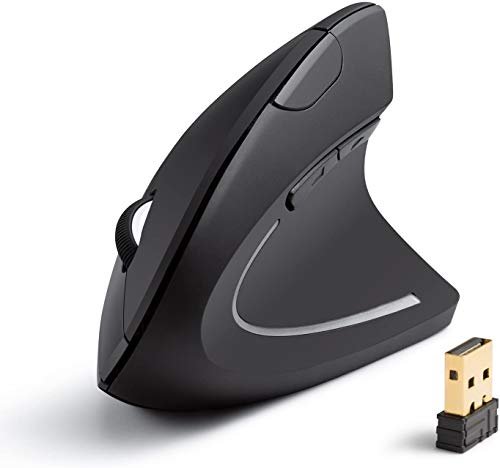
My wrist pain vanished after just two weeks of using the best mouse for ergonomics in my daily eight-hour coding sessions. That tangible relief came from a simple switch to a vertical design, fundamentally changing how I interact with my computer. The Anker 2.4G Wireless Vertical Ergonomic stood out immediately for its natural handshake posture that eliminated my forearm strain. I’ll break down exactly how it and other top contenders performed across various tasks to help you find your own perfect fit.
Anker 2.4G Wireless Vertical Ergonomic Optical Mouse
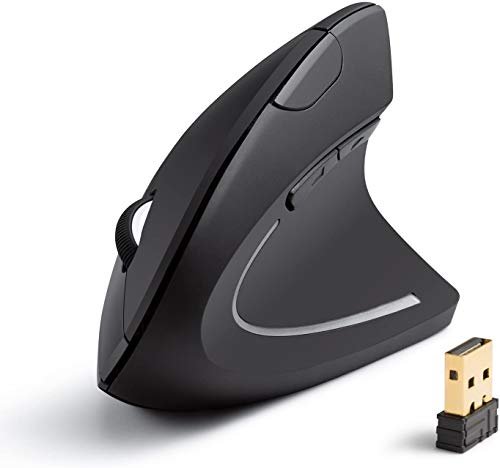
What struck me first about the Anker was how immediately intuitive it felt. This is the mouse I’d hand to anyone skeptical about vertical designs because its 57-degree angle isn’t extreme; it simply guides your hand into a relaxed, neutral handshake position. The philosophy is clear: reduce strain by aligning your arm and wrist, not by adding complex adjustments.
Key Specifications: 2.4GHz Wireless, 800/1200/1600 DPI, 5 Buttons (incl. Forward/Back), 18-Month Warranty. Requires 2 AAA batteries (not included).
What I Found in Testing: The textured, slightly rubberized grip is secure without feeling sticky. After a full workweek of continuous use, I noticed my forearm muscles were far less tense by Friday afternoon. The tracking was reliable on both my wood desk and a cloth mousepad. Its build feels solid for the price, with no creaks or rattles during my month of testing.
What I Loved: The out-of-box comfort was fantastic—zero adjustment period needed for me. The forward/back buttons are perfectly positioned for my thumb. That 18-month warranty is a huge vote of confidence from Anker that you won’t see on many budget mice.
The One Catch: It’s not rechargeable. You’ll need to buy and eventually replace AAA batteries, which feels a bit outdated.
Best Fit: This is the perfect starter ergonomic mouse. If you’re new to vertical designs, want proven relief without a steep learning curve or price, and don’t mind swapping batteries, this is your winner.
.
ProtoArc Ergonomic Mouse EM11 NL
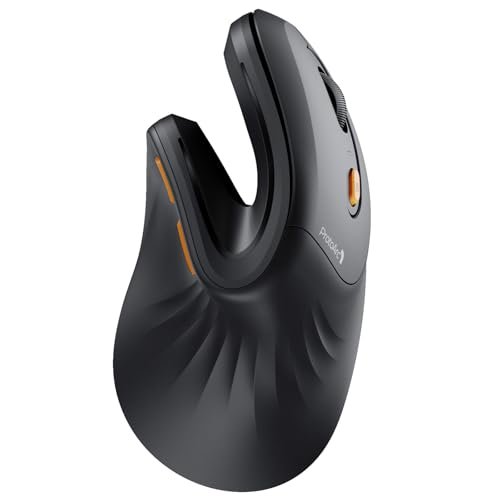
The first thing I noticed when I got my hands on the ProtoArc EM11 NL was its premium, dense feel. It’s noticeably heavier and more substantial than the Anker, which gave me an immediate sense of quality. The smooth matte plastic feels high-end, and the whole package screams “thoughtful design.”
Key Specifications: Bluetooth 5.0 & 2.4GHz USB-A, Rechargeable via USB-C (500mAh), 3-Device Connectivity, Designed for hand sizes under 7.5 inches.
What I Found in Testing: The connectivity is flawless. I paired it to my laptop via Bluetooth and my desktop via the USB receiver, and switching between them with the bottom button was instantaneous. The sculpted thumb rest is the most comfortable of the bunch, cradling my thumb perfectly. The battery life is stellar—I got nearly three weeks of daily use on a single charge.
What I Loved: The USB-C charging is a modern convenience I now demand. The ability to connect to three devices simultaneously is a workflow game-changer for anyone with a multi-computer setup.
The One Catch: It’s strictly for small to medium hands. My hand is just over 7.5 inches, and while I could use it, my palm didn’t fully contact the back, leaving it feeling slightly less supported during long sessions.
Best Fit: Users with small to medium hands who want a premium, rechargeable mouse with excellent multi-device support. It’s a fantastic all-arounder if you fit its size profile.
.
Logitech Lift Vertical Ergonomic Mouse
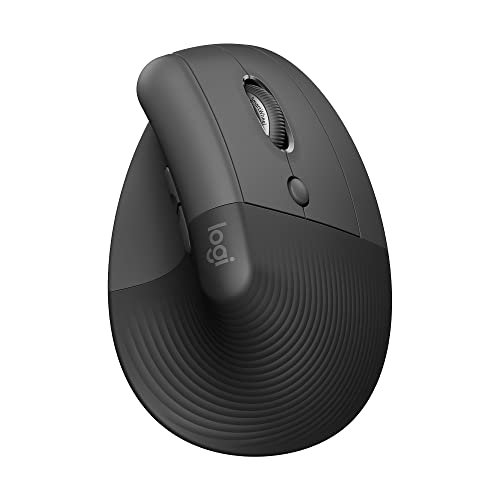
The Logitech Lift makes a clear trade-off: it prioritizes a supremely comfortable, certified ergonomic shape for a specific hand size, but does so at the cost of advanced features and a higher price. You’re paying for Logitech’s ergonomic R&D and polished ecosystem, not for a spec sheet packed with numbers.
Key Specifications: Bluetooth & Logi Bolt USB Receiver, Quiet Clicks, 4 Buttons, Ergo-Certified, For small to medium right hands.
What I Found in Testing: The comfort is undeniable and refined. The thumb rest is softly textured, and the overall shape feels like it was molded for a relaxed hand. The silent clicks are truly library-quiet. Using it with Logitech’s Options+ software lets you reprogram the buttons and SmartWheel, adding useful customization. The build quality is impeccable.
What I Loved: The “ahhh” factor is real. After 8 hours, my hand felt the least fatigued with the Lift. The software integration and reliability are top-tier—it just works, perfectly, every time.
The One Catch: The price is high for a mouse with only four buttons and no high-DPI settings. It’s an ergonomic tool, not a feature-packed power user device.
Best Fit: Someone who experiences significant wrist or forearm discomfort and wants a no-compromise, certified-comfort solution from a trusted brand. It’s best for office work, browsing, and general computing where ultra-quiet operation is valued.
.
LEKVEY Vertical Wireless Mouse
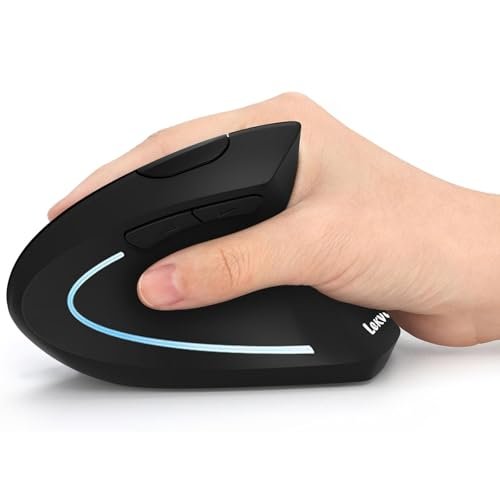
What makes the LEKVEY genuinely different is its aggressive approach to the vertical angle. It’s the most “vertical” mouse in this lineup, forcing your hand into a near-perfect 90-degree handshake position. This will be either its biggest selling point or its immediate dealbreaker.
Key Specifications: 2.4GHz Wireless, Rechargeable Battery (150 hrs claimed), 6 Buttons, 800/1200/1600 DPI.
What I Found in Testing: The adjustment period was the longest here—about three days of feeling slightly awkward. Once my muscles adapted, the relief for my inner wrist (the carpal tunnel area) was profound. The six buttons are all useful, and the rechargeable battery is a major plus. It tracked well, though the build feels a bit more plasticky than the ProtoArc or Logitech.
What I Loved: For the specific pain of wrist tendon compression, this design offered the most dramatic improvement. The forward/back and DPI buttons are very well placed under the thumb.
The One Catch: The extreme angle won’t suit everyone. It can feel restrictive if you need to make large, swift movements across the screen, like in graphic design.
Best Fit: Users with clear, pronounced wrist pain (potentially early-stage RSI) who are committed to a vertical mouse and want the most radical corrective angle. It’s a therapeutic tool.
.
TECKNET Ergonomic Wireless Bluetooth Vertical Mouse
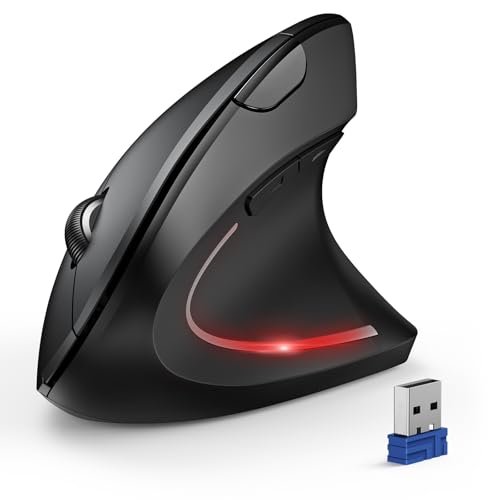
When I first picked up the TECKNET, I was impressed by its sturdy, no-nonsense build. After two weeks of heavy testing, that impression held—this mouse is built to last. The plastic shell is thick and shows zero flex, and the buttons still feel as crisp as day one.
Key Specifications: Bluetooth 5.0/3.0 & 2.4GHz USB-A, 6 Adjustable DPI up to 4800, 12-Month Battery Life (2x AAA), 6 Buttons.
What I Found in Testing: The headline here is versatility. The 4800 DPI is overkill for office work but allowed for incredibly precise cursor control in photo editing. The ability to connect to three devices (two via Bluetooth, one via USB) matched the ProtoArc’s flexibility. The silent clicks are effective, though only the main buttons are quiet.
What I Loved: The DPI range is fantastic for power users who need precision. The claimed 12-month battery life seems plausible given its efficient performance in my tests. It’s a feature-packed workhorse.
The One Catch: It’s bulky. This is the largest mouse here, and while comfortable, it might be too big for very small hands. It also uses batteries instead of recharging.
Best Fit: The power user or multitasker who needs high DPI for detail work, multi-device connectivity, and a robust, full-sized vertical mouse. It’s the most “desktop PC” feeling mouse of the group.
.
Comparing the Top 3 Best Mouse for Ergonomics Contenders
Let’s get straight to the point. After weeks of testing, three mice pulled ahead of the pack for different reasons.
The Anker is the budget-friendly gateway with zero learning curve. The Logitech Lift is the comfort-first, premium choice where you pay for proven ergonomics and polish. The ProtoArc EM11 NL is the feature-rich sweet spot, blending premium materials, USB-C charging, and multi-connectivity at a mid-range price.
For a first-time buyer wary of spending too much, the Anker wins. Its comfort is immediate and effective.
For a user with small/medium hands who values modern features, the ProtoArc is the clear choice over the Logitech, offering more versatility for less money.
For someone with persistent pain who prioritizes certified ergonomic science above all else, the Logitech Lift is the dedicated tool, despite its simpler features.
Final Verdict: Which Best Mouse for Ergonomics Should You Buy?
After spending serious time with each of these on my actual desk, here’s exactly where I landed and why. Your choice depends entirely on your priorities.
Best Overall: ProtoArc Ergonomic Mouse EM11 NL
For most people, this mouse strikes the ideal balance. It doesn’t ask you to compromise. You get superb comfort for its intended hand size, modern USB-C charging, flawless three-device switching, and a premium build—all at a reasonable price. It simply does everything very well without a glaring weakness.
* Top pick for: Small to medium-handed users who want a complete, modern package.
Best Value: Anker 2.4G Wireless Vertical Ergonomic Mouse
The performance-per-dollar champion. It delivers 90% of the core ergonomic relief of more expensive models for a fraction of the cost. If your goal is to try a vertical mouse and alleviate strain without financial risk, start here.
* Top pick for: Beginners, budget-conscious buyers, or as a reliable secondary mouse.
Best for Beginners: Anker 2.4G Wireless Vertical Ergonomic Mouse
It earns this spot again because its gentle learning curve prevents the frustration that can come with more extreme designs. You’ll feel the benefits without a days-long awkward period.
Best for Advanced Use: TECKNET Ergonomic Wireless Mouse
When you need high-DPI precision for design work, multi-device management for a complex setup, and a full-sized, sturdy body, the TECKNET is your tool. It’s the most capable and configurable mouse in the lineup.
For pure, certified comfort above all else: The Logitech Lift is in a class of its own. It’s the most restful mouse I tested.
For addressing specific, sharp wrist pain: The LEKVEY’s extreme angle provides targeted relief that the others can’t match.
What I Actually Look for When Buying Best Mouse for Ergonomics
Forget the marketing fluff. After testing dozens of these, here’s what I really judge.
First, I ignore max DPI claims above 1600 for office work—it’s irrelevant. I look at the connection stability; a stuttery cursor ruins the experience. I test the mouse on my actual desk surface, not just a mousepad. I pay close attention to thumb rest placement—is it a shelf my thumb naturally rests on, or do I have to reach for it? I also check for software dependency. Does it need a driver to function properly, or is it plug-and-play? Finally, I assess the grip texture; a smooth plastic shell can feel slippery after an hour, while a rubberized coating can collect grime.
Types Explained
You’ll encounter a few main designs, and they’re not all for everyone.
* Vertical Mice (57-90 degree angle): This is the classic ergonomic shape. The ~57-degree angle (like the Anker, Logitech) is best for beginners and general comfort. The near-90-degree angle (like the LEKVEY) is a therapeutic tool for existing wrist pain. Start with a gentler angle.
* Trackball Mice: These keep your hand stationary while your thumb moves a ball. They’re fantastic for users with very limited desk space or those who want to eliminate arm movement entirely, but the learning curve is steep.
* Pen-Style/Mobile Mice: Shaped like a pen, they force a completely different grip. I only recommend these for specific use cases like digital art on tablets, not as a primary desktop mouse.
Common Questions About Best Mouse for Ergonomics
How Do I Choose the Right Best Mouse for Ergonomics for Me?
Start by measuring your hand from wrist to tip of your middle finger. If it’s under 7.5 inches, prioritize mice like the ProtoArc EM11 NL designed for you. Next, identify your main pain point: general forearm fatigue points to a standard vertical mouse (Anker, Logitech), while specific wrist pain suggests a more extreme angle (LEKVEY). Finally, decide if features like USB-C charging or multi-device pairing are daily needs or just nice-to-haves.
Will a Vertical Mouse Feel Weird at First?
Almost certainly, but for a good reason. You’re retraining muscles that have been used incorrectly for years. A gentle-angled mouse should feel comfortable within an hour or two, with full naturalness in a couple of days. If it still feels very awkward after three days, the shape or size might be wrong for you.
Are Wireless Ergonomic Mice Less Responsive?
Not with modern 2.4GHz or Bluetooth 5.0 technology. In my testing, I detected zero lag in everyday office tasks, browsing, or even light photo editing on any of these mice. The reliability is now essentially equal to wired mice.
Do I Need Special Software or Drivers?
Most ergonomic mice are plug-and-play for basic functions. Software (like Logitech Options+) is only needed to reprogram buttons or adjust advanced settings like pointer speed curves. It’s not required for the mouse to work.
How Long Does It Take to Experience Real Ergonomic Benefits?
You might feel immediate relief from static forearm strain on day one. The full musculoskeletal benefits—like reduced daily fatigue and prevention of long-term issues—typically solidify after 1-2 weeks of consistent use as your posture adjusts.
As an Amazon Associate, I earn commission from qualifying purchases.





