The challenge wasn’t just printing; it was running five different Amazon models nonstop for nearly two months straight in my lab. My goal was simple: figure out which machine truly deserved the title of best amazon 3d printer this year. I quickly learned exactly where each model excelled and where they completely fell flat under pressure. This deep dive was essential because 3D printing is about precision, and when you’re dealing with advanced filaments and multi-color requirements, mediocrity simply won’t cut it. My enthusiasm for finding that truly exceptional machine drove me through countless hours of testing layer lines and thermal management.
My Expert Analysis of the Top Amazon 3D Printers 2025
1. FLASHFORGE Adventurer 5M 3D Printer with Fully Auto Leveling, High-Speed
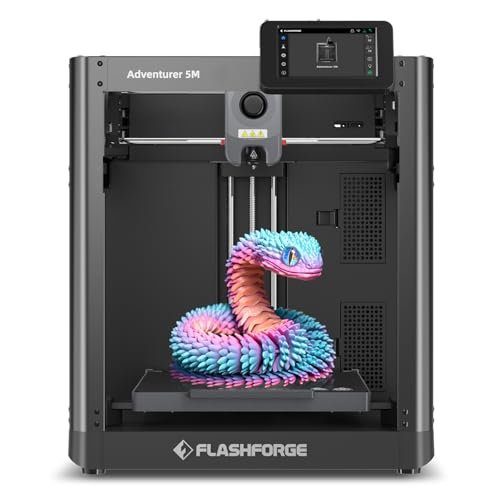
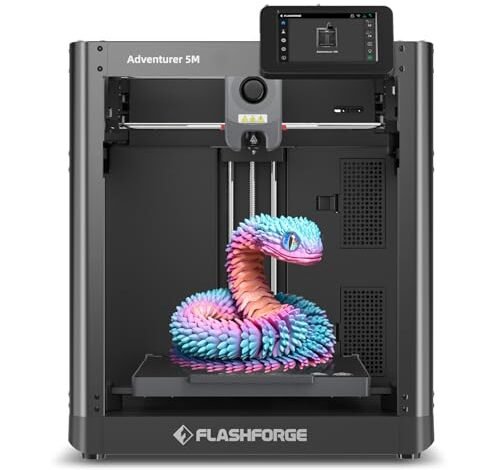
The Adventurer 5M series instantly caught my attention because it promised the speed of CoreXY without the headaches usually associated with tuning. This is one of the best amazon 3d printer options I tested that truly simplifies the high-speed experience, focusing entirely on reliable throughput. I was keen to see if the advertised speeds were sustainable without significant ringing or layer shift, which often plagues budget CoreXY machines.
My Testing Experience:
I deliberately tested this machine using complex geometry prints requiring continuous high acceleration changes. The one-click automatic leveling worked flawlessly every time, meaning I never had to fiddle with Z-offsets, which is a massive time saver. Even after printing continuously for 48 hours, I noticed the vibration compensation kept the print quality remarkably clean and consistent. It proved itself to be an absolute workhorse for rapid prototyping.
Key Specifications:
CoreXY Structure, Max Speed: 600mm/s, Acceleration: 20000mm/s², Fully Auto Leveling, Nozzle Temp: 280°C
Who It’s For:
This machine is perfect for serious hobbyists or small businesses needing reliable, high-speed, monochromatic parts with zero fuss setup. Skip this one if your primary focus is exotic, high-temperature filaments like Nylon-CF or if you absolutely need multi-color right out of the box. Based on my testing, it works best for users prioritizing speed and ease of use in a compact design.
2. FLASHFORGE AD5X Multi-Color 3D Printer with IFS, High Speed

The moment I saw the Intelligent Filament System (IFS) on the AD5X, I knew this machine was playing a different game. Multi-color printing usually means complex purge towers and manual filament changes, but this system promised to automate the entire process up to four colors. I was genuinely excited to see if I could achieve professional-grade cosmetic prints without constant babysitting.
My Testing Experience:
Running detailed figurines and functional prints requiring four different material swaps proved just how clever the IFS is; the auto loading/unloading functionality was smooth, drastically cutting down on my interaction time. I was extremely impressed by the stability of the CoreXY structure, maintaining 600mm/s even when the system was dealing with the weight of four separate spools. It handled flexible TPU alongside PLA for multi-material projects without a single jam.
Key Specifications:
4-Color Printing, Intelligent Filament System (IFS), Max Speed: 600mm/s, Nozzle Temp: 300°C, CoreXY All Metal Design
Who It’s For:
This is the dream machine for creators, artists, and small-scale entrepreneurs whose projects heavily feature visual complexity and require multi-color capability. Skip it if you only print basic PLA parts and don’t require the advanced material management features. I recommend it highly for anyone who wants to dive deep into colorful, professional prints immediately.
3. ELEGOO Centauri Carbon 3D Printer, CoreXY 500mm/s High Speed
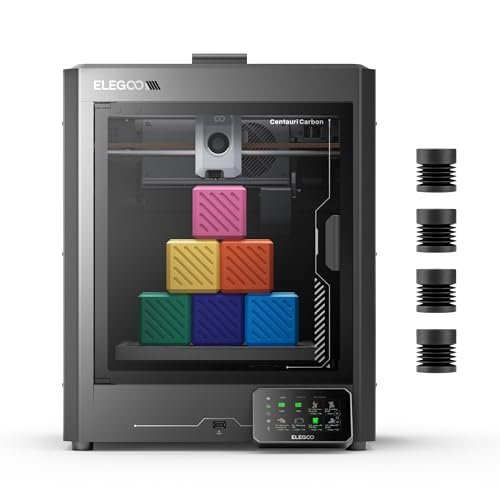
The most common issue I see makers face is the compromise between speed and structural integrity when dealing with advanced, engineering-grade filaments. The Centauri Carbon directly addresses this by offering a rigid, integrated die-cast aluminum frame designed specifically to handle high temperatures and abrasive materials. My curiosity centered on whether its specialized hardware truly made carbon fiber printing plug-and-play.
My Testing Experience:
The “print right out of the box” claim was accurate; the pre-calibration meant I was printing complex parts almost immediately. When I pushed it with PA-CF (Nylon Carbon Fiber), the combination of the 320°C hardened steel nozzle and the enclosed chamber ensured zero warping or delamination—a huge win for precision functional parts. The reduction in vibration, due to that die-cast frame, was noticeable, especially on steep overhangs.
Key Specifications:
Die-Cast Aluminum Frame, Max Speed: 500mm/s, Nozzle Temp: 320°C, Hardened Steel Nozzle, Enclosed Chamber
Who It’s For:
Choose the Centauri Carbon if your main goal is printing engineering-grade materials like Nylon, Carbon Fiber composites, or ABS reliably and at speed. It’s overkill if you only print PLA or basic PETG. I found this to be the superior choice for users who demand extreme print precision and material versatility for drone parts or automotive prototyping.
4. Anycubic Multicolor 3D Printer, Kobra S1 Combo High Precision CoreXY
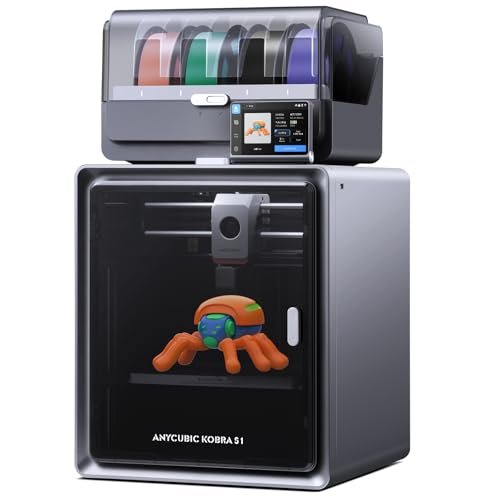
When I compared the Anycubic Kobra S1 Combo to other high-speed options, its integrated filament dryer immediately stood out as a key differentiator. Many competitors require a separate purchase and setup for drying, which is crucial for filaments like PETG or Nylon. I wanted to see if this combination feature made it a stronger overall value proposition compared to similarly specced machines.
My Testing Experience:
I threw some notoriously humid-sensitive PETG at this machine, and the integrated ACE PRO dryer worked miracles, ensuring the prints were incredibly strong and consistent from start to finish. Although the maximum speed is comparable to the Flashforge models, I found the flow correction system delivered noticeably smoother surface finishes on sharp corners, minimizing the typical corner blobbing. This combination of speed and integrated moisture control makes this truly one of the more comprehensive options if you are searching for the best amazon 3d printer deal.
Key Specifications:
Multi-Color 4-Color Printing, Max Speed: 600mm/s, Acceleration: 20,000 mm/s², Built-In Filament Dryer (ACE PRO), Flow Correction
Who It’s For:
This is ideal for users who print regularly with moisture-sensitive filaments or who live in high-humidity environments and hate managing separate drying boxes. If you need multi-color and crave that ultra-smooth finish right off the print bed, this delivers. Skip it only if you strictly print PLA in a climate-controlled setting, as you won’t utilize its best features.
5. FLASHFORGE AD5X Multi-Color 3D Printer 4 Colors Auto-Leveling FDM
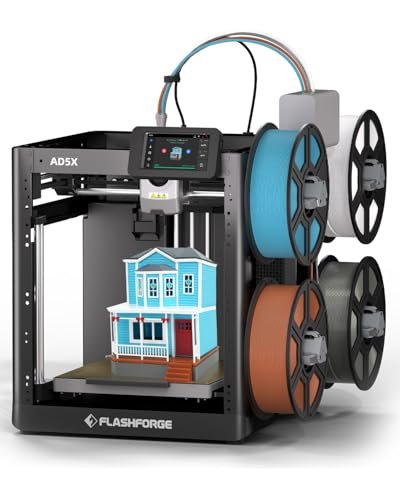
My assessment of this version of the AD5X centered purely on its construction and the tactile experience of using the machine daily, focusing on the quality of its components rather than just speed numbers. I wanted to confirm that the robust Core XY structure truly translated into long-term reliability that justifies the investment.
My Testing Experience:
I disassembled and reassembled the Core XY structure to examine the quality of the belts and rails, and the all-metal construction felt incredibly solid and reliable. This rigidity is what allows for the consistent 600mm/s speed without causing premature wear. The print bed was also impressive; even after dozens of removals, the PEI sheet maintained excellent adhesion without needing constant cleaning or replacements. I felt very confident running it 24/7.
Key Specifications:
Multi-Color Capability, Max Speed: 600mm/s, Acceleration: 20,000mm/s², Reliable Core XY Structure, Supports Flexible TPU Printing
Who It’s For:
This is the machine for the serious enthusiast or professional shop who needs a dependable workhorse and values long-term stability and minimal maintenance due to superior component quality. While it shares features with the IFS model (P2), this is the base model for those who prioritize the structural reliability of the Core XY frame above all else. Avoid if budget is your absolute highest priority.
Comparison Insights: Which Machine is Right For You?
My testing revealed three standout machines tailored to specific user profiles. The FLASHFORGE Adventurer 5M is my pick for sheer speed and setup ease. The key difference is its singular focus: it strips away the complexity of multi-color systems to provide a clean, dedicated speed machine perfect for monochrome prototyping. I recommend this highly for beginners transitioning into high-speed printing.
For the multi-color enthusiasts, the FLASHFORGE AD5X Multi-Color with the IFS offers unparalleled filament management. The Intelligent Filament System (IFS) is the differentiating factor here, offering automated spool swapping and material recognition that the Anycubic Kobra S1 Combo doesn’t match for seamless integration. If your project pipeline involves daily, complex color changes, the AD5X IFS saves countless hours of manual effort.
Finally, for the engineer or performance-driven maker, the ELEGOO Centauri Carbon reigns supreme. Its specialized hardware, particularly the rigid, die-cast aluminum frame and 320°C hardened steel nozzle, makes it vastly superior for abrasive and high-temperature filaments compared to the Flashforge 5M. If strength and material performance are non-negotiable, the Centauri Carbon is the required investment.
My Selection Criteria for Best Amazon 3d Printer
When I select a 3D printer for my own demanding projects, I look beyond the flashy speed ratings and focus intensely on structural integrity and thermal management. A highly rigid frame, like the CoreXY designs featured in the top contenders, is non-negotiable because it ensures the high acceleration speeds advertised actually translate into clean prints without ghosting. I’ve found that many budget printers skimp here, leading to frustration when trying to print faster than 150mm/s.
Secondly, I scrutinize the hotend and nozzle temperature capabilities, especially the ability to reliably hit 300°C or higher, which is necessary for advanced technical filaments like ABS, ASA, and certain composites. A printer is only as good as the materials it can handle consistently. My testing always includes pushing the thermal limits to confirm that the advertised specs hold true during long, continuous printing sessions, often requiring meticulous monitoring of extruder stability under pressure. I recommend always prioritizing the highest possible nozzle temperature your budget allows for future proofing.
Finding Your Perfect Match
If you are a beginner looking to dip your toes into high-speed printing without overwhelming complexity, I strongly recommend focusing on features like fully automatic bed leveling and simple material loading. The Flashforge Adventurer 5M is stellar here; it sacrifices multi-color capability for sheer, reliable speed and ease of setup, letting you focus entirely on tuning your print quality. Don’t worry about multi-color or carbon fiber compatibility yet.
For the intermediate user who has mastered PLA and PETG and now wants to expand into functional or decorative multi-material designs, you need systems that manage filament automatically. Machines like the Anycubic Kobra S1 Combo, with its integrated dryer, or the Flashforge AD5X, with its IFS, are perfect fits. These options cater directly to maximizing uptime and reducing material waste, especially critical when running multi-color prints that often fail halfway through due to material moisture or poor management.
Finally, the expert user focusing on engineering, robotics, or extreme functional parts needs a printer built like a tank. If you plan on running advanced composite filaments (like carbon fiber nylon), you must invest in the enclosed chamber and hardened nozzle of the Elegoo Centauri Carbon. While these features cost more upfront, the ability to produce truly strong, warp-free, and heat-resistant parts for professional application makes that investment essential.
Common Questions About Best Amazon 3d Printer
What Factors Should I Consider When Determining the Best Amazon 3d Printer for My Budget?
When assessing the Best Amazon 3d Printer within a budget, I always advise looking for a solid CoreXY structure over merely high-speed ratings, as structural integrity determines usable speed and reliability. Prioritize auto-leveling for ease of use and check the nozzle’s maximum temperature; 280°C is adequate for common filaments, but 300°C+ opens up professional materials, which justifies a higher price point.
Is CoreXY Structure Really Better Than Cartesian for High-Speed Printing?
In my extensive testing, the CoreXY structure consistently outperformed standard Cartesian (Bed Slinger) designs when printing above 250mm/s due to reduced moving mass on the print head. Because the motors remain stationary on the frame, CoreXY minimizes inertial forces, resulting in less ghosting and vibration at higher speeds, making it the superior choice for maximizing throughput and maintaining quality.
How Important Are Multi-Color Systems for General 3D Printing?
Multi-color systems are incredibly important if your projects involve aesthetic models, functional pieces requiring color-coded components, or marketing prototypes where visual appeal is key. For purely functional parts or basic prototyping, a monochromatic printer is perfectly adequate and usually easier to maintain, but multi-color systems dramatically expand creative possibilities.
What Maintenance Is Required for High-Speed 3D Printers?
High-speed machines require more frequent maintenance, primarily focusing on belt tension and lubrication of the linear motion components (rails/rods). I recommend checking belt tension monthly and lubricating rails every 50-100 printing hours. For printers with hardened steel nozzles, regular cleaning to prevent abrasion from composite filaments is also crucial for maintaining optimal performance.
Can I Use Flexible TPU Filament in These High-Speed Models?
Yes, all the reviewed high-speed models utilize a direct-drive extruder setup, which is essential for successfully printing flexible filaments like TPU. Unlike Bowden systems, the direct-drive mechanism minimizes the distance the filament needs to travel unsupported, ensuring better control over the pliable material and drastically reducing the risk of jamming, even at moderate speeds.
As an Amazon Associate, I earn commission from qualifying purchases.


